

If you are comparing Huntr vs. ChatGPT, you’re probably trying to solve a practical problem: how to move through a job search faster without lowering the quality of your applications. Job seekers today have more AI tools than ever, but most job search tools still fall into two buckets: writing help and workflow management. This guide breaks down where Huntr and ChatGPT actually help during job hunting, where each one creates extra work, and how to choose based on the kind of job search you are running in the current job market.
Quick Verdict
Huntr vs. ChatGPT comes down to this: ChatGPT helps you write, while Huntr helps you run your job search. If you care most about staying organized and applying faster, Huntr is the better fit. It combines an AI resume builder with a job tracker and application workflow support, so you spend less time managing files and more time submitting solid job applications.
If you primarily need writing and rewriting on demand, ChatGPT is the better fit. It can help you draft bullet points, cover letters, and outreach messages quickly, especially when you’re stuck or short on time. ChatGPT can also produce strong match-style feedback and resume improvement suggestions, and it can tailor content very quickly when you provide strong prompts. The limitation is operational: it still does not keep job applications, resume versions, and follow-ups organized. That workflow layer is where most job seekers lose time.
Some job seekers will get the best results using both together. Use ChatGPT to tighten writing, then keep everything organized in Huntr so tailored resumes and follow-ups stay tied to the right job applications. However, if you want one tool to run your job search end-to-end, Huntr is the strongest choice.
What Is Huntr?
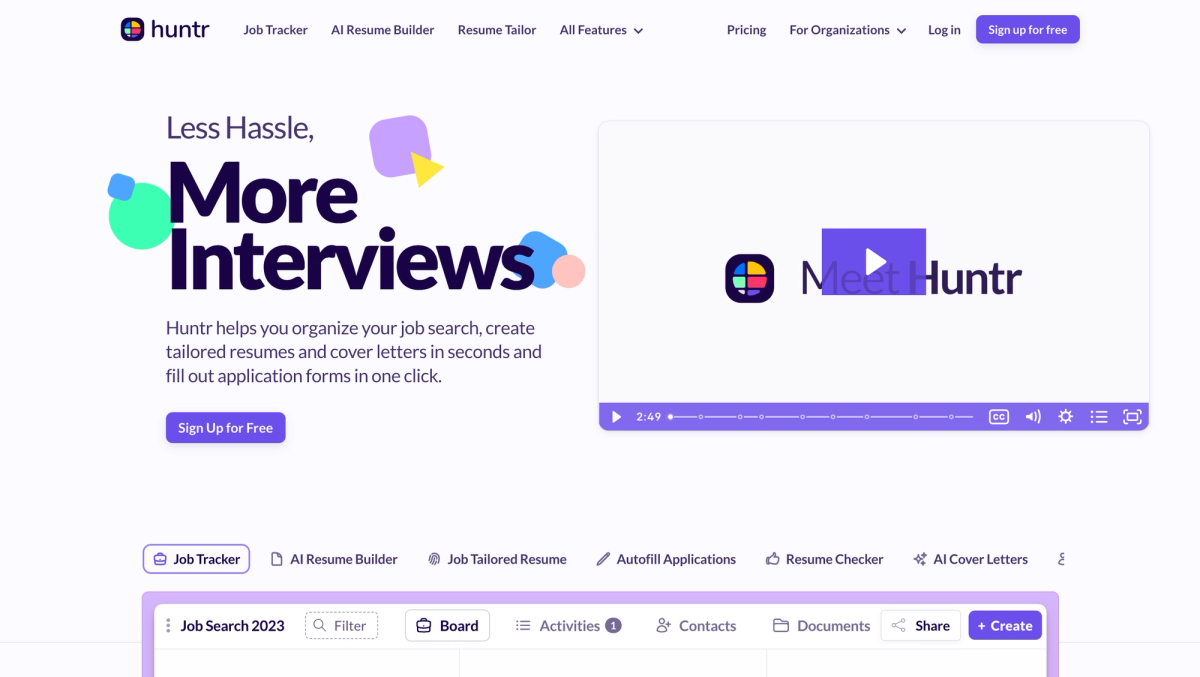
Huntr is a job search platform built for people who are actively applying and need a system to stay organized. Instead of juggling spreadsheets, browser bookmarks, and scattered documents, it gives you one place to manage job applications from first save to final follow-ups.
What makes Huntr different is that it is designed around execution. You can track job listings, attach notes and contacts, tailor a resume and cover letter for a specific role, export a clean file, then keep your pipeline updated as responses come in. Plus, they also have a detailed resume reviewer that gives you line-by-line feedback. That structure matters most when your search gets busy, because it reduces version chaos and prevents dropped opportunities.
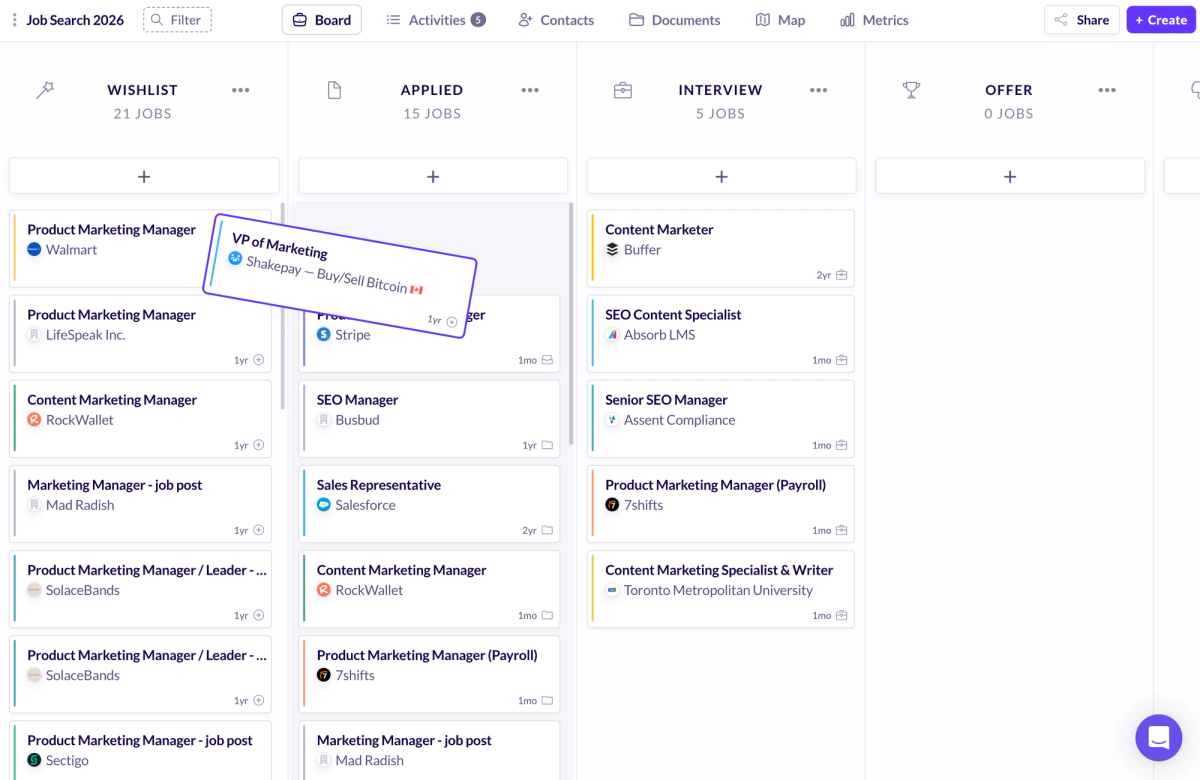
The job tracker is the backbone. It shows where every job opportunity sits, what you sent, and what needs to happen next. The Chrome extension helps you save job postings while you browse and speeds up repetitive forms with autofill, which is one of the biggest time sinks in job applications.
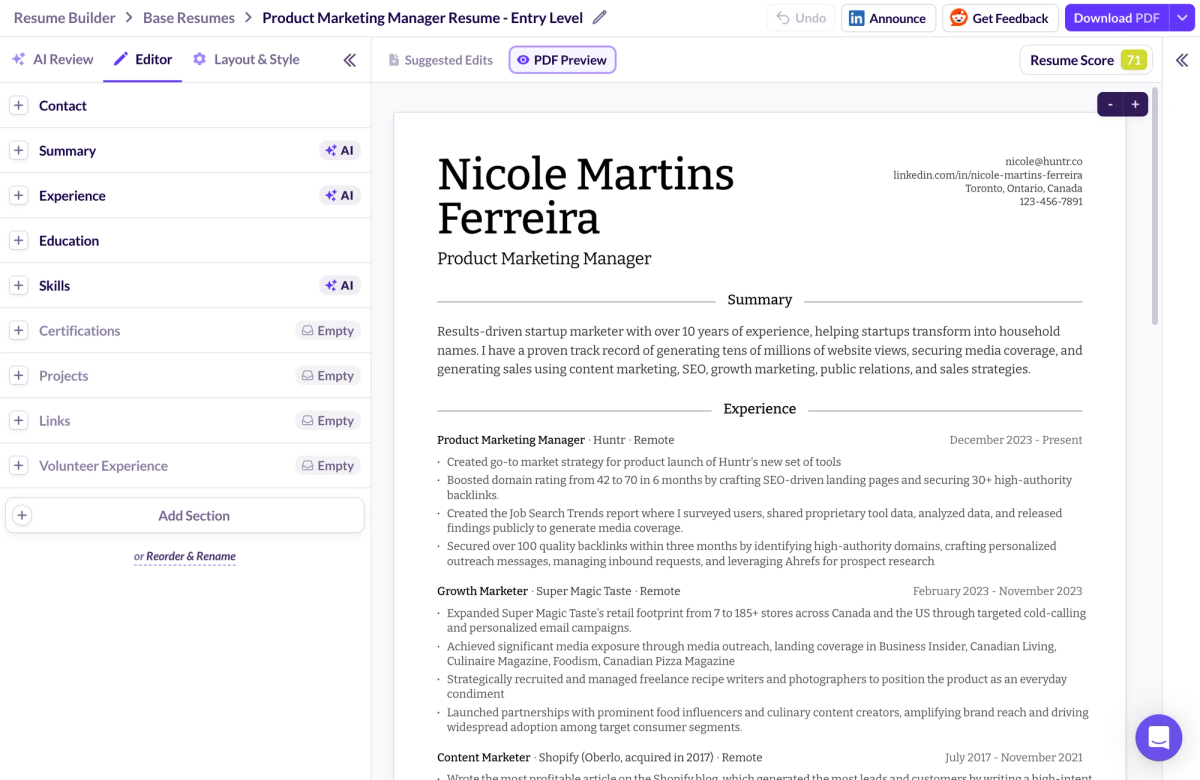
On the document side, Huntr’s AI resume builder supports a base resume and then tailoring per job description, so you can iterate without breaking formatting. AI suggestions can be too specific, so treat them as drafts and verify metrics, tools, and brand references before you export.
Huntr’s free plan is also unusually usable for real job searches. You can export your resume for free, and you can track up to 100 job applications, which is enough volume for many active job seekers.
What Is ChatGPT?
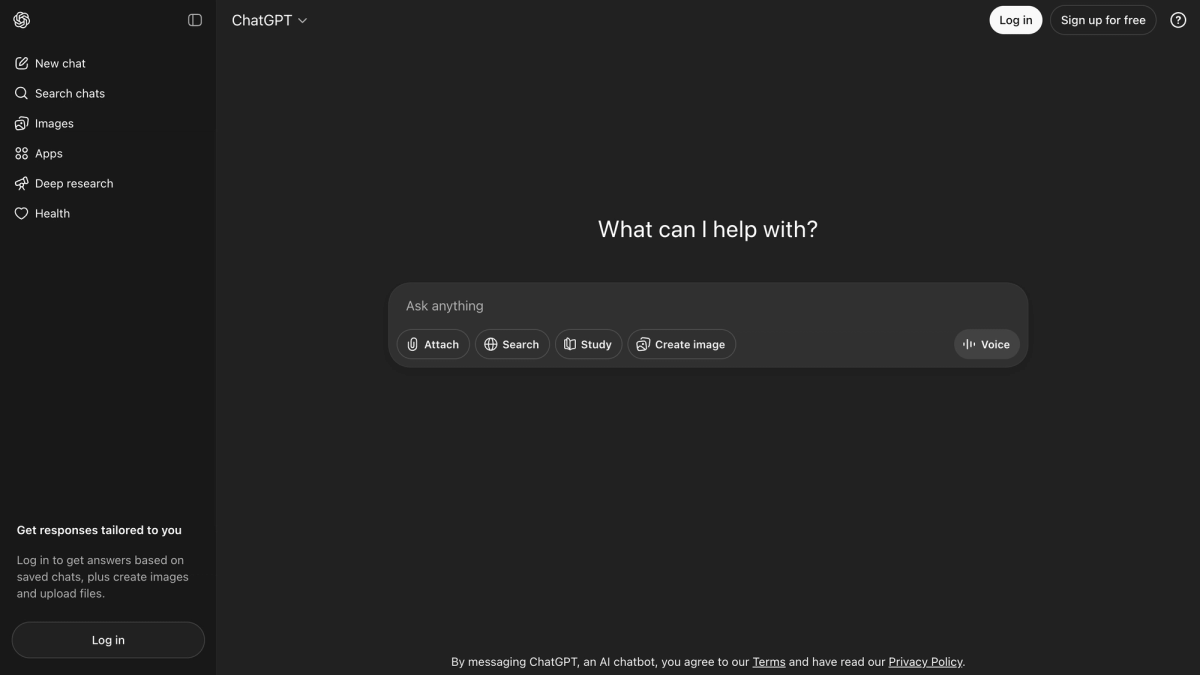
ChatGPT is a general-purpose AI writing assistant. For job seekers, its best use is fast drafting and rewriting: bullet points, cover letters, outreach emails, and interview prep. If you have real experience but struggle to translate it into clear, strong writing, ChatGPT can help you get to a solid first draft quickly.
It can also generate and export resume content, but it doesn’t provide a resume builder experience with multiple templates and built-in layout controls the way Huntr does. In practice, you will spend more time shaping the final document, especially if you care about consistent formatting across versions and clean exports.
The limitation is that it doesn’t run your workflow. You still need a place to store job listings, track job applications, manage versions, and remember follow-ups. If you rely on ChatGPT for everything, the manual work becomes the tax: copying and pasting into documents, fixing formatting, naming files, and keeping track of what you sent to which company.
How We Tested Huntr and ChatGPT (Inside the 40+ Tools Study)
This comparison is grounded in a broader dataset created by signing up for and testing over 40 AI resume builders. To compare Huntr vs. ChatGPT fairly, we tested both with the same real-world workflow: import a resume, rewrite and improve content, tailor it to job descriptions, check alignment using match-style feedback, then export a final version that you could actually submit. We also tracked what matters during a real job search: speed, formatting reliability, workflow friction, and how easy it is to repeat the process across multiple job applications without creating a mess of versions and documents.
Resume Building and Editing Quality
Writing is only one part of a resume. The other part is producing a document that looks clean, exports correctly, and stays consistent after a few rounds of tailoring. This is where a resume builder often beats a text generator.
Why Huntr Produces More Submission-Ready Resumes
The biggest difference between Huntr and ChatGPT is that Huntr handles structure while you focus on content. Templates and layout rules are built into the editor, which keeps spacing and formatting stable as you tailor across roles. That matters once you start swapping skills, editing bullet points, or adjusting your summary, because small changes can create cleanup work in a manual document.
Huntr also makes exporting predictable. When you are applying repeatedly, a smoother export flow saves time and reduces the risk of sending an outdated or messy version. No tool fixes weak content, but a clean editing and export workflow makes it easier to submit stronger applications without getting stuck in formatting.
Formatting, Export, and ATS Safety
Applicant tracking systems mostly care whether your resume parses cleanly. Recruiters and hiring managers still read the final document, but your resume needs to survive the software layer first. With Huntr, templates help keep the structure readable and consistent. With ChatGPT, you can generate content, but formatting is your responsibility, and copy-paste can introduce spacing inconsistencies that you have to clean up.
PDF usually preserves layout better, while DOCX is easier to edit and can be safer for some portals. If you can, export both and do a quick check before submitting. Watch for formatting problems that trip up ATS systems, such as unusual headers, multi-column layouts, text boxes, inconsistent dates, and copy-paste artifacts that shift bullets or spacing.
Tailoring to a Job Description
Tailoring is where most job seekers burn time because they either rewrite too much or change too little. A practical approach is to tailor only what moves the needle: adjust a few bullet points to reflect the core responsibilities, update a skills cluster to include missing keywords you genuinely have, and make sure your top experience matches what the role is asking for.
How Huntr Supports Tailoring at Scale
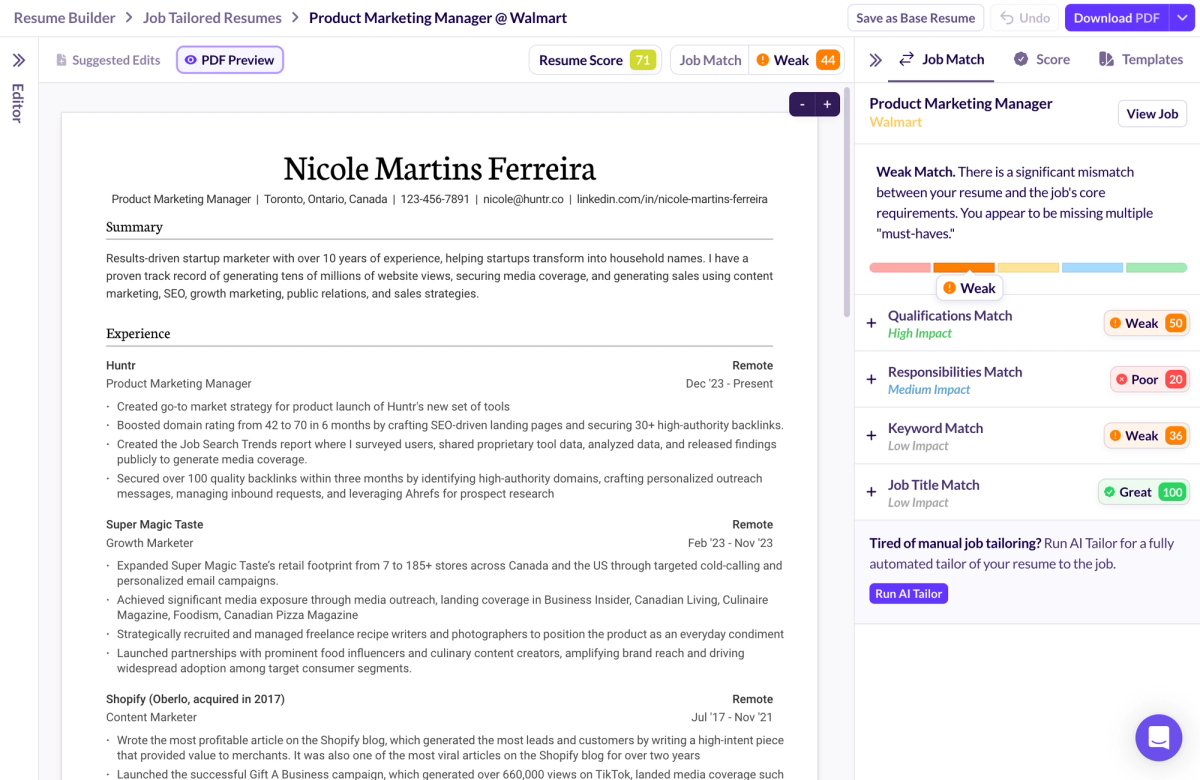
Huntr speeds up tailoring by keeping the job description tied to the application. You save the job posting, tailor it in context, and export it, and the tailored version stays connected to that role inside your tracker. That reduces guesswork and helps with version control, since you can keep a base resume clean while spinning up tailored copies for different job postings.
If you are applying to multiple roles, this is where workflow wins. You know what you sent, when you sent it, and what to follow up on. That makes job tracking and tailoring feel like one process instead of separate tasks scattered across tools.
How ChatGPT Supports Tailoring
ChatGPT can tailor quickly if you give it good prompts. Paste the job description, share your current bullet points, and ask for rewrites that align with the role without changing the facts. The speed is real, but the work shows up after: you still have to paste edits into your resume, keep formatting clean, save a new version, and track which version went to which job applications.
ChatGPT drifts when prompts are vague. If you only provide a job title and a few bullets, it may fill gaps with assumptions, especially around tools, metrics, or scope. Treat it like a rewriting assistant, then review it like an editor.
How to Tailor Safely
Before you submit, verify every tool, platform, metric, and result the resume mentions. If you cannot explain a number or a claim in an interview, remove it. Cut inflated filler language and keep your writing specific and defensible. A resume that reads clearly and holds up under questions beats one that sounds impressive but collapses when a recruiter asks for details.
The Execution Gap: Resume to Applications
A strong resume does not finish the job search. After the document is ready, you still have to decide what to apply to, tailor efficiently, submit without mistakes, track progress, and follow up. This is where many job searches break down, because the work becomes repetitive and easy to lose track of.
Huntr is built to reduce that friction. When job postings, notes, documents, and stages live in one place, you can move faster without relying on memory or a messy folder system. If you want one tool that supports the full loop, Huntr is the stronger choice than ChatGPT alone.
Job Tracking and Pipeline Management
Huntr’s job tracker helps you treat your search like a pipeline, not a series of random applications. When you track stages, dates, contacts, and next steps, you stop losing context a week after you apply. That keeps follow-ups consistent and reduces duplicate applications and dropped threads.
Tracking does not create interviews by itself, but it prevents avoidable mistakes that quietly cost interviews, like forgetting a recruiter's name, missing a follow-up window, or sending the wrong resume version.
Autofill and Application Speed
Application forms waste time, especially at volume. A Chrome extension that supports autofill can reduce repetitive typing across job postings and make the process smoother. Huntr’s browser extension helps with speed, but it also helps with consistency, because you are pulling from stored information instead of retyping details every time.
Autofill tools still require review. Autofill can carry outdated information or attach the wrong file if you are rushing, so always scan the final submission before you hit send.
Pricing and Value
Both tools can be useful, but they deliver value in different ways. ChatGPT is often the cheaper path to better writing. Huntr is the better path to a repeatable job search process, especially if you are applying frequently and need job tracking, version control, and a smoother application workflow.
Huntr Pricing and Value Snapshot
Huntr’s free plan covers the core workflow for many job seekers: a job tracker, resume builder, and tools that reduce friction in job applications. If you are applying casually, that may be enough. If you are applying every week, managing multiple job titles, or relying on speed, a paid plan can make sense because it bundles tools you would otherwise patch together.
ChatGPT Pricing and Value Snapshot
ChatGPT can be free and still useful for writing. The tradeoff is that you are responsible for the workflow around it: formatting, versioning, file management, and job tracking elsewhere. That manual effort is manageable for a handful of applications, but it becomes the bottleneck in a high-volume search or any search that lasts longer than expected.
The Best Workflow If You Want to Use Huntr and ChatGPT Together
If you want to combine them, use Huntr as the system and ChatGPT as writing support. Save the job posting and track stages in Huntr, draft or refine bullet points and cover letters in ChatGPT, paste the final copy into Huntr, export cleanly, apply, then log follow-ups. The best setup is the one you can repeat when you are busy.
Who Wins in Different Scenarios
Choose Huntr If…
Huntr is the better fit if you are applying to multiple roles and need a better resume design, job search organization, job tracking, and a repeatable resume to apply workflow. It is especially useful if you want tracking, autofill, and follow-ups in one system, because that is the part most people struggle to maintain manually.
Choose ChatGPT If…
ChatGPT is a strong fit if you mainly need writing help and already have a tracking system you actually use. It works well when you are applying to a small number of roles and want flexible support for bullet points, cover letters, job description analysis, and interview prep.
Conclusion
In the end, Huntr vs. ChatGPT is less about which tool is “smarter” and more about what actually moves your job search forward. ChatGPT is a great writing power for bullet points, cover letters, and quick rewrites, but Huntr is the job search operating system that keeps your job applications, job tracking, and job opportunities organized in one place so you can apply consistently without losing momentum. Most job seekers will get the best results using Huntr as the backbone and ChatGPT as optional support when they want extra writing speed. If you want a cleaner, more repeatable workflow, start your next job search by signing up for Huntr today for free.
FAQs: Huntr vs ChatGPT
Is Huntr better than ChatGPT for resumes?
Huntr is better for building and exporting a design-friendly, submission-ready resume with version control, while ChatGPT is good for fast drafting and rewriting.
Can HR tell if you used ChatGPT?
Often they can tell when writing sounds generic or overly polished. The bigger risk is incorrect or inflated specifics, so edit for your own voice and verify every claim before submitting.
Do applicant tracking systems reject AI-written resumes?
ATS systems don’t reject resumes because AI was used, but they can reject poor formatting. Recruiters may also flag vague or generic content, which is why clean structure and specific, defensible writing still matter.
Can Huntr replace ChatGPT for cover letters and bullets?
Huntr can handle a lot of rewriting and tailoring, while ChatGPT is helpful when you want more flexible drafting.
What is the safest way to use ChatGPT for resume writing?
Use it to rewrite what you already have, keep prompts specific, and verify every metric and tool.
Is Huntr worth it if I’m applying to only a few jobs?
If you are very organized, the free version may be enough, but Huntr is most valuable when your application volume increases.
What’s the fastest workflow for applying at scale?
Use Huntr to save job postings, track your pipeline, tailor from a base resume, export clean files, and log follow-ups, then use ChatGPT for quick writing support when needed.

Ashliana Spence
Ashliana is a freelance marketing and growth operations consultant who works with lean teams to improve where and how they show up, communicate, and operate. With a background in integrated marketing communications, she focuses on messaging, content, systems, and processes, turning complex ideas and values into clear narratives and building workflows that help teams move with consistency and intent to support long-term trust-driven growth.
Get More Interviews, Faster
Huntr streamlines your job search. Instantly craft tailored resumes and cover letters, fill out application forms with a single click, effortlessly keep your job hunt organized, and much more...
AI Resume Builder
Beautiful, perfectly job-tailored resumes designed to make you stand out, built 10x faster with the power of AI.
Next-Generation Job Tailored Resumes
Huntr provides the most advanced job <> resume matching system in the world. Helping you match not only keywords, but responsibilities and qualifications from a job, into your resume.
Job Keyword Extractor + Resume AI Integration
Huntr extracts keywords from job descriptions and helps you integrate them into your resume using the power of AI.
Application Autofill
Save hours of mindless form filling. Use our chrome extension to fill application forms with a single click.
Job Tracker
Move beyond basic, bare-bones job trackers. Elevate your search with Huntr's all-in-one, feature-rich management platform.
AI Cover Letters
Perfectly tailored cover letters, in seconds! Our cover letter generator blends your unique background with the job's specific requirements, resulting in unique, standout cover letters.
Resume Checker
Huntr checks your resume for spelling, length, impactful use of metrics, repetition and more, ensuring your resume gets noticed by employers.
Gorgeous Resume Templates
Stand out with one of 7 designer-grade templates. Whether you're a creative spirit or a corporate professional, our range of templates caters to every career aspiration.
Personal Job Search CRM
The ultimate companion for managing your professional job-search contacts and organizing your job search outreach.
Huntr
Blog Product Updates Resume Skill Guides Resume Examples Interview Question Guides Research 2025 Job Search Trends Report Affiliate Program Careers Privacy policy Terms of service Write for us LinkedIn Reddit r/HuntrCo Twitter @TryHuntr Email UsProduct
Job Tracker AI Resume Builder Resume Tailor Resume Checker AI Cover Letters Resume Summary Generator Resume Bullet Generator Resume Skills Generator Resume Headline Generator Resume Keyword Scanner Job Keyword Finder Targeted Resume Contact Tracker Interview Tracker Job Search Metrics Job Application Autofill Resume Storage AI Resume Review Job Clipper Resume Optimization ChatGPT Resume Builder Resume Fixer LinkedIn Resume Builder AI Resume Rewriter Interview Question Generator