
Huntr Blog
10 Best Resume Builders in 2026 (40+ Tools Tested and Ranked)
February 16, 2026
10 Best AI Resume Builders in 2026
We signed up for 40+ resume builders and tested each one hands-on. What we found: clone sites disguising the same product under different names, "free" downloads that funnel into hidden subscriptions, and a lot of generic AI.
Here's how they actually ranked.
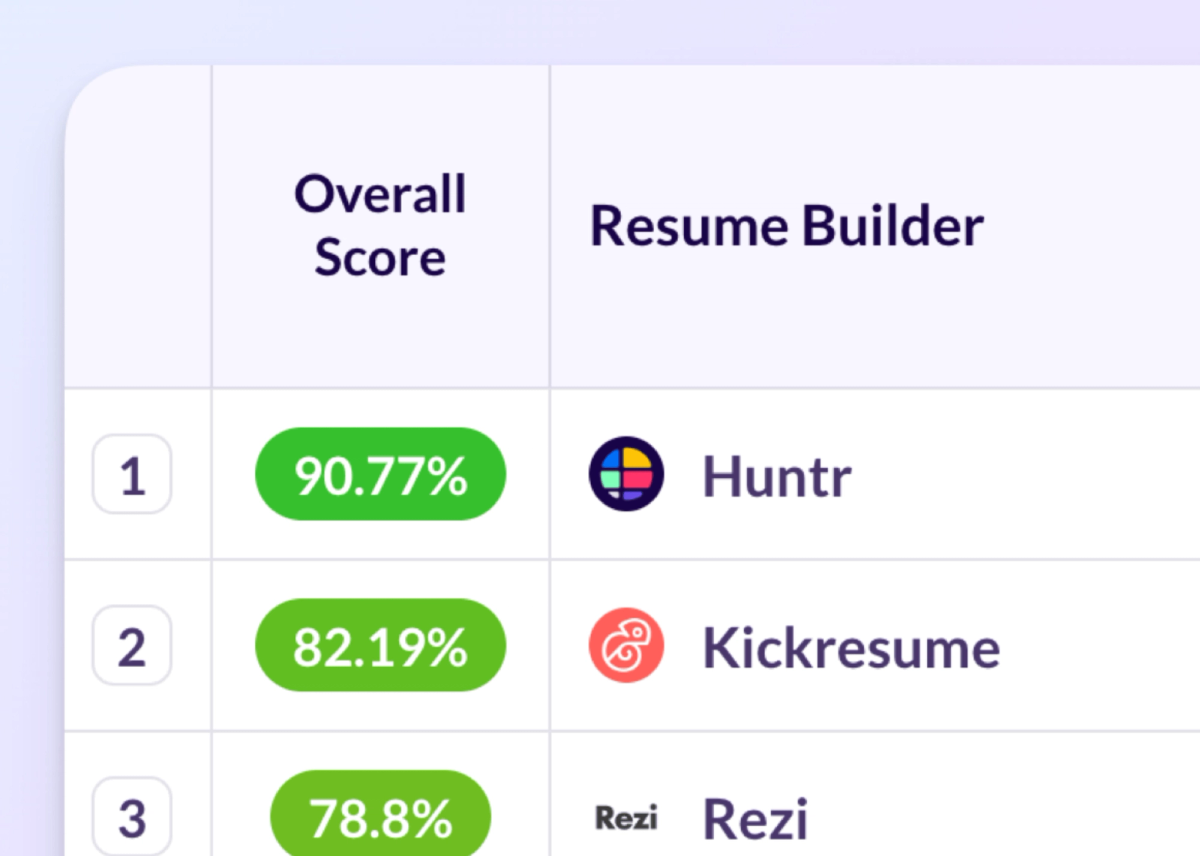
| Overall Score | Resume Builder | Core Resume Editing & UX | AI Writing & Resume Creation | AI Tailoring, Matching & Optimization | Resume Scoring, Feedback & Review | Integrations, Imports & Job Search Tools | |
| 1 | 90.77% | 96% | 94% | 94% | 79% | 92% | |
| 2 | 82.19% | 96% | 47% | 94% | 80% | 83% | |
| 3 | 78.8% | 78% | 76% | 92% | 79% | 92% | |
| 4 | 76.95% | 67% | 85% | 92% | 79% | 50% | |
| 5 | 76.33% | 61% | 76% | 92% | 96% | 58% | |
| 6 | 75.57% | 96% | 85% | 92% | 31% | 58% | |
| 7 | 71.72% | 43% | 94% | 75% | 78% | 67% | |
| 8 | 67.39% | 35% | 85% | 75% | 57% | 75% | |
| 9 | 66.78% | 70% | 38% | 92% | 93% | 50% | |
| 10 | 66.61% | 46% | 94% | 75% | 43% | 75% |
For full transparency, the Huntr team created this report. In this post, we’re going to highlight all these details in this article while also sharing insights into the best tailor, resume review, design, resume checker, job tracker, and more.
1. Huntr
Huntr earned the highest overall score in our evaluation at 90.77 out of 100, driven primarily by the depth of its AI tailoring tools and the strength of its free plan. Huntr’s AI Resume Builder combines ATS-friendly resume creation with job-specific tailoring.
Growth Hack Your Career's independent best resume builders roundup also named Huntr its Best AI Resume Builder after hands-on testing.
There's no free trial for the paid tier, which means you'll need to commit if you want the full feature set. That said, the free plan is among the most generous we tested. It supports unlimited base resumes and up to two tailored resumes, unlocks every template, displays both job match and resume scores, and tracks up to 100 job applications. It also includes 100 document slots, unlimited contacts, and unlimited autofills; all without ads. Resumes can be downloaded for free in PDF or DOCX format, and imports are supported from LinkedIn, PDF, and DOCX files.
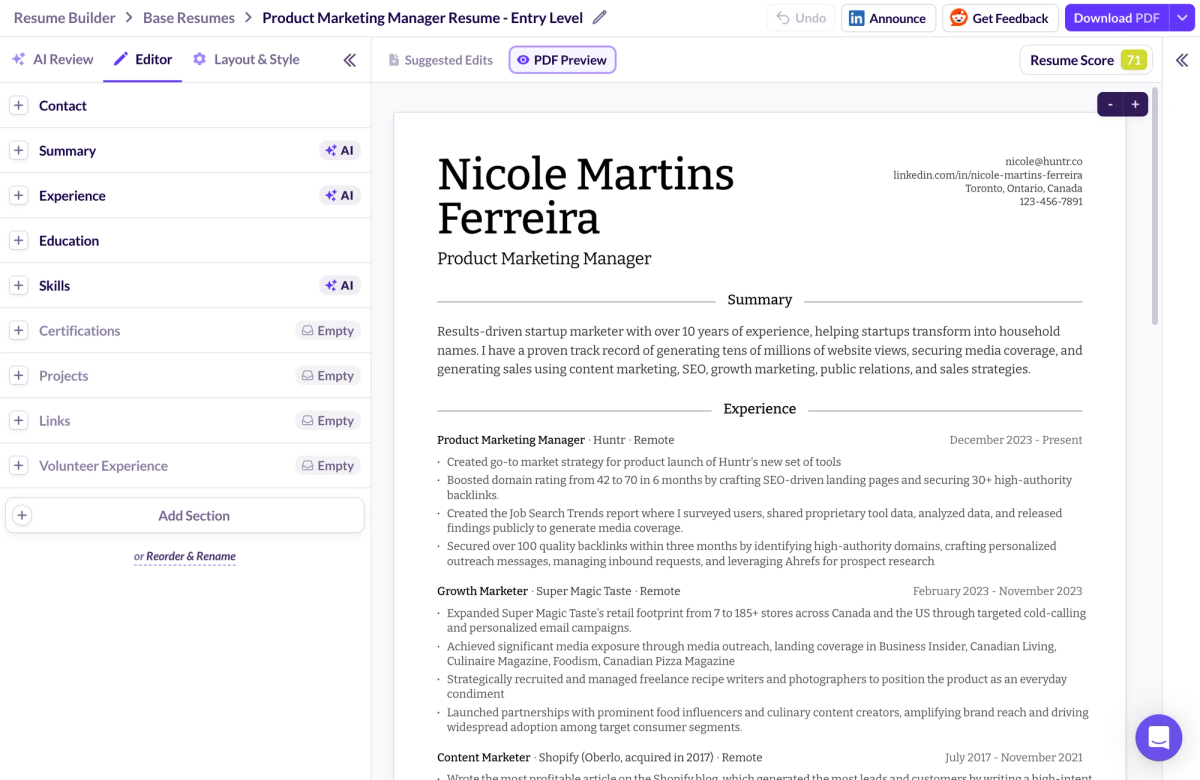
Huntr Resume Aesthetics
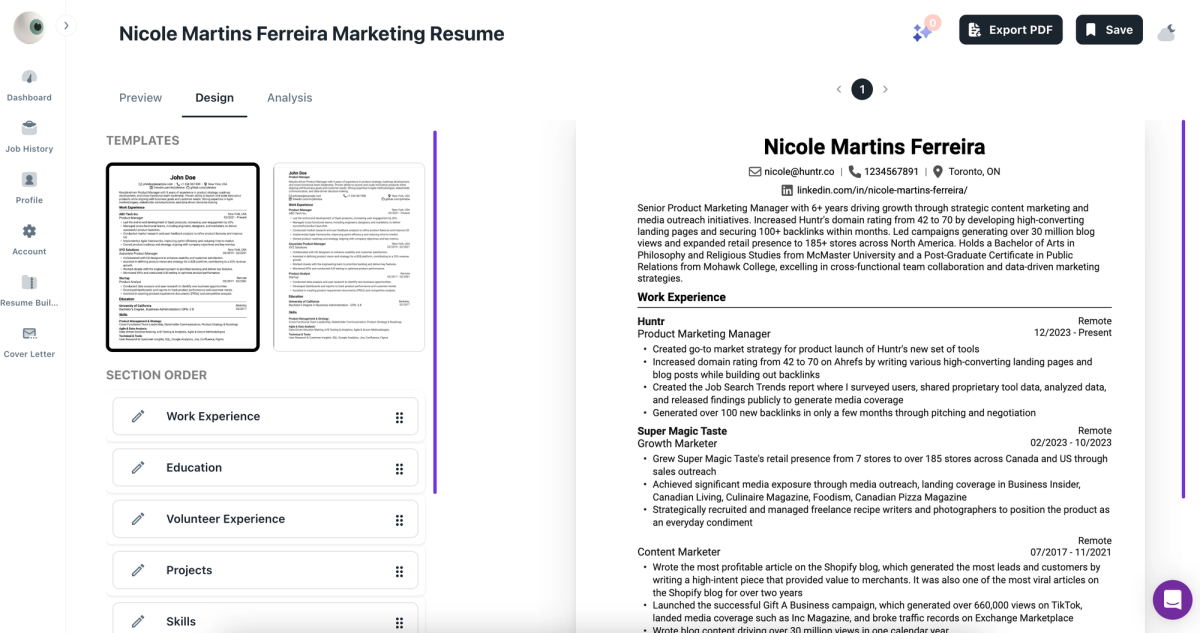
Huntr offers seven templates; a smaller library than tools like Kickresume (44) or Resume.io (35), but each one is professionally designed and noticeably more polished than many of the plain-text options we saw elsewhere.
Where Huntr makes up ground is customization. Sections can be reordered via drag-and-drop. Nine fonts are available with curated pairings for headings, body, and display text. Font size, line height, date format, page size, margin settings, and certification layouts are all adjustable. For regions that require resume photos, they can be toggled on or off easily.
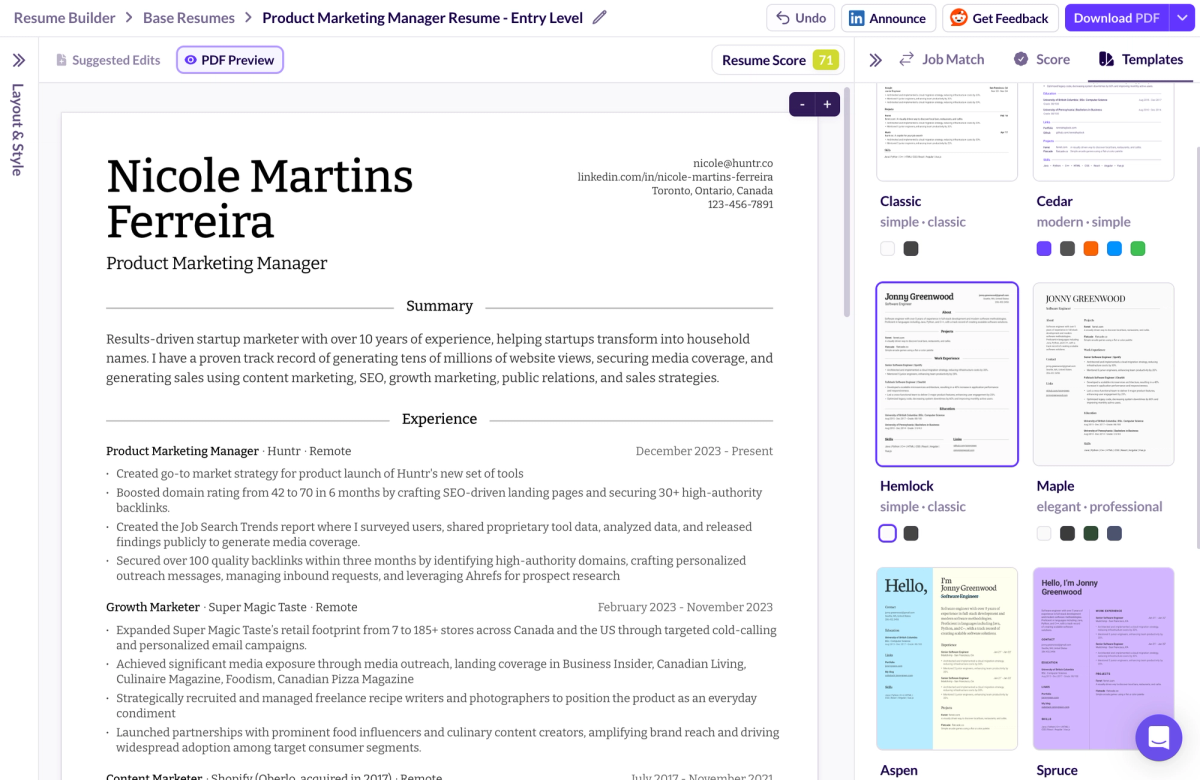
Huntr AI Functionality
Huntr's AI features were among the strongest we tested. Bullet-point suggestions are generated based on the job title and are notably more role-specific than the generic lists produced by many competitors. The rewrite tool improves clarity and impact without stripping out the original accomplishments, a common failure point in other builders where rewrites flatten the content.
The AI-generated summary was strong enough to use with minimal editing, which was rare across the tools we reviewed. The skills section also surfaces relevant, role-specific keywords rather than relying on broad soft-skill lists.
That said, the AI does occasionally suggest responsibilities that sound plausible but may not reflect your actual experience. As with any AI-generated content, review before accepting.
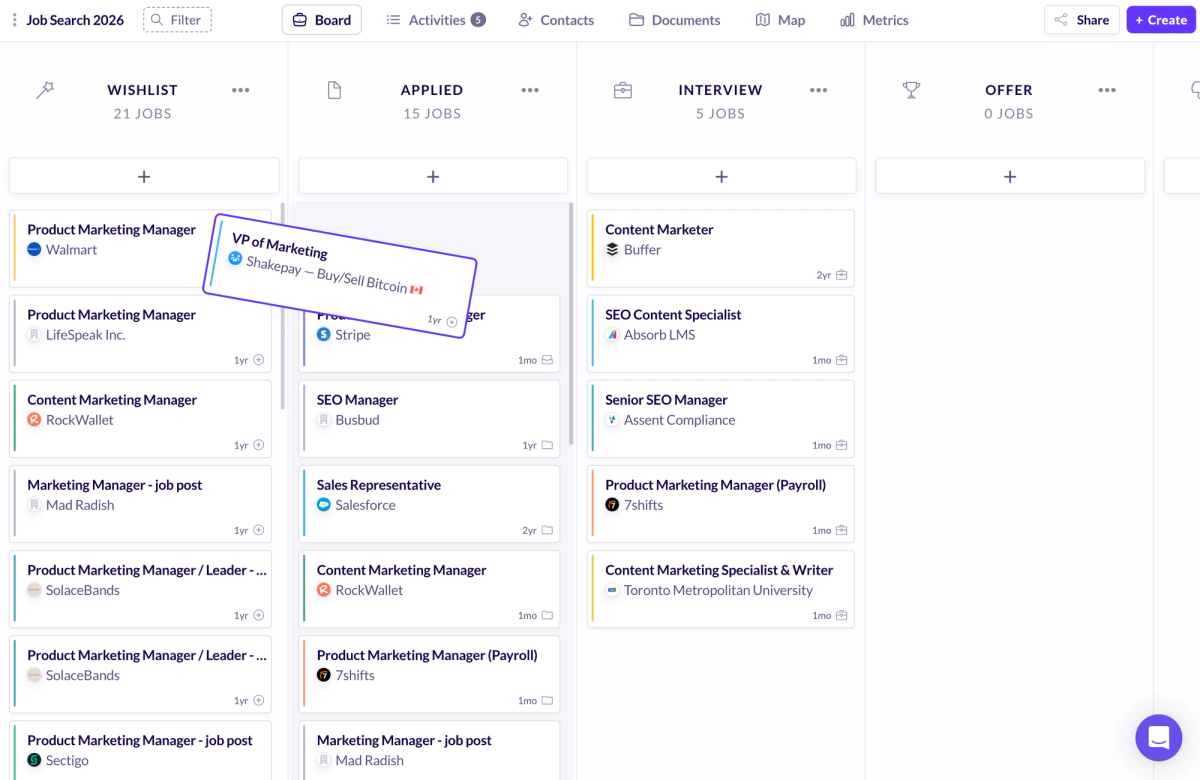
Huntr Job Tracker Insights
Huntr includes a Chrome extension for saving job listings from LinkedIn and other boards directly into its built-in tracker. On the free plan, you can store up to 100 applications; more than enough for most active job searches before hitting any limit.
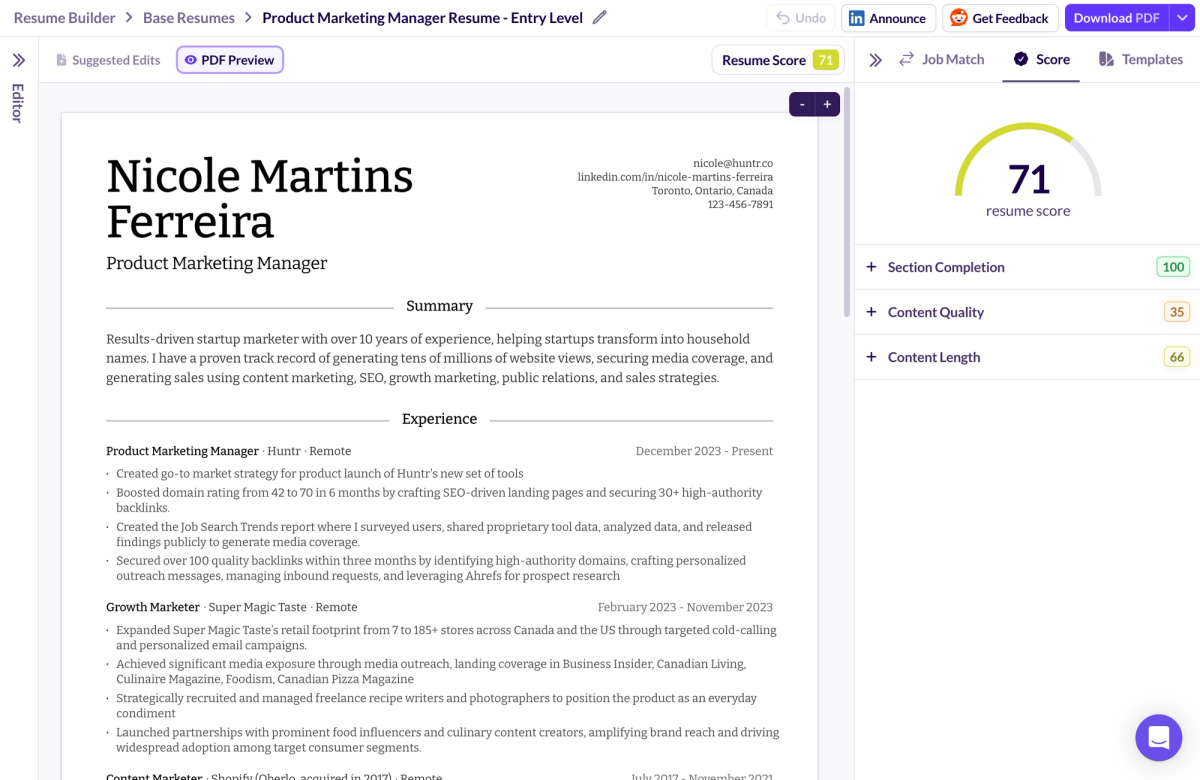
Huntr Resume Score Evaluation
Huntr provides two distinct scores. The resume score evaluates section completeness, use of metrics, word quality, content length, and repetition. The job match score goes deeper; rather than just scanning for keyword overlap, it uses semantic matching to analyze the actual qualifications and responsibilities listed in the job description and tells you which ones your resume already addresses and which are missing.
This is a meaningful differentiator. Most competitors treat job matching as a keyword exercise; if the word appears on your resume, you get credit. Huntr instead evaluates whether your experience genuinely maps to what the role requires, even when the exact phrasing differs. It checks required years of experience, compares your listed responsibilities against the posting, flags missing keywords for ATS filters, and assesses job title alignment.
The dual-scoring system is one of the more useful features across any tool we tested, because it separates "is this a good resume?" from "is this a good resume for this specific job?" Most competitors only answer one of those questions.
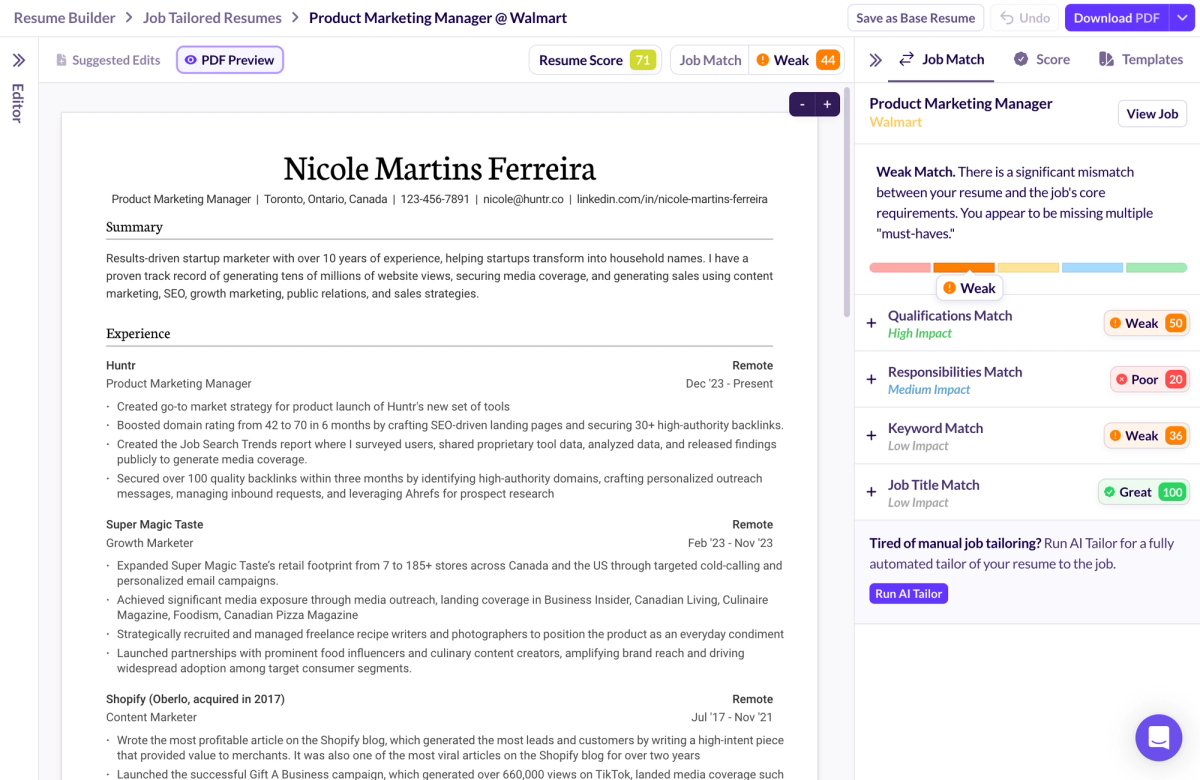
Huntr Resume Tailor Review
The tailoring feature is Huntr's standout capability, and it builds on the same semantic matching that powers the job match score. Rather than just surfacing keywords to sprinkle in, it evaluates alignment across qualifications, responsibilities, keywords, and job titles; then shows you clear callouts for which phrases and requirements are met or missing. A scoring range from Poor to Great indicates overall alignment strength.
Required experience is checked against what's on your resume; matching years get a check mark, gaps get flagged. Keywords are labeled as must-haves or nice-to-haves, and can be added with a single click. The tool also surfaces role responsibilities that can be incorporated, though these are AI-generated suggestions and should be verified against your actual experience before use.
Job title matching is a small but useful detail; it reminds you to mirror the exact title from the posting, which can meaningfully affect ATS performance.
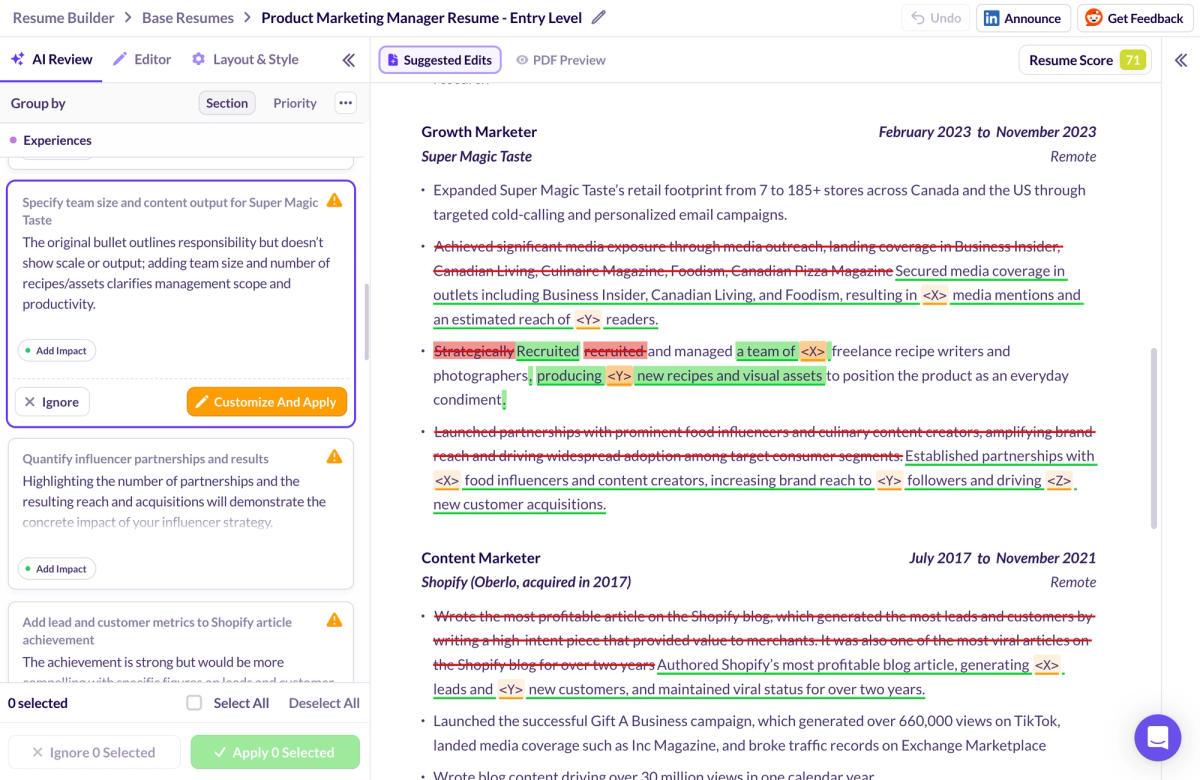
Huntr Resume Review Analysis
Huntr offers both AI and human resume reviews. A free human review is available through Huntr's subreddit community, while the AI review is built into the platform. The AI review provides line-by-line feedback with suggested rewrites, and highlights where adding metrics could strengthen positioning. The combination of both review types is something only Huntr and Kickresume offer among the tools we tested.
Huntr Quick Reference
Best for: Job seekers who want detailed AI tailoring, ATS optimization, and a full-featured free plan
Price: Free plan available; paid plan offered (no free trial)
Free download: Yes (no watermark)
Imports/Exports: LinkedIn / PDF / DOCX → PDF / DOCX
AI quality:
- Bullets: ⭐⭐⭐⭐⭐
- Summary: ⭐⭐⭐⭐⭐
- Rewrite: ⭐⭐⭐⭐⭐
- Skills: ⭐⭐⭐⭐½
Standout pros:
- AI resume tailoring with semantic job matching that evaluates actual qualifications and responsibilities from the job description in addition to keywords
- Generous free plan with unlimited base resumes and free exports
- Deep customization (layouts, fonts, spacing) plus built-in job tracker & Chrome extension
Notable cons:
- No free trial for the paid plan
- Smaller template library (7) compared to some competitors
- AI-suggested responsibilities should be verified for accuracy
Verdict: The highest-scoring AI resume builder in our evaluation; particularly strong on tailoring, AI-functionality, job tracking and free-tier access. It's not the most template-rich option, but it delivers where it counts most: helping you match your resume to the job. Unlike most competitors that stop at keyword matching, Huntr uses semantic matching to evaluate whether you actually meet the qualifications and responsibilities in a job description.
2. Kickresume
Kickresume's biggest strength is breadth; 44 templates, solid AI across the board, and one of only two builders we tested (alongside Huntr) that offers both human and AI resume reviews. It scored 82.19 out of 100, landing second overall. The main gap is export flexibility: there's no DOCX download option, which can be a dealbreaker if employers specifically request that format. If your priority is visual variety and you're comfortable with PDF-only exports, it's one of the stronger options available.
Kickresume Resume Aesthetics
Kickresume provides access to 44 resume templates, offering a wide range of modern, visually polished layouts to suit different styles and preferences.
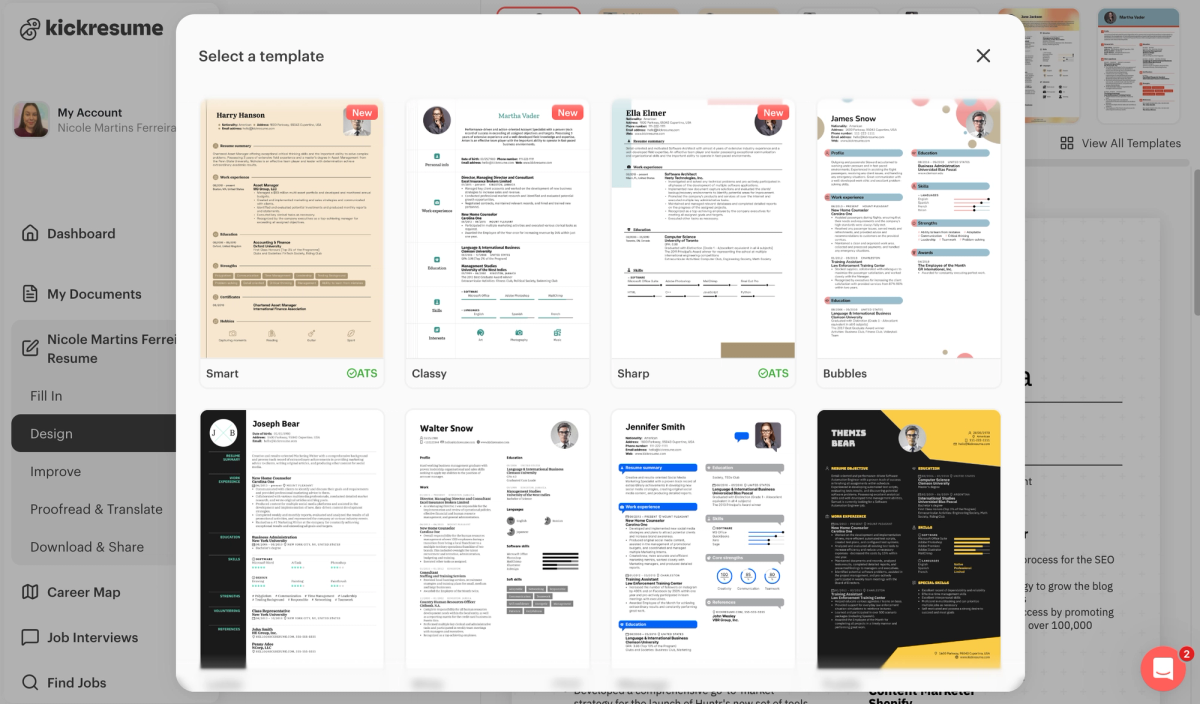
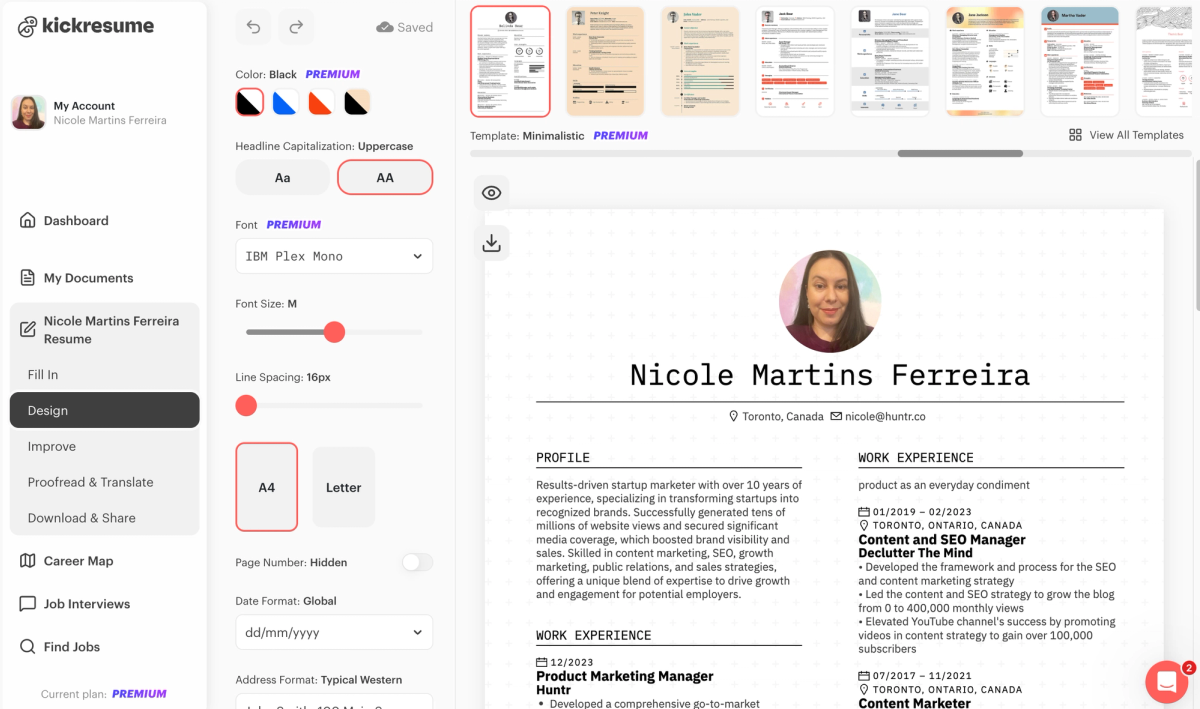
The tool is easy to use due to its intuitive design while still offering advanced customization options. Fonts, backgrounds, color palettes, and font sizes can be adjusted, and resume sections can be reordered to fine-tune the overall layout.
Kickresume AI Functionality
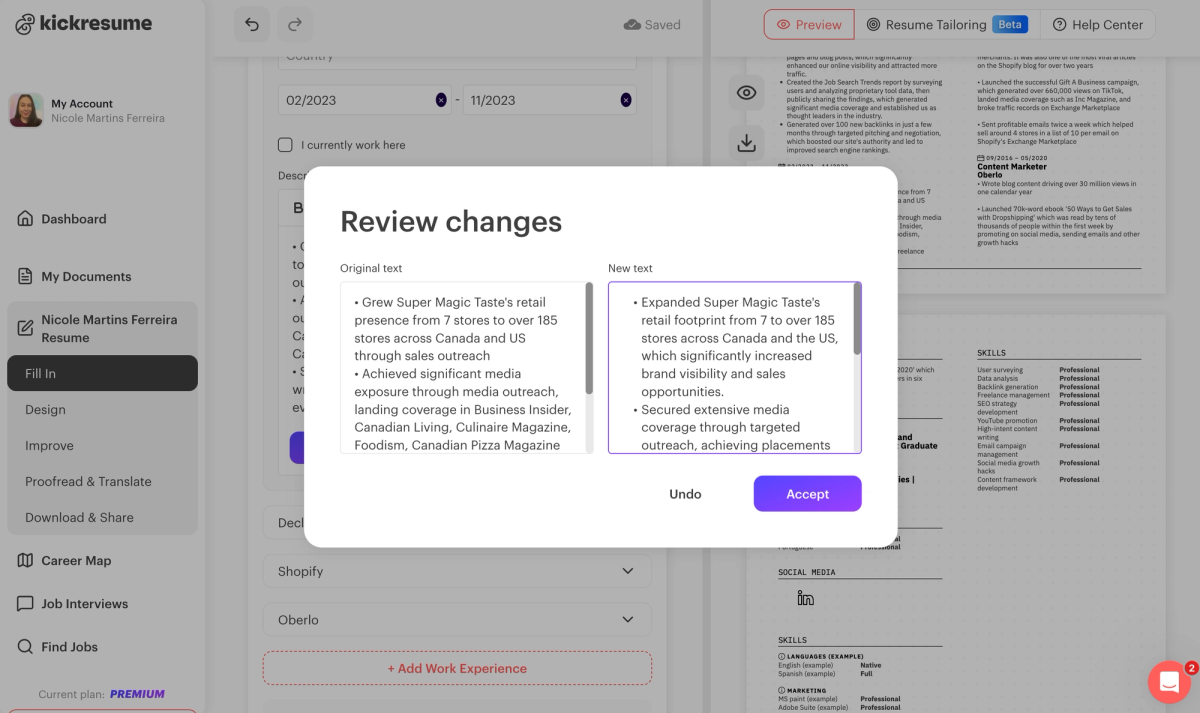
During testing, the resume builder’s AI generated bullet points, summaries, and rewritten content. Overall, the AI features performed at an acceptable level for resume use.
Kickresume Additional Features
Kickresume includes a resume-tailoring feature, though it does not provide a job match score. It also offers resume reviews and, aside from Huntr, is the only other resume builder that supports both human and AI-powered reviews. Unlike Huntr, however, Kickresume’s human reviews are paid and take an additional day to deliver compared to Huntr’s turnaround time.
As for drawbacks, Kickresume does not support DOCX exports, lacks a job tracker for managing interviews, and does not include a job match score. It also does not offer free human resume reviews. The absence of DOCX downloads can make it harder to submit resumes to employers who require that format, while the lack of a job tracker makes organizing interviews more challenging. Without a job match score, it’s also more difficult to assess whether your resume is properly tailored for a specific role.
Kickresume Quick Reference
Best for: Job seekers who want lots of modern templates and simple, transparent pricing
Price: $24/month
Free download: Yes (no watermark)
Imports/Exports: LinkedIn / PDF / DOCX → PDF / TXT
AI quality:
- Bullets: ⭐⭐⭐⭐
- Summary: ⭐⭐⭐⭐
- Rewrite: ⭐⭐⭐½
- Skills: ⭐⭐⭐
Standout pros:
- Large template library (44 designs) with strong visual polish
- Intuitive editor with solid customization (fonts, colors, layouts, section order)
- One of the few builders offering both AI and human resume reviews
Notable cons:
- No DOCX exports, which can be limiting for some employers
- No job match score or built-in job tracker
- Human resume reviews are paid and slower than competitors
Verdict: A visually strong, easy-to-use resume builder with decent AI, but weaker for tailoring and job tracking compared to top-tier tools.
3. Rezi
Rezi ranks as the third-best resume builder, earning a score of 78.8 out of 100. Unlike some other tools on this list, Rezi is one of the few brands with multiple clone sites. During research, we found that ResumeBuild.ai, ResumA.I., and Resumatic all use the same underlying resume builder as Rezi. As a result, job seekers testing these tools will notice significant similarities across the platforms.
Rezi allows resumes to be downloaded for free and supports importing job details from LinkedIn, along with uploading existing resumes in PDF or DOCX format. Finished resumes can be exported as either PDF or DOCX files, though TXT exports are not supported.
Rezi Resume Aesthetics
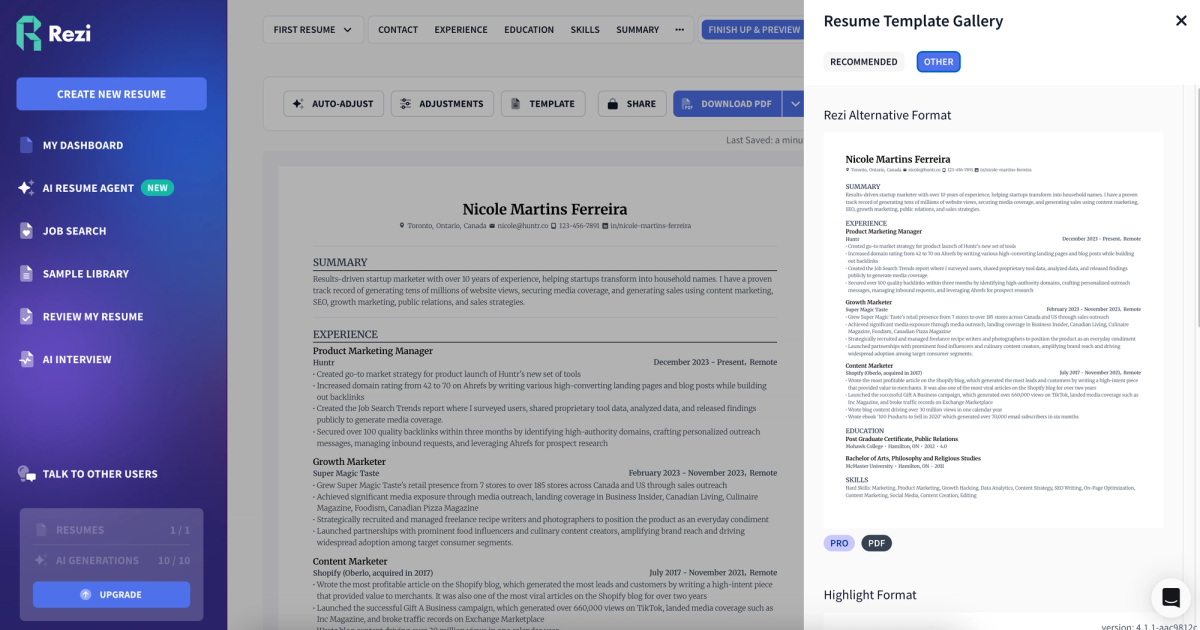
Rezi offers nine professionally designed resume templates with a deliberately minimal approach. The designs rely primarily on black-and-white color schemes and avoid decorative visual elements, resulting in a consistent plain-text aesthetic. Customization is limited, as the templates are largely text-based. Text color can be adjusted, but broader visual changes are not supported, and overall formatting controls closely resemble those of a standard word processor.
Rezi AI Functionality
Rezi is worth flagging for something beyond its features: it's one of the few brands we found operating multiple clone sites. ResumeBuild.ai, ResumA.I., and Resumatic all use the same underlying resume builder as Rezi, repackaged under different names. If you've tested any of those and thought they felt familiar, now you know why. It's not harmful (you're getting the same product) but it's the kind of "illusion of choice" tactic we called out in the intro, and it's worth knowing about.
On its own merits, Rezi scores 78.8 out of 100. It takes an ATS-first approach; minimal, text-heavy templates designed to pass filters rather than impress visually. The AI is uneven: summaries and rewrites are strong, but bullet suggestions tend to be generic and occasionally fabricate experience you don't have, like adding fintech keywords to a non-fintech resume. If you want a clean, no-frills builder and you're willing to heavily edit AI suggestions, it's a solid option.
Rezi Additional Features
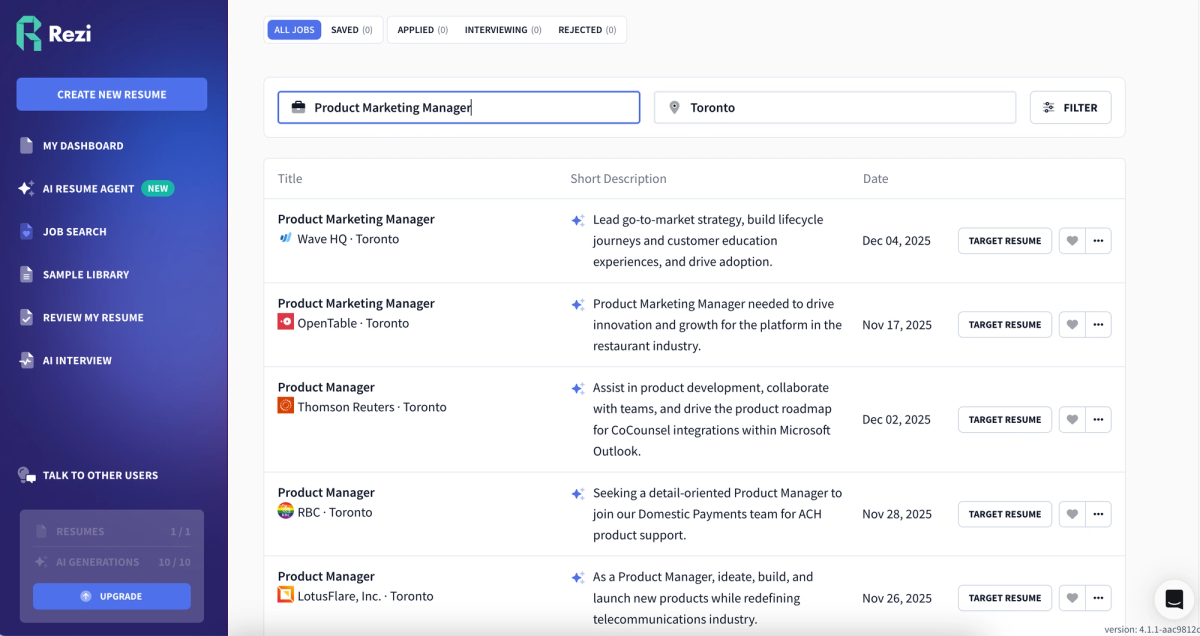
Rezi includes both a job tracker and a Chrome extension. It also provides a resume score that evaluates bullet strength, word quality, and general best practices. While Rezi does offer a job match score, it is limited to keyword alignment and does not assess required qualifications. Its resume-tailoring feature focuses on inserting targeted keywords but does not provide rewrite suggestions. Rezi also offers human resume reviews, though it does not include an AI resume review, which may result in longer wait times to receive feedback.
Rezi Pricing
Rezi’s pricing is transparent, with no deceptive or hidden pricing practices. The monthly plan costs $29 per month, and they also offer a lifetime plan for users who prefer a one-time payment in exchange for permanent access.
Rezi Quick Reference
Best for: Job seekers who want ATS-friendly, minimal resumes with keyword-focused optimization
Price: $29/month (lifetime plan available)
Free download: Yes (no watermark)
Imports/Exports: LinkedIn / PDF / DOCX → PDF / DOCX
AI quality:
- Bullets: ⭐⭐⭐
- Summary: ⭐⭐⭐⭐½
- Rewrite: ⭐⭐⭐⭐
- Skills: ⭐⭐⭐⭐
Standout pros:
- Clean, ATS-first resume design with free PDF/DOCX downloads
- Built-in job tracker, Chrome extension, resume score, and basic job match score
- Transparent pricing with a lifetime plan option
Notable cons:
- Limited customization and very plain visual templates
- AI bullet suggestions can be generic or include unsupported assumptions
- Job match score is keyword-only and lacks qualification or experience alignment
Verdict: A solid ATS-focused builder with strong summaries and rewriting, but limited design flexibility and weaker AI tailoring compared to top-tier tools.
4. Teal
Teal's strength isn't the resume builder itself; it's everything around it. The job tracker and Chrome extension are among the best we tested for staying organized across dozens of applications, and its job match tool checks both keywords and required qualifications, which puts it in a small minority of tools that go beyond simple keyword counting. It scored 76.95 out of 100.
The tradeoff is that the resume-building experience demands more hands-on work than competitors. The AI summary got specific numbers wrong during testing; citing 700,000 organic views when the correct figure was 30 million. There are also no AI skill suggestions; you'll need to identify and add relevant skills manually. If you're someone who prefers control over convenience and values workflow tools over AI polish, Teal is a strong pick.
Teal Resume Aesthetics
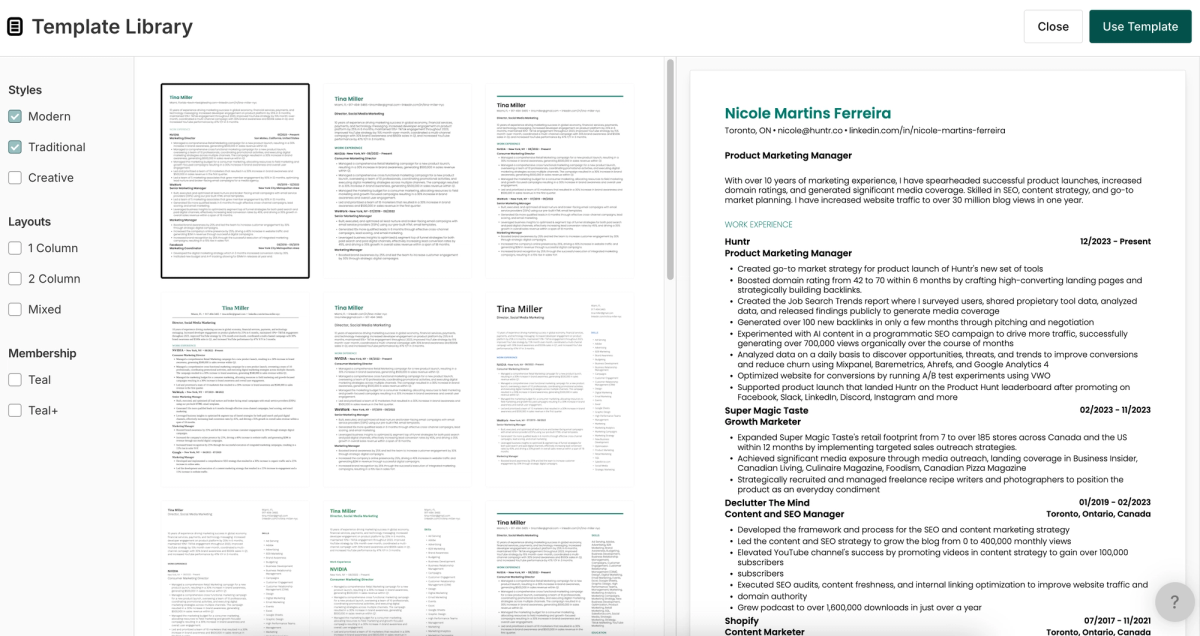
Teal offers 21 resume templates that skew more professional than modern in style. The designs incorporate subtle color accents but minimal visual elements, typically limited to simple line dividers. The builder includes advanced customization options, giving users control over bullet point styles, fonts, color selections, alignment, and other formatting preferences.
Teal AI Functionality
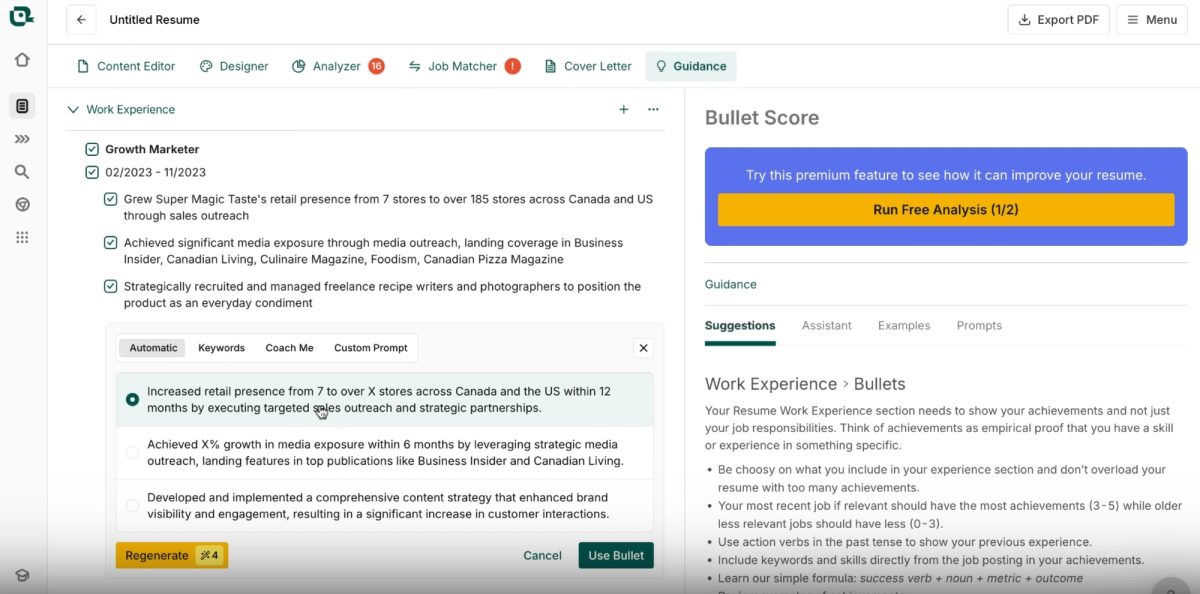
Overall, Teal demonstrates a solid grasp of AI functionality, though its bullet point suggestions require manual editing. In several cases, metrics were referenced but left incomplete, even when the exact figures appeared elsewhere in the original bullet point. In those instances, the AI should have been able to infer and populate the correct numbers, but did not.
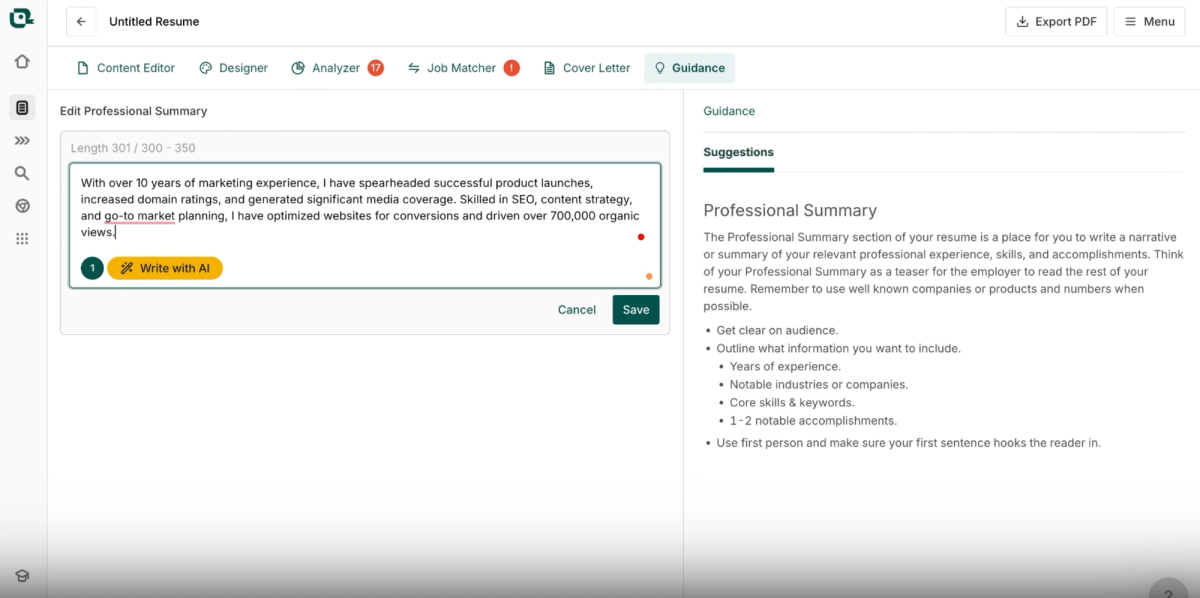
The AI-generated summary also required some editing. While the content was largely contextual and accurately reflected skills such as increasing domain rating, generating media coverage, and expertise in SEO, content strategy, and go-to-market planning, some numerical details were incorrect. For example, the summary listed 700,000 organic views, when the correct figure was 30 million. As a result, it’s important to double-check numbers in the summary as well. That said, the required edits were generally minor and focused on correcting specifics rather than rewriting the content entirely, though inaccuracies can still occur.
Teal Additional Features
Unlike most resume builders that offer skill suggestions, Teal requires you to manually add skills based on the job description. This can be a more time-consuming part of the process, as you’ll need to identify and translate your existing experience into relevant skills for your next role. Even when tailoring your resume, skills must be added manually, as there is no one-click skill import.
On the plus side, Teal includes a Chrome extension and a Job Tracker, making it easy to save roles and organize your applications in one place. The platform also provides a resume score that evaluates bullet strength, word quality, and general best practices. Its job match feature checks for both keywords and required qualifications, which makes it a useful tool for assessing alignment with a role. Teal’s resume tailor surfaces relevant keywords, and the platform offers an AI resume review that delivers detailed, actionable feedback. However, Teal does not provide human resume reviews.
Teal Pricing
Teal’s Pro plan is priced at $29 per month, and the platform also offers a Free Forever plan with limited credits and customization options.
Teal Quick Reference
Best for: Job seekers who want strong job tracking and alignment checks with hands-on control over content
Price: Free Forever plan available; Pro plan $29/month
Free download: Yes (no watermark)
Imports/Exports: LinkedIn / PDF / DOCX → PDF
AI quality:
- Bullets: ⭐⭐⭐
- Summary: ⭐⭐⭐½
- Rewrite: ⭐⭐⭐⭐
- Skills: ⭐⭐
Standout pros:
- Robust job tracker and Chrome extension for organizing applications
- Job match checks both keywords and required qualifications
- Detailed AI resume review with actionable, line-by-line feedback
Notable cons:
- PDF-only exports (no DOCX or TXT)
- AI bullets and summaries require manual metric verification
- No AI skill suggestions or one-click skill imports
Verdict: A capable, workflow-oriented resume builder with solid alignment tools, but more manual effort is required to polish AI-generated content.
5. Hiration
Hiration is the easiest tool on this list to try risk-free. It's one of the few builders that offers both a free plan and a free trial for the Pro tier, backed by a three-day money-back guarantee. That alone sets it apart in a market where most tools either paywall downloads or make you commit before you can evaluate anything meaningful. It scored 76.33 out of 100.
Where Hiration earns its score is the AI-generated summary; during testing, it pulled in actual accomplishments from the resume and produced something usable without editing, which was uncommon. The weak spots are less forgiving: there's no LinkedIn import, no Chrome extension, and no job tracker, so you're limited to the resume builder itself. AI bullet suggestions are generic and untethered to your real experience, and the rewrite feature didn't load at all during testing. If you want a low-commitment way to get a strong summary and clean layout, Hiration delivers. Just don't expect much beyond that.
Hiration Resume Aesthetic
Hiration provides 28 resume templates with a clean, professional look. The designs include subtle visual elements such as colored blocks or lines to add structure without being overly decorative. While design flexibility is somewhat limited, users can choose from preset color palettes, a selection of fonts, and other basic customization options.
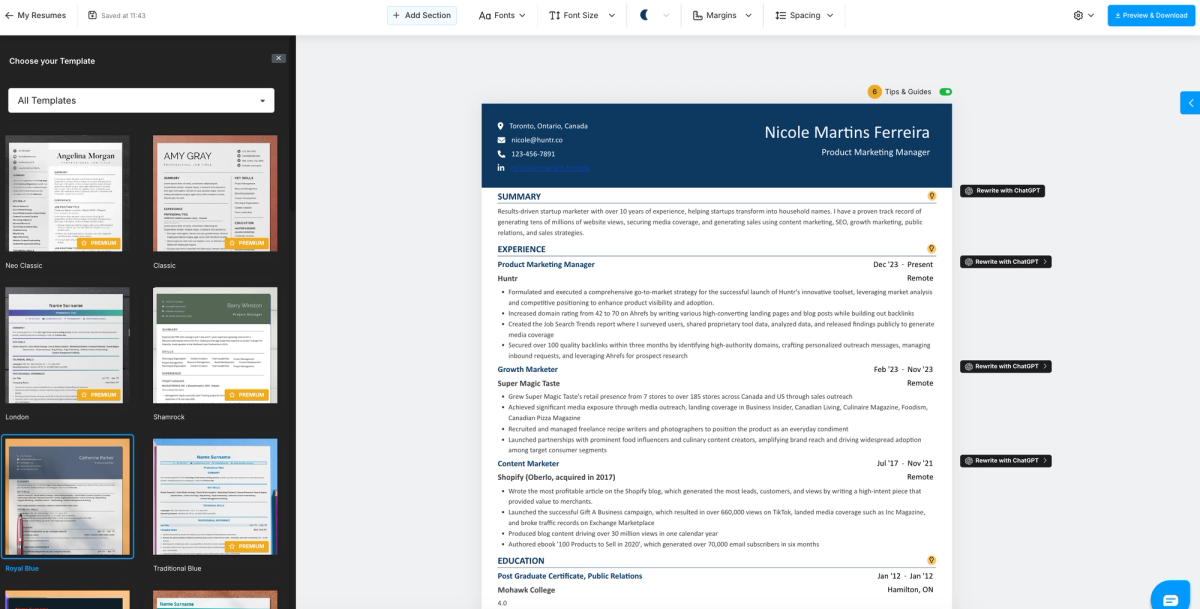
Hiration AI Functionality
Hiration’s resume builder is easy to use, with an intuitive interface that makes navigation straightforward. However, its AI-generated bullet points tend to be generic. While the tool offers bullet suggestions based on your job title, these suggestions are not contextualized to your existing resume. In testing, the Rewrite with AI feature for bullet points did not appear to load, leaving job seekers reliant solely on the preset bullet suggestions. On the other hand, the AI-generated resume summary was contextual, successfully pulling in accomplishments from the resume. Overall, the summary was strong enough to use as-is without requiring edits.
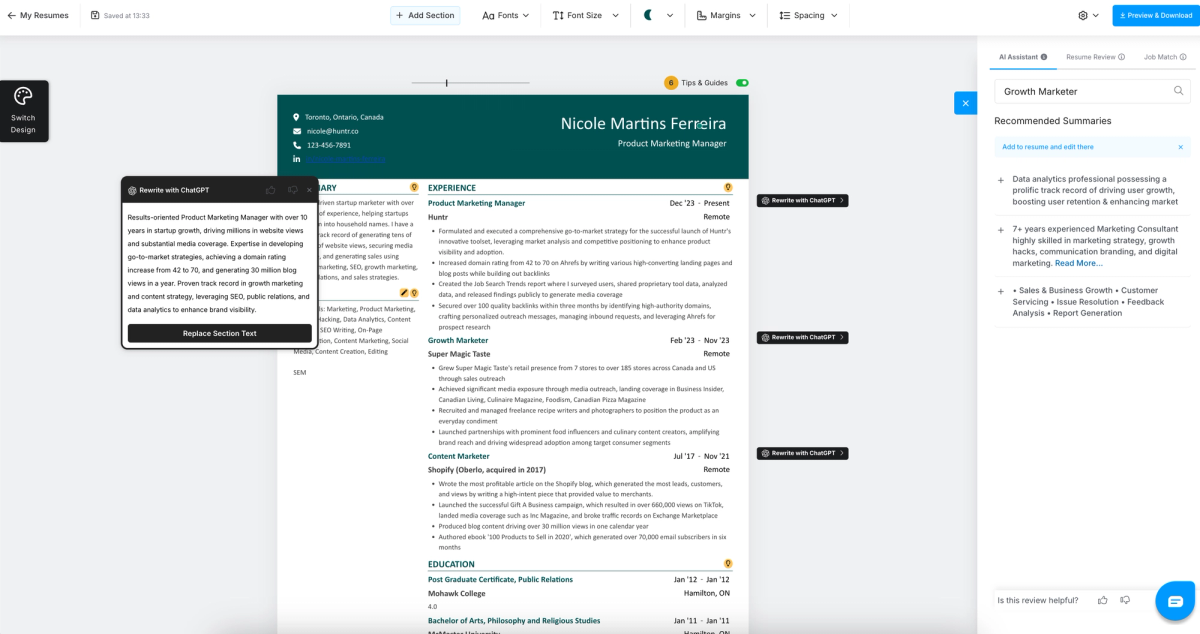
Hiration Skills Suggestions
Hiration also provides skill suggestions based on your job title, though not all of them are relevant. For example, it suggested “website development” for a marketing role. That said, many of the listed skills and tools are commonly found on marketing resumes, so the feature still adds value. Rather than forcing an add-all approach, Hiration lets you select skills individually, making it easier to include what accurately reflects your experience and exclude what doesn’t.
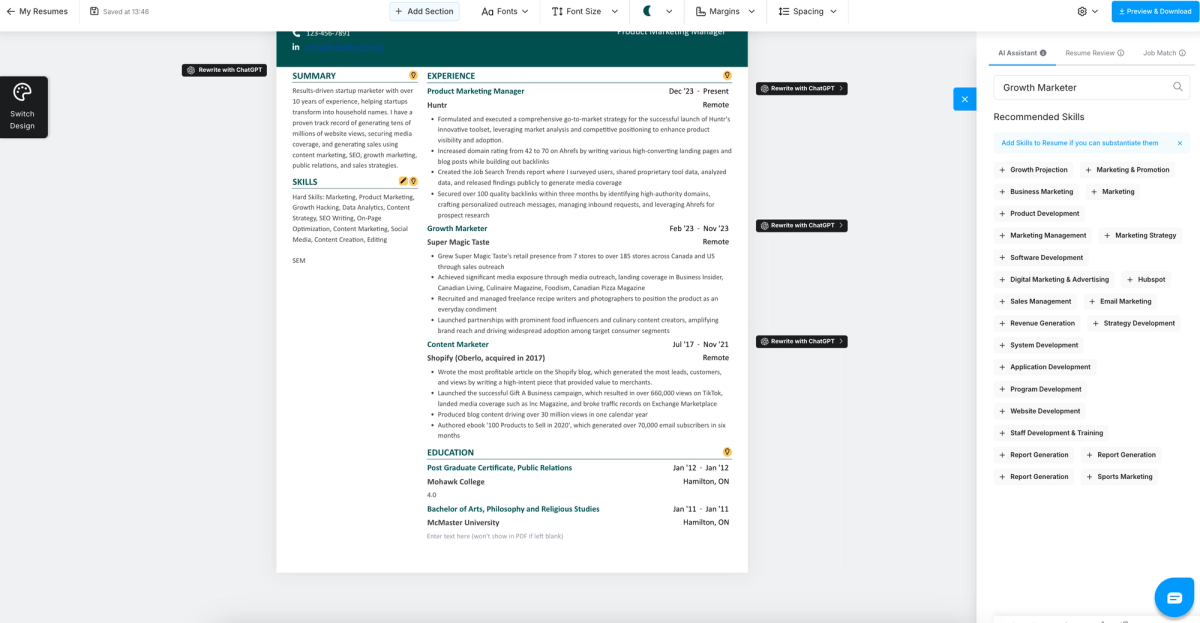
Hiration Additional Features
Hiration does not offer a Chrome extension or a job tracker, meaning there’s no built-in way to save jobs or track interviews within the platform. However, it does include a resume checker that generates a score and evaluates best practices, word quality, and bullet point content.
Hiration also provides an AI resume review, though it does not offer human resume reviews. In addition, the platform includes a LinkedIn profile review for users who want feedback beyond their resume.
Hiration Quick Reference
Best for: Job seekers who want a free trial, solid summaries, and guided resume improvements
Price: Free plan available; Pro plan with free trial (3-day money-back guarantee)
Free download: Yes (no watermark)
Imports/Exports: PDF / DOCX → PDF / DOCX
AI quality:
- Bullets: ⭐⭐⭐
- Summary: ⭐⭐⭐⭐½
- Rewrite: ⭐⭐
- Skills: ⭐⭐⭐½
Standout pros:
- Free plan and free Pro trial with money-back guarantee
- Strong, contextual AI-generated resume summaries
- Includes resume checker, AI resume review, and LinkedIn profile review
Notable cons:
- No LinkedIn import, Chrome extension, or job tracker
- AI bullet suggestions are generic and rewrite feature was unreliable
- Skill suggestions can include irrelevant recommendations
Verdict: A well-rounded resume builder with strong summaries and generous trial access, but limited automation and weaker bullet-level AI compared to higher-ranked tools.
6. Resume Up
Resume Up's marketing says "free AI resume builder." Our testing says otherwise. There's no free plan, no free trial, and you can't export a resume without paying. That's a meaningful misrepresentation in a space already full of bait-and-switch pricing, and it cost Resume Up points in our trust and transparency scoring. It still earned 75.57 out of 100 on the strength of its actual features.
And the features are genuinely decent. The visual customization is among the more flexible we tested; hex code color selection, multiple layout styles, solid template variety. The AI rewrite tool performed well when given a specific prompt, preserving metrics and experience while improving wording. But unlike most competitors, it requires you to write that prompt yourself rather than handling it automatically, which means the quality of your output depends heavily on how well you direct the AI. If you don't mind paying upfront and you're comfortable prompting an AI tool, Resume Up has real substance behind the misleading packaging.
Resume Up Resume Aesthetic
ResumeUp offers 20 resume templates with clean, straightforward designs that use blocks or lines for structure. These elements can be customized using preset colors or a custom hex code, allowing for a high level of visual customization. The templates span ATS-friendly, modern, and more visually rich styles, while remaining professional and easy to read. Users can also choose from a selection of fonts to further personalize their resume.
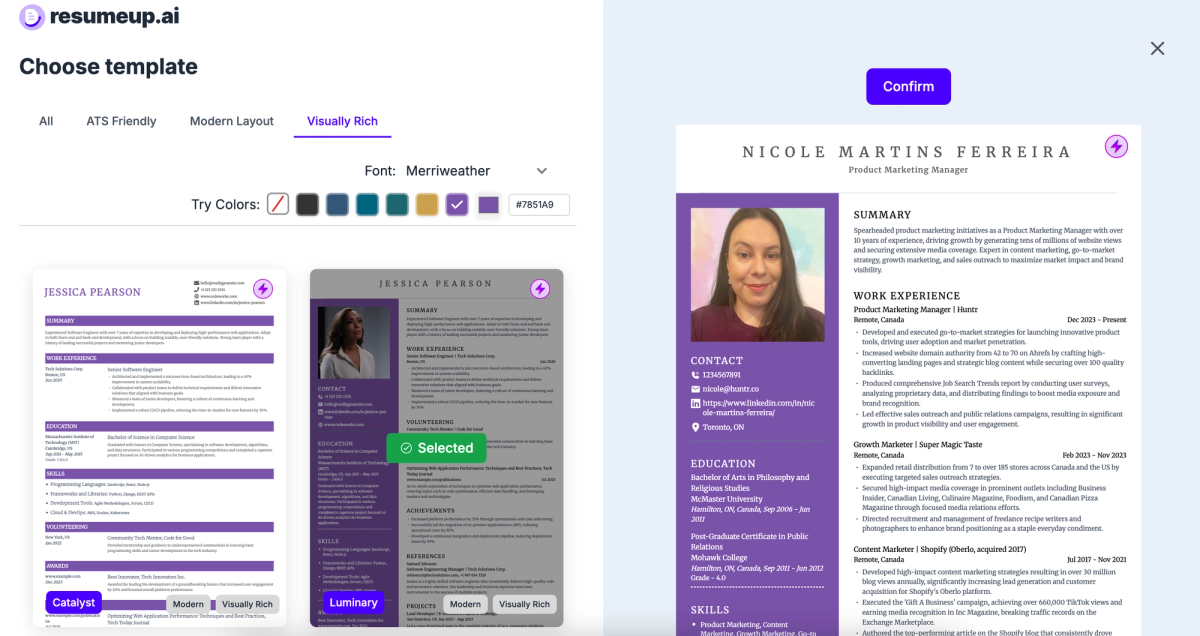
Resume Up AI Functionality
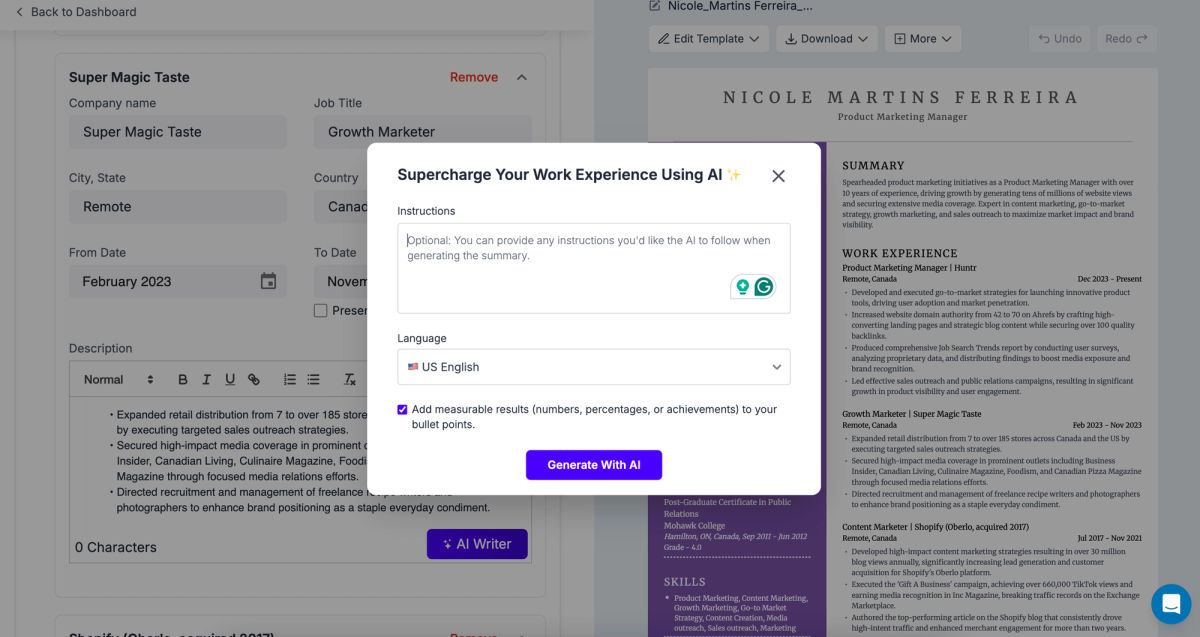
During testing, the AI bullet points required a custom prompt to be rewritten. I specifically prompted the tool to enhance the wording while keeping the original metrics intact. The AI returned two alternative versions for selection, requiring you to choose one option rather than approving changes on a bullet-by-bullet basis. Overall, the contextual rewrite performed well and preserved the integrity of my professional experience, but achieving that result does require a deliberate, well-defined prompt.
Resume Up Skill Suggestions
For the skills section, ResumeUp requires users to manually add their own skills, which can be frustrating given that most AI resume builders provide automated skill suggestions. Identifying relevant skills on your own takes additional brainstorming, whereas an AI could easily surface appropriate options. The absence of this feature feels like a gap, especially since AI is used in other parts of the resume builder.
Resume Up Additional Features
On the positive side, ResumeUp includes a Chrome extension and a job tracker, making it easier to stay organized throughout the application and interview process. The platform also offers a resume checker that evaluates bullet point quality, word choice, and best practices. Its job match feature generates a score and assesses both keyword alignment and required qualifications. ResumeUp’s resume tailoring tool provides targeted keywords along with rewrite suggestions. The platform also includes an AI resume review, though it does not offer human resume reviews.
Resume Up Quick Reference
Best for: Job seekers who want strong visual customization with AI-assisted rewrites and job matching
Price: $39/month
Free download: No
Imports/Exports: LinkedIn / PDF / DOCX → PDF / DOCX
AI quality:
- Bullets: ⭐⭐⭐½
- Summary: ⭐⭐⭐
- Rewrite: ⭐⭐⭐⭐
- Skills: ⭐⭐
Standout pros:
- High level of visual customization with clean, professional templates
- Includes job tracker, Chrome extension, resume checker, and job match score
- Resume tailoring provides both keyword targeting and rewrite suggestions
Notable cons:
- No free plan or free trial despite positioning as “free”
- No AI-generated skill suggestions; skills must be added manually
- Higher monthly price compared to similarly featured competitors
Verdict: A capable but expensive resume builder with solid AI rewrites and tracking tools, best for users who value design control and structured prompting.
7. CareerFlow
CareerFlow has a trust problem. During testing, its AI (currently labeled as beta) applied edits directly to the resume without asking for approval. Some of those edits improved clarity. Others introduced inaccuracies that weren't there before. For a tool that's supposed to help you present yourself accurately to employers, silently changing your resume content without a review step is a serious design flaw. It scored 71.72 out of 100.
Outside of the AI concerns, there's a functional job search toolkit here. The Chrome extension and job tracker are solid, and the resume checker and AI review both provide actionable feedback. But the core resume-building experience feels underdeveloped; you're working with basic black-and-white templates that don't do much to differentiate your application, and the AI requires manual prompting rather than offering built-in suggestions. If you're primarily looking for tracking and organization tools and plan to write your own resume content, CareerFlow works. Just don't let the AI edit unsupervised.
CareerFlow Resume Aesthetics
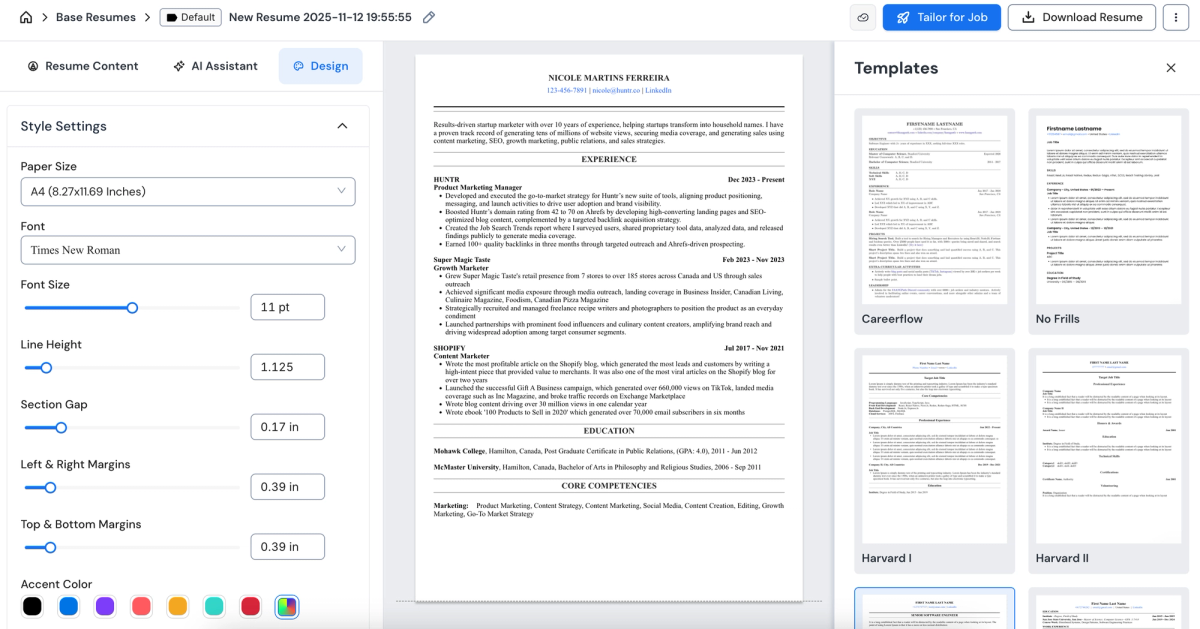
CareerFlow offers 11 resume templates with a professional, minimalist aesthetic. The designs are primarily black and white with very few visual elements. While they are clean and readable, they don’t strongly differentiate a candidate’s resume and may blend in with many others. That said, the builder still provides solid customization options, including font selection, font size, bullet style, header delimiters, and more. These controls allow users to tailor the layout to their preferences, and overall, the resume editor is easy to use while offering a respectable level of design flexibility.
CareerFlow AI Functionality
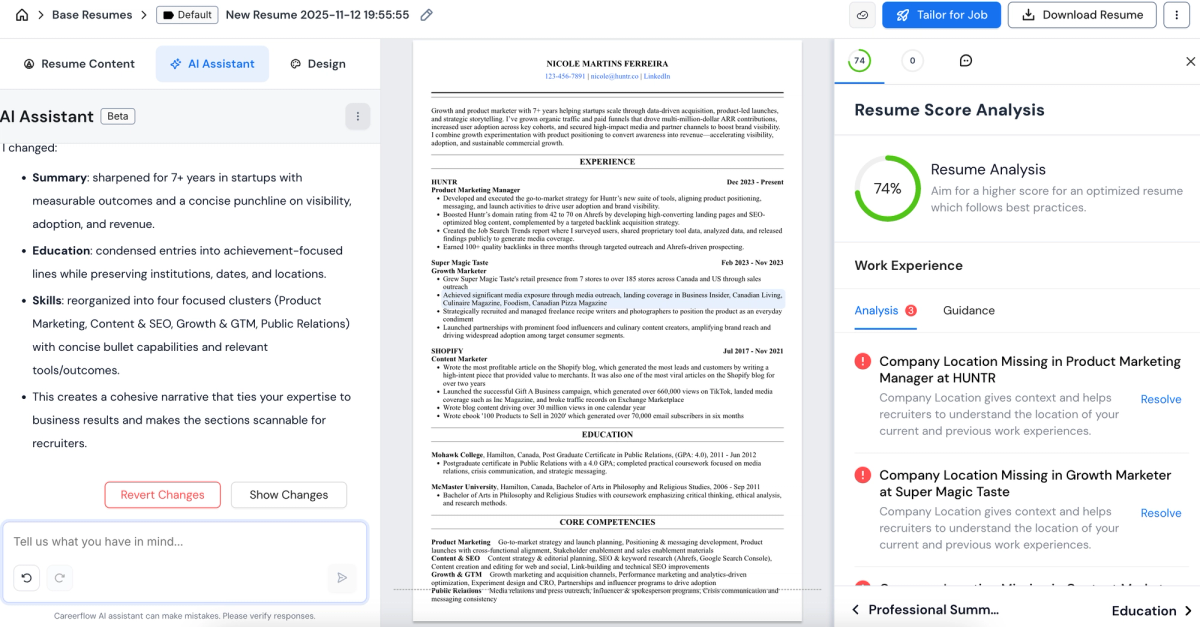
CareerFlow’s AI assistant is currently in beta, and its overall performance is limited. Rather than offering built-in rewrites, AI-generated summaries, or automated bullet point improvements, the tool requires users to manually prompt the AI to receive suggestions. When AI functionality depends heavily on user prompting, the experience can be less effective than using a standalone AI tool, especially since purpose-built resume builders typically rely on tested prompts to deliver consistent results.
During testing, the AI applied changes directly to the resume without providing an option to approve or reject edits. While some modifications improved clarity, other changes introduced inaccuracies. These issues significantly reduce trust in the tool’s AI-assisted edits.
CareerFlow Additional Features
CareerFlow includes both a Chrome extension and a job tracker, making it easy to save jobs and stay organized throughout your job search. The platform also offers a resume checker that generates a resume score and evaluates best practices. CareerFlow’s resume tailoring feature performs a complete resume rewrite, and the platform also provides an AI resume review with actionable feedback. However, it does not offer human resume reviews.
CareerFlow Quick Reference
Best for: Job seekers who want basic resume building plus job tracking on a budget
Price: Free plan available; Pro plan $23.99/month
Free download: Yes (no watermark)
Imports/Exports: LinkedIn / PDF / DOCX → PDF
AI quality:
- Bullets: ⭐⭐
- Summary: ⭐⭐
- Rewrite: ⭐⭐⭐
- Skills: ⭐⭐
Standout pros:
- Free plan with PDF downloads, plus Chrome extension and job tracker
- Includes resume checker, job match score, and AI resume review
- Easy-to-use editor with solid formatting controls despite simple designs
Notable cons:
- AI assistant is in beta and requires manual prompting
- AI edits can be applied without approval and may introduce inaccuracies
- PDF-only exports and limited template differentiation
Verdict: A functional, affordable resume builder with useful tracking tools, but AI reliability and polish lag behind more mature platforms.
8. Enhancv
Enhancv is the design-forward option in this tier. Some templates include customizable charts, and the overall aesthetic leans more visually distinctive than the plain-text layouts common at this price point. If your field rewards a resume that looks different; creative roles, design, marketing; that's worth something. It scored 67.39 out of 100.
The catch is that the "free" plan comes with a watermark on every download, which makes those resumes useless for actual applications. You'll need to upgrade to get a clean export. The bigger limitation is on the AI side: we couldn't find a way to generate bullet points or a summary directly using AI. The tailoring tool does modify action verbs and add achievements, but those additions aren't grounded in your actual experience; they're AI-generated guesses that need careful editing. If you're drawn to the templates and plan to write your own content, Enhancv, is worth a look. If you're relying on AI to do the heavy lifting, look elsewhere.
Enhancv, Resume Aesthetic
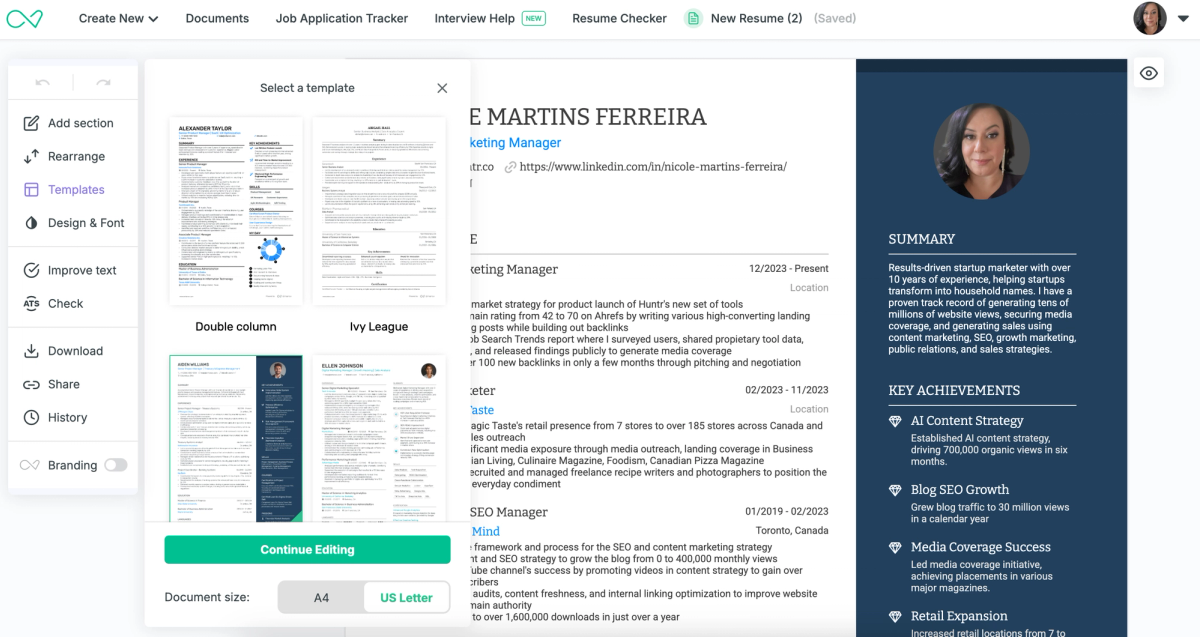
Enhance provides 15 resume templates to choose from. The designs strike a balance between modern and professional, with some templates incorporating visual elements. One template includes a customizable chart, and others feature subtle design accents. Overall, the selection offers a reasonable mix of styles to suit different design preferences.
Enhancv AI Functionality
When testing Enhancv's AI functionality, we couldn’t find a way to generate bullet points or a resume summary directly using AI. Its resume tailoring feature does modify action verbs and adds tailored key achievements, but these additions are not grounded in your actual experience and require editing to ensure accuracy. The tool also updates the summary to include a line about seeking a role at the specific company you’re targeting and adds several new skills based on the job description. While these changes can be helpful starting points, they still need to be reviewed and adjusted to reflect your real background.
Enhancv Additional Features
Enhancv does not offer a Chrome extension, but it does include a job tracker for organizing and monitoring applications. While saving jobs is less streamlined than a one-click workflow, application management is still supported within the platform. Enhancv also provides a resume checker that generates a score based on best practices, wording, and spelling. Its job match score evaluates alignment using both keywords and qualifications. In addition, the platform includes an AI resume review that delivers actionable suggestions for improvement.
Enhancv Quick Reference
Best for: Job seekers who want visually distinctive resumes with light AI-assisted tailoring
Price: Free plan + free trial available; paid plan $29.99/month
Free download: Yes (watermarked on free plan)
Imports/Exports: PDF → PDF / TXT
AI quality:
- Bullets: ⭐⭐
- Summary: ⭐⭐
- Rewrite: ⭐⭐⭐
- Skills: ⭐⭐⭐
Standout pros:
- Visually differentiated templates, including chart-based and modern designs
- Includes job tracker, resume checker, job match score, and AI resume review
- Free plan and free trial available to test the platform
Notable cons:
- Free downloads are watermarked
- No DOCX import or export support
- AI-generated additions may not reflect real experience and require careful editing
Verdict: A design-forward resume builder with helpful analysis tools, but limited AI generation and format support reduce its overall value.
9. Wobo
Wobo lands at ninth with a score of 66.78 out of 100, and what earns it a spot in the top ten is sheer coverage at no cost. The free plan includes downloads, a job tracker, resume tailoring, a resume checker, and an AI review; that's a broader feature set than several higher-priced tools on this list offer behind a paywall.
The tradeoff is that nothing goes deep. There are only two templates, both plain black-and-white. Imports are PDF-only; no LinkedIn, no DOCX. The AI suggestions are keyword-driven and generic, often including placeholder percentages you'll need to replace with real numbers. Wobo is the resume builder equivalent of a basic toolkit: it has all the right tools in the box, but none of them are particularly sharp. If you're on a tight budget and just need to get a functional, tailored resume out the door, it'll do the job. If you want polish or strong AI, the tools above it on this list earn their higher scores.
Wobo AI Functionality
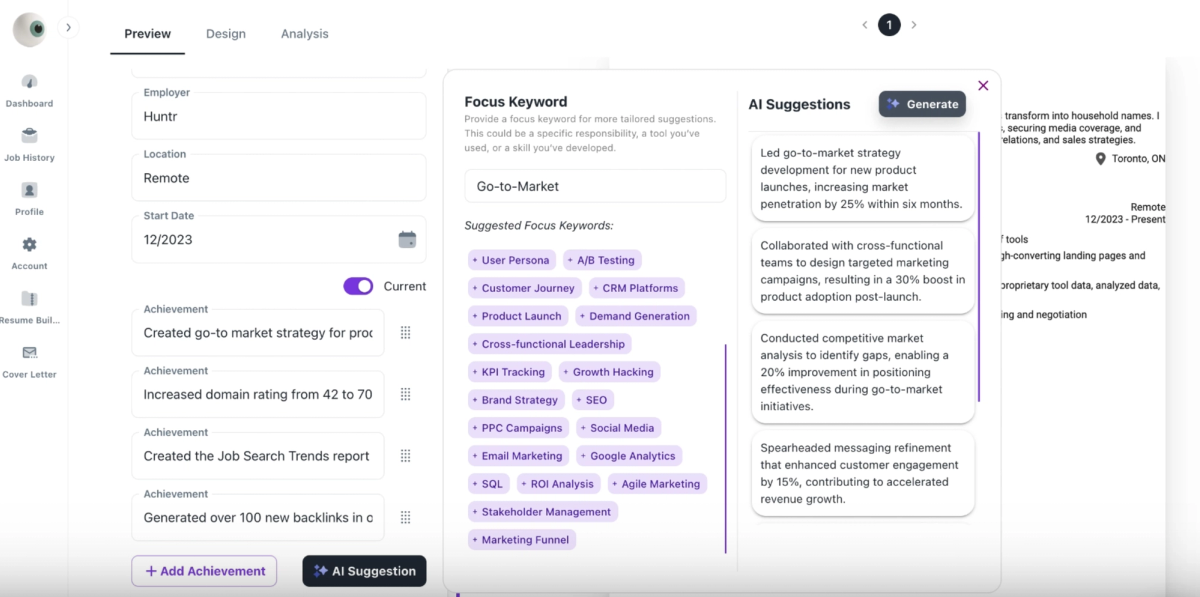
After you add your bullet points, Wobo’s AI suggests focus keywords along with AI-generated bullet point recommendations. While these suggestions are generally relevant to the selected keyword, they often require editing, as some include placeholder text, such as percentages, that need to be adjusted to accurately reflect your accomplishments. In the skills section, Wobo provides recommended skills in a dropdown format, primarily featuring broad soft skills commonly associated with many roles, such as communication, teamwork, and leadership.
Wobo Additional Features
Wobo does not offer a Chrome extension for one-click job saving, but it does include a job tracker that allows you to manage your applications in a single place. The platform also provides a resume checker that evaluates bullet point strength, wording, and best practices. In addition, Wobo includes both a resume tailoring feature and an AI resume review. However, human resume reviews are not available.
Wobo Quick Reference
Best for: Job seekers who want a simple, free resume builder with basic AI guidance
Price: Free plan available; free trial offered (paid pricing not emphasized)
Free download: Yes (no watermark)
Imports/Exports: PDF → PDF
AI quality:
- Bullets: ⭐⭐⭐
- Summary: ⭐⭐
- Rewrite: ⭐⭐⭐
- Skills: ⭐⭐½
Standout pros:
- Free plan and free trial with no-cost PDF downloads
- Includes job tracker, resume checker, resume tailoring, and AI resume review
- Straightforward editor with light formatting controls for quick setup
Notable cons:
- Extremely limited templates (only two) and minimal customization
- No LinkedIn or DOCX import and PDF-only exports
- AI suggestions are generic and often require manual cleanup
Verdict: A basic, no-frills resume builder that covers the essentials for free, but lacks depth in design, AI precision, and format flexibility.
10. Resume.io
Resume.io is another example of the clone problem in this space; during testing, Resume.io and Resume.ai appeared to be the same underlying product operating under different names. That aside, there's a reason it closes out the top ten at 66.61 out of 100: it has one of the broadest export options we tested (PDF, DOCX, and TXT), 35 templates spanning modern and traditional styles, and strong customization controls across fonts, margins, colors, and layout.
The main frustration is that you can't actually download a resume on the free plan; you'll need to upgrade for that. The AI is functional but forgettable: bullet points read like job descriptions rather than accomplishments, and the summary runs long enough that it risks crowding out the experience section. If you value template variety and format flexibility over AI quality, Resume.io delivers on those specific fronts better than most tools at this tier.
Resume.io Resume Aesthetic
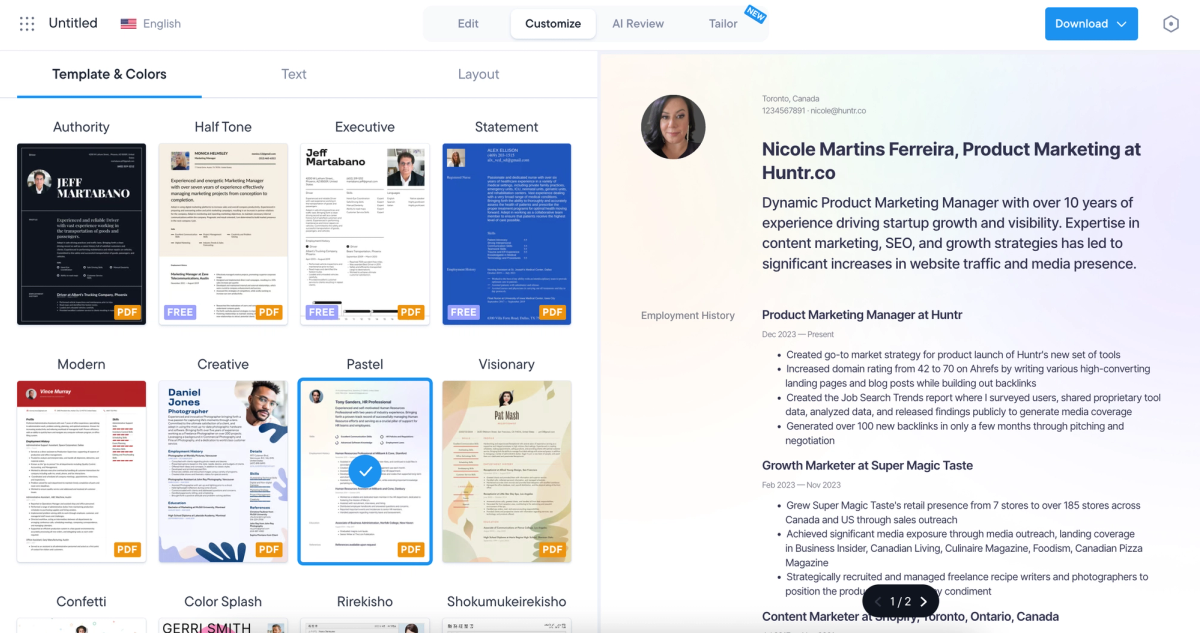
Resume.io offers 35 resume templates with a generally modern aesthetic, alongside several professional black-and-white, plain-text options for users who prefer a simpler look. This balance between modern and traditional designs gives job seekers flexibility in choosing their preferred style. Customization options are extensive, allowing users to adjust color palettes, fonts, margins, padding, layouts, alignments, and more.
Resume.io AI Functionality
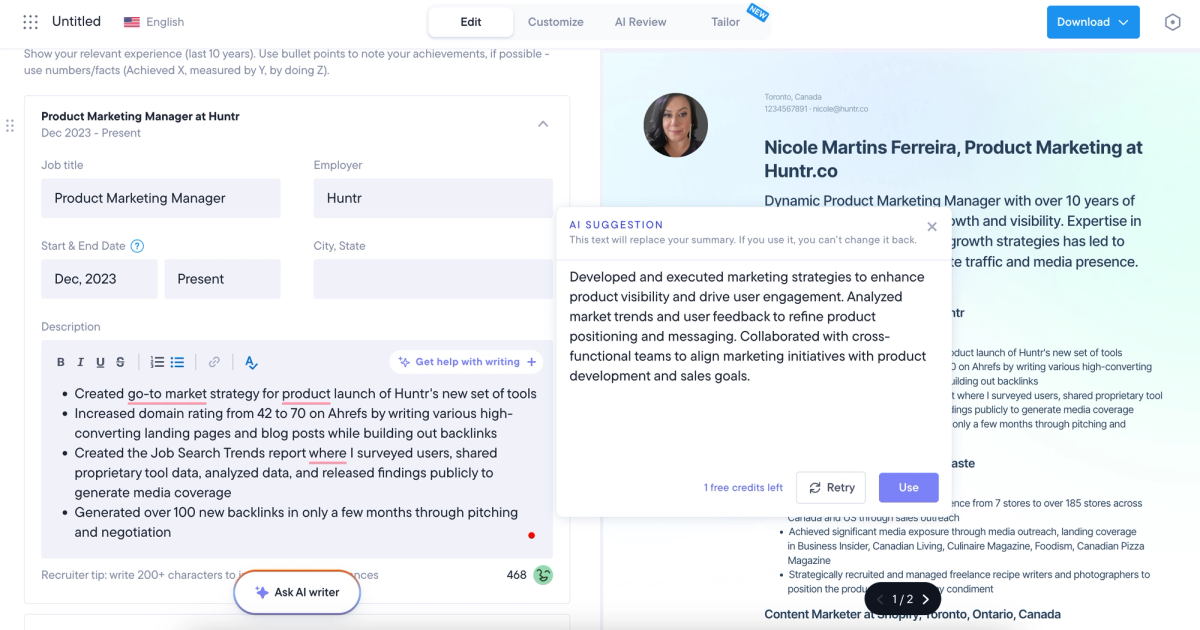
Resume.io’s AI functionality tends to be fairly generic. The AI-generated bullet points are typically one-line statements focused on responsibilities rather than measurable outcomes or results. While these bullets don’t include placeholder text and don’t technically require editing, they can result in a resume that feels less personalized. The AI-generated summary is usable, but it runs long and may need to be trimmed to leave more room for your accomplishments to stand out.
Resume.io Additional Features
Resume.io does not offer a Chrome extension, so jobs must be added to the job tracker manually rather than saved with a one-click action. That said, the platform does include a job tracker that allows you to store and manage all your applications in one place. Resume.io’s resume checker provides a graded evaluation, highlighting best practices, areas for improvement, and what’s working well. Its resume tailoring feature performs a complete rewrite, and the job match score evaluates more than just keyword alignment. The platform also includes an AI resume review, though it does not offer human resume reviews.
Resume.io Quick Reference
Best for: Job seekers who want many templates and broad export options with light AI assistance
Price: Free plan + free trial available; upgrade required to download
Free download: No (upgrade required)
Imports/Exports: LinkedIn / PDF / DOCX → PDF / DOCX / TXT
AI quality:
- Bullets: ⭐⭐⭐
- Summary: ⭐⭐⭐
- Rewrite: ⭐⭐⭐½
- Skills: ⭐⭐⭐
Standout pros:
- Large template library (35) with both modern and ATS-friendly styles
- Strong customization controls (layout, spacing, fonts, colors)
- Includes job tracker, resume checker, job match score, and AI resume review
Notable cons:
- Cannot download resumes on the free plan
- AI bullets are generic and results-light
- No Chrome extension or human resume reviews
Verdict: A flexible, design-rich resume builder with solid analysis tools, but gated downloads and generic AI limit its overall value.
Best Resume Builders By Category
No single tool dominates every category. Some builders excel at AI tailoring but lack a job tracker. Others have beautiful templates but weak AI. We broke the top performers down by what they do best so you can mix and match based on what actually matters to your search.
| Category | #1 | #2 | #3 | #4 | #5 |
| 💼 Best Job Tracker | Huntr | Teal | Rezi | ResumeUp | Career Flow |
| 📄 Best for Resume Export | Huntr | Rezi | Jobbie | Jobscan | |
| ✅ Best Resume Checker | Kickresume | Teal | Rezi | Resume Now | Sheets Resume |
| 🧑🎨 Best for Aesthetics and Design | Canva | Designs.ai | Resume Trick | ResumeBuilder.com | Zety |
| 📖 Best Resume Review | Huntr | Kickresume | |||
| 📝 Best Tailor | Huntr | Wonderin | AI Apply | Wonsulting | Career Flow |
Honorable Mentions
These are solid tools that work well but might have a steeper learning curve, fewer features, or a slightly higher price point than the top tier.
AI Apply
AI Apply scored 66.59 out of 100, and there's a gotcha worth knowing upfront: once a paid plan expires, your resume gets blurred behind an "upgrade to unlock" prompt. You can still download the file as-is, but you lose editing access to your own content. It's a retention tactic that feels coercive, especially since nothing in the sign-up process prepares you for it.
The tool's core pitch is hands-off resume rewriting; paste a job description, and it rewrites your resume to match. In practice, that rewrite can strip out metrics that were already there, which weakens rather than strengthens the result. Some sections retained their numbers, others didn't, and there's no way to approve changes selectively before they're applied. If you use AI Apply's tailoring, plan on going back through line by line to reinsert anything the AI removed.
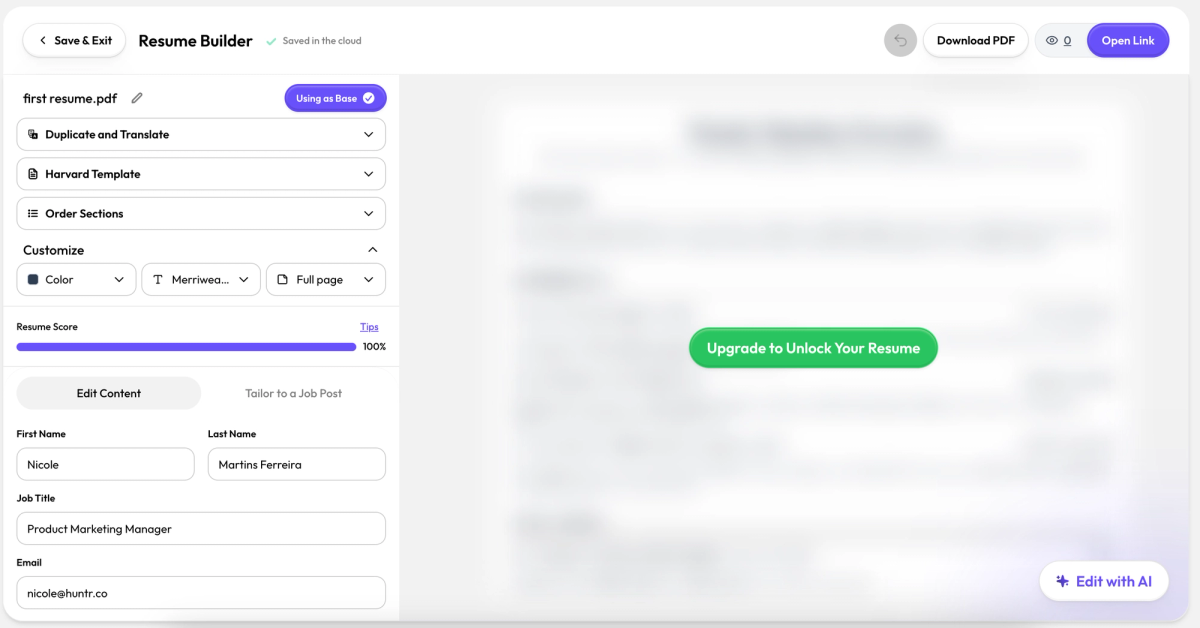
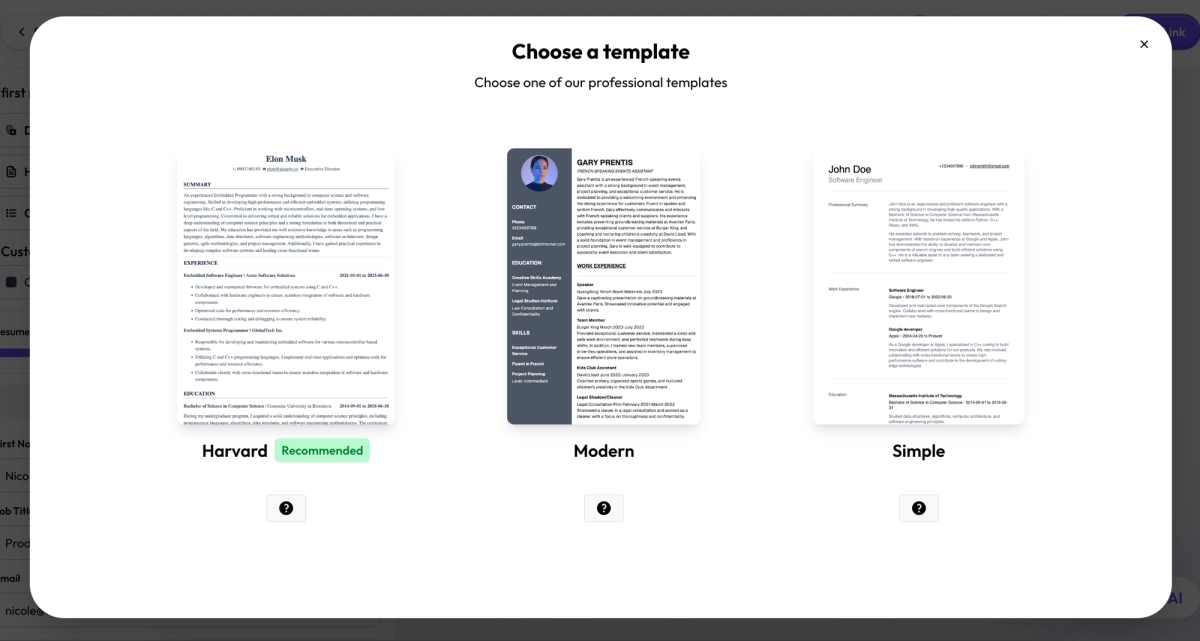
AI Apply Resume Aesthetics
AI Apply offers six resume templates with a clean, professional aesthetic and minimal design elements. Customization options are limited, but users can choose from six different fonts, adjust the color of the resume, reorder sections, and select the page length.
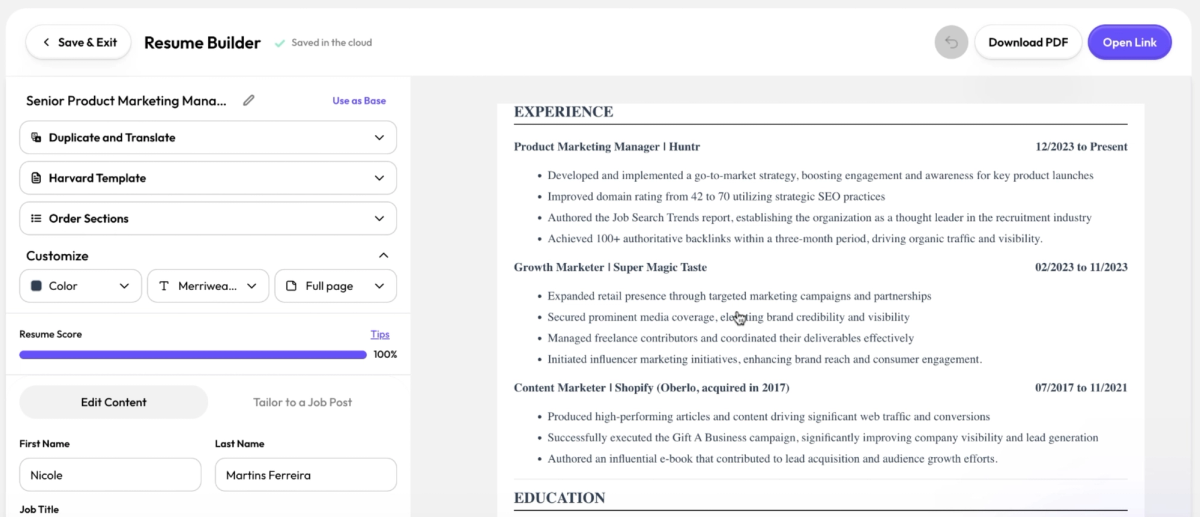
AI Apply AI Functionality
AI Apply does not generate bullet points, but it does offer full resume rewrites and summary rewrites. During testing, the resume tailoring feature removed several metrics, which made the content sound more generic and less impactful. While some sections retained their metrics, others did not, resulting in an inconsistent and overall weaker resume. As a result, you’ll likely need to manually reinsert metrics after using the AI to better position yourself for the role. Additionally, the resume tailor performs a complete rewrite without offering alternative suggestions, giving you no option to selectively accept or reject changes.
AI Apply Additional Features
AI Apply does not offer a Chrome extension, but it does include a job tracker for managing applications in one place. The platform also provides a resume score that evaluates best practices and other key criteria. In addition, AI Apply offers an AI resume review, though it does not provide human resume reviews. AI Apply is priced at $29 per month.
AI Apply Quick Reference
Best for: Job seekers who want full resume rewrites with minimal setup
Price: Free plan available; paid plan $29/month
Free download: Yes (editing access revoked after plan expires)
Imports/Exports: LinkedIn / PDF / DOCX → PDF
AI quality:
- Bullets: ⭐
- Summary: ⭐⭐⭐
- Rewrite: ⭐⭐⭐
- Skills: ⭐⭐
Standout pros:
- Free downloads with LinkedIn, PDF, and DOCX imports
- Includes job tracker, resume score, resume tailoring, and AI resume review
- Simple, clean templates suitable for conservative roles
Notable cons:
- No AI bullet generation and rewrites may remove key metrics
- AI rewrites apply changes wholesale with no approval controls
- PDF-only exports and limited customization
Verdict: A hands-off rewrite tool that can save time, but requires careful manual cleanup to avoid losing impact and accuracy.
Hyresnap
Hyresnap is one of the few tools on this list that gives you no way to try before you buy; no free plan, no free trial, no free downloads. In a market where most competitors let you at least build a resume before asking for payment, that's a hard sell. It scored 66.40 out of 100.
What you're paying for is a clean, professional builder with decent keyword-based tailoring. The templates are solid, the customization options are above average for this tier, and the job match tool pulls keywords directly from job descriptions for easy selection. Where it falls short is the AI; bullet suggestions read as task lists rather than accomplishments, and there's no contextual rewriter to improve what you've already written. At $19/month it's not expensive, but when free tools like Wobo cover more ground, the lack of any free access makes Hyresnap a tough recommendation unless you've already tried it elsewhere and know it fits your workflow.
Hyresnap Resume Aesthetic
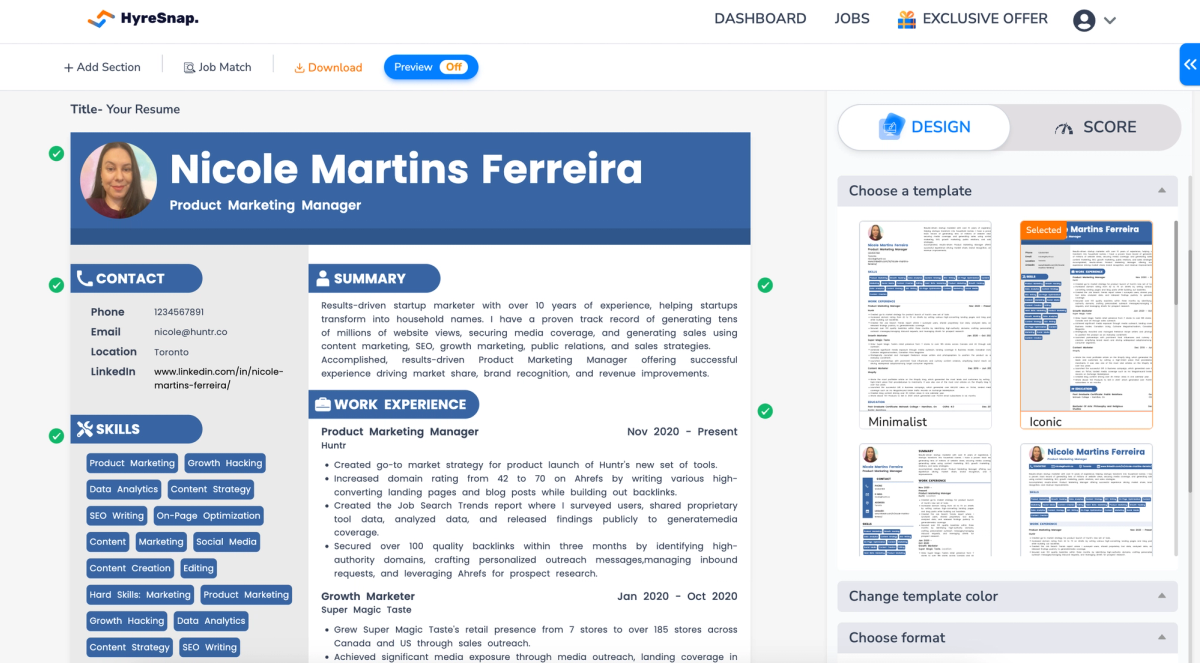
Hyresnap offers 11 resume templates with a professional aesthetic and solid customization options. Users can select from a range of preset, professional color palettes and choose from eight fonts, including options like Poppins and Inter. Font size and spacing can also be easily adjusted to fine-tune the layout.
Hyresnap AI Functionality
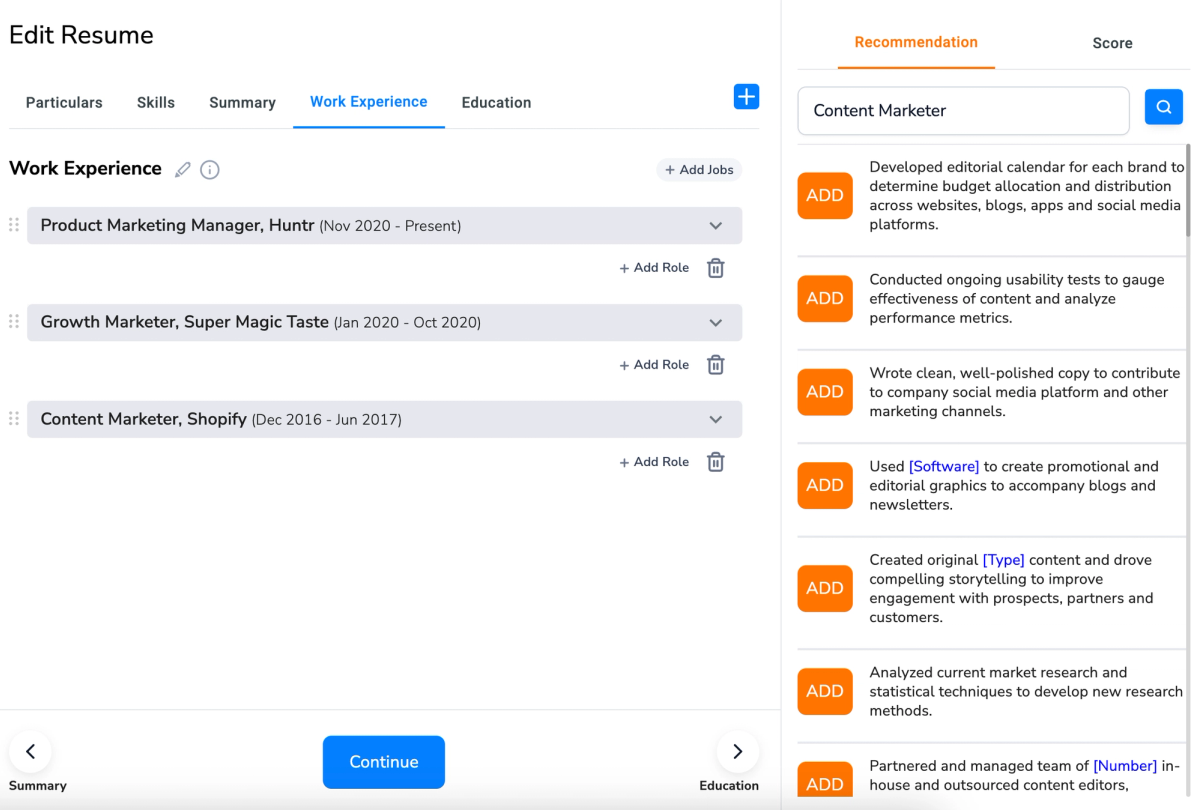
Hyresnap’s AI-generated bullet points are largely generic and presented as a one-click list of recommendations. These suggestions are tied to the job title listed on the resume, with flexibility to adjust the title when multiple roles are involved. The main limitation is that most bullets are framed as tasks rather than accomplishments. While these tasks may accurately describe responsibilities, they do little to highlight impact or measurable results. In addition, the platform lacks a contextual bullet rewriter that improves existing content while preserving the specifics of prior experience.
Hyresnap Additional Features
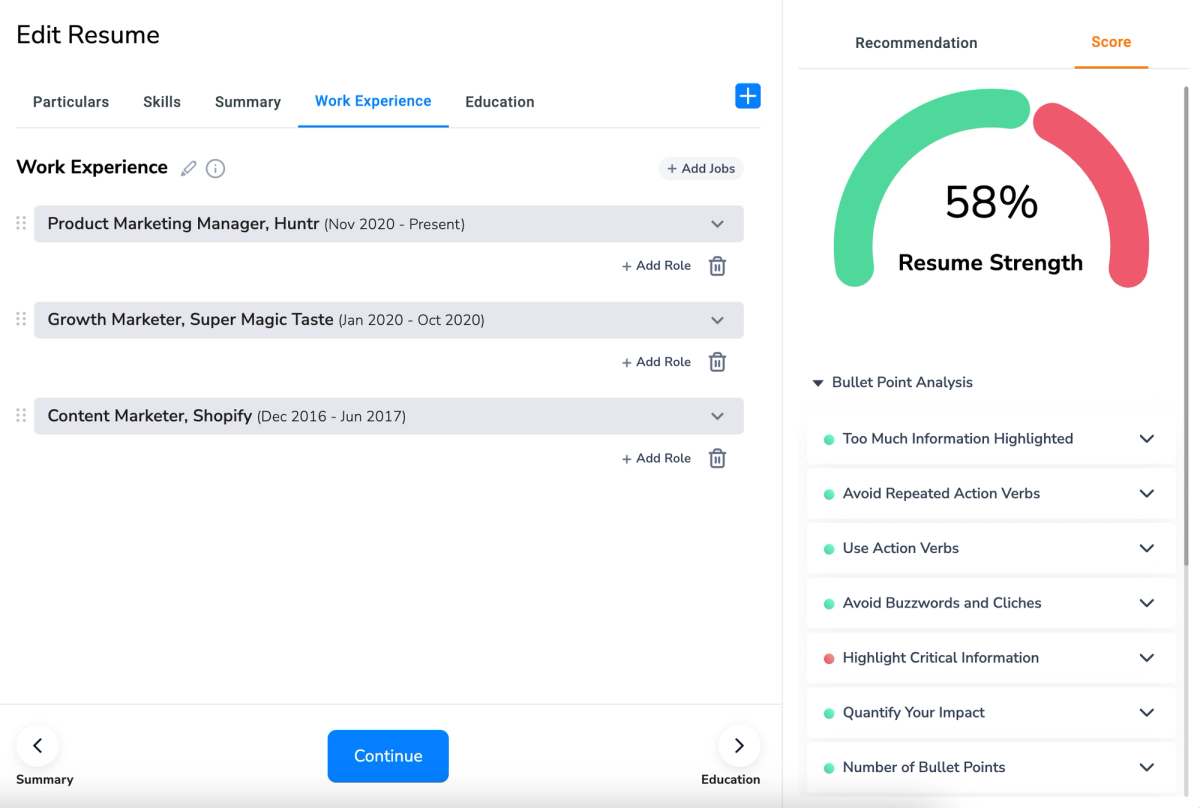
Hyresnap does not offer a Chrome extension or a job tracker, so you’ll need to rely on another tool, or manual tracking, to manage your job applications. The platform does include a resume checker that evaluates factors such as bullet count, bullet length, use of personal pronouns, buzzwords, and other best-practice criteria.
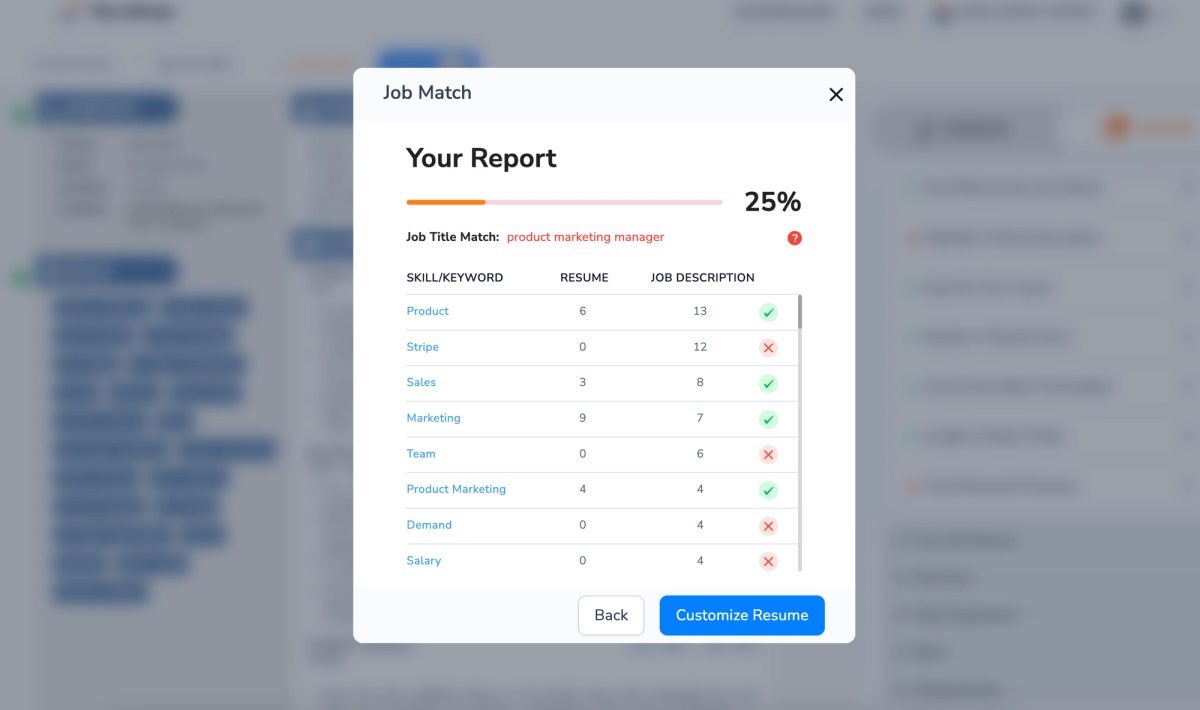
Hyresnap also includes a job match score and a resume tailoring feature. When a job description is added, the tool surfaces a list of recommended keywords pulled directly from the posting, which can then be selected and incorporated into the resume. In addition, Hyresnap offers an AI resume review, though human resume reviews are not available.
Hyresnap Quick Reference
Best for: Job seekers who want simple keyword-based tailoring with clean, professional layouts
Price: Paid plans only (no free plan or free trial)
Free download: No
Imports/Exports: PDF / DOCX → PDF
AI quality:
- Bullets: ⭐⭐
- Summary: ⭐⭐½
- Rewrite: ⭐⭐
- Skills: ⭐⭐⭐
Standout pros:
- Professional templates with solid font and color customization
- Job match score with keyword extraction from job descriptions
- Includes resume checker and AI resume review
Notable cons:
- No free plan, free trial, or free downloads
- No LinkedIn import, Chrome extension, or job tracker
- AI bullets focus on tasks over impact and lack contextual rewrites
Verdict: A competent keyword-focused builder with clean design, but limited automation, tracking, and free access make it hard to recommend over stronger alternatives.
Instaresume
Instaresume's biggest friction point is how you get started: there's no LinkedIn import, no PDF upload, no DOCX upload. You're building from scratch, typing everything in manually. For a tool with "insta" in the name, the onboarding is anything but fast. It scored 64.28 out of 100.
The resume building itself is limited. AI features require purchased credits, and the output leans generic: bullet suggestions focus on duties over accomplishments, and the skills generator surfaces broad soft skills that rarely help you stand out. The free plan does include watermark-free PDF downloads, which is a plus at this price tier. But the combination of manual setup and credit-gated AI means you're spending more time and money than the output justifies for most job seekers.
Instaresume Resume Aesthetic
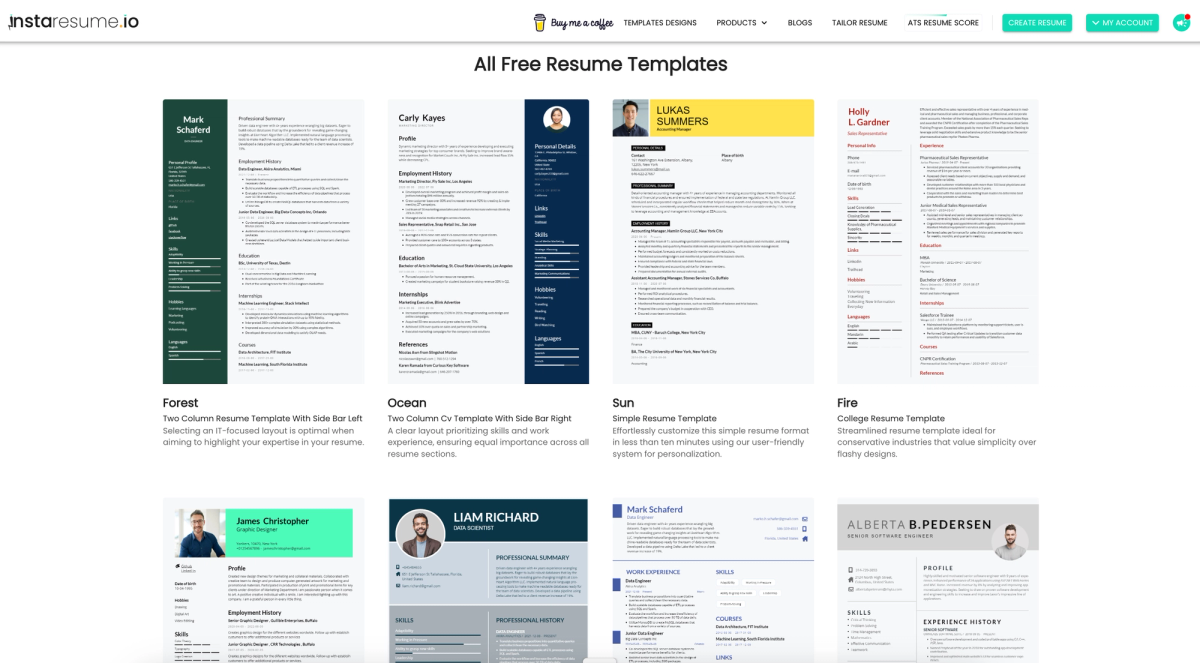
Instaresume offers 17 resume templates with professional designs, but customization options are limited. Users can select from preset color palettes, but changes to font size, font family, or margins are not supported. As a result, if a particular template’s styling doesn’t suit your preferences, the best option is to choose a different design rather than attempt to modify it.
Instaresume AI Functionality
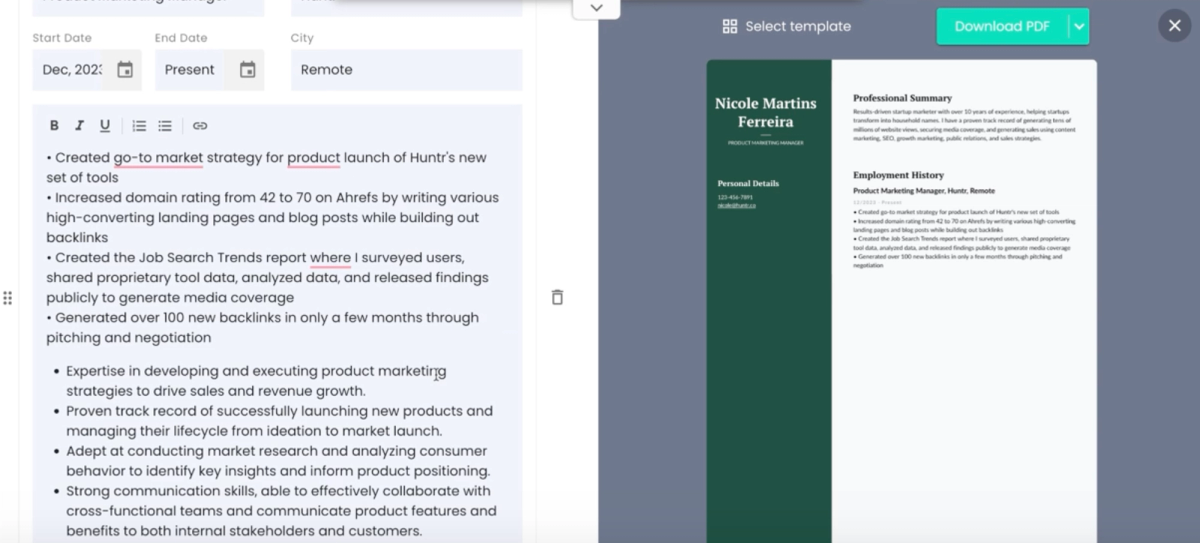
Using Instaresume’s AI features requires purchasing credits. When generating bullet points, the AI adds multiple bullets to a section based on your job title without overwriting your original content, which is a positive. However, the added bullets are largely generic. While they may include relevant keywords or outline typical responsibilities, they focus on duties rather than accomplishments, offering little opportunity to showcase impact or results. The tool also lacks a contextual rewriter that enhances existing bullet points while preserving the integrity of your accomplishments. Additionally, the skills generator is not particularly useful, as it tends to surface low-intent soft skills. In most cases, you’re better off manually adding role-specific skills, aside from universally relevant ones like communication.
Instaresume Additional Features
Instaresume includes a Chrome extension but does not offer a job tracker. Instead, the platform can apply to jobs on your behalf. It also provides a resume checker that evaluates word count, page length, best practices, and both hard and soft skills. Instaresume’s resume tailoring feature performs a complete rewrite, and the platform includes an AI resume review. However, human resume reviews are not available.
Instaresume Quick Reference
Best for: Job seekers who want quick, template-based resumes and AI-assisted applications
Price: Free plan available; paid credits required for AI features
Free download: Yes (no watermark)
Imports/Exports: Manual entry only → PDF
AI quality:
- Bullets: ⭐⭐
- Summary: ⭐⭐
- Rewrite: ⭐⭐⭐
- Skills: ⭐⭐
Standout pros:
- Free PDF downloads without watermark
- Chrome extension with auto-apply capability
- Includes resume checker, resume tailoring, and AI resume review
Notable cons:
- No LinkedIn, PDF, or DOCX imports, must start from scratch
- Limited customization (no font, size, or margin controls)
- AI bullets and skills are generic and credit-gated
Verdict: A functional but rigid resume builder that prioritizes automation over polish, requiring extra effort to produce a strong, personalized resume.
Sheets Resume
Sheets Resume has one genuinely strong feature surrounded by a lot of gaps. Its AI bullet suggestions are tied to individual bullet points rather than generic job titles, which means the recommendations are more contextual and useful than what most competitors produce. That single capability is good enough to warrant attention. It scored 64.04 out of 100.
The rest of the experience is bare-bones. There's only one template; plain black-and-white with minimal customization. The LinkedIn import didn't work during testing. Downloads require a paid plan. And the platform actively recommends against including a resume summary, which runs counter to widely accepted best practice; a strong summary helps surface accomplishments and pass ATS filters. It's a strange stance for a resume builder to take. If you already have solid content and just want smarter bullet suggestions to refine it, the $39/month plan or $99 lifetime option could be worth it for that one feature alone. Just know you're getting very little else.
Sheets Resume Resume Aesthetic
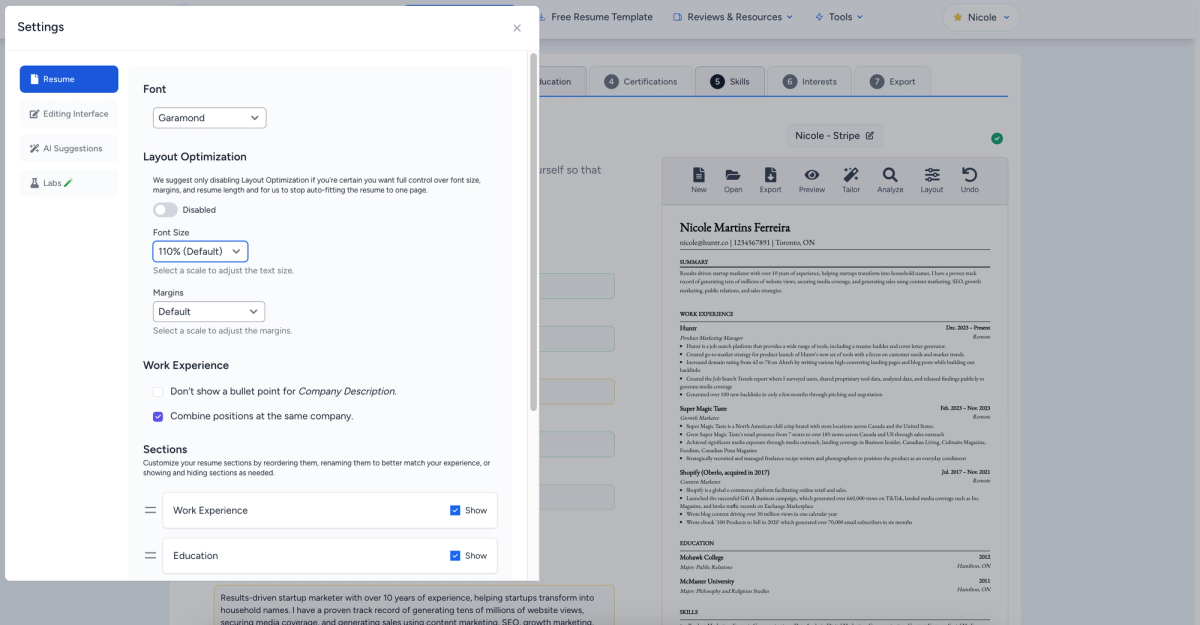
Sheets Resume offers one of the smallest template selections, with just a single basic template available for building your resume. Customization options are limited, as the design follows a plain black-and-white aesthetic with minimal visual elements. Font options are limited to six choices, with adjustments available for margins and font size. Beyond these controls, overall design flexibility remains minimal.
Sheets Resume AI Functionality
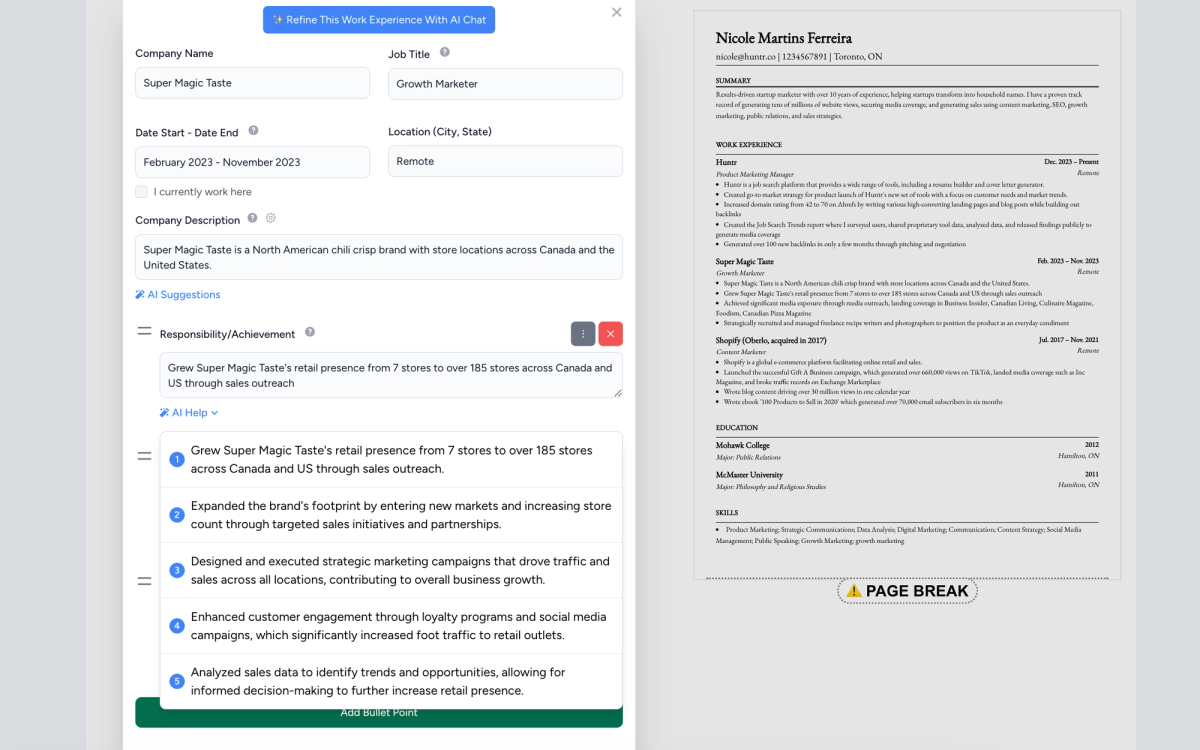
Sheets Resume performs well when it comes to AI-generated bullet point suggestions. While accomplishments still need to be added manually, the tool provides related recommendations based on each specific bullet point. However, it does not offer AI support for writing a resume summary. Notably, it is the only resume builder reviewed that actively recommends against including a resume summary. This runs counter to widely accepted best practices, as a strong summary helps highlight top accomplishments while incorporating relevant keywords needed to pass AI and ATS filters.
Sheets Resume Additional Features
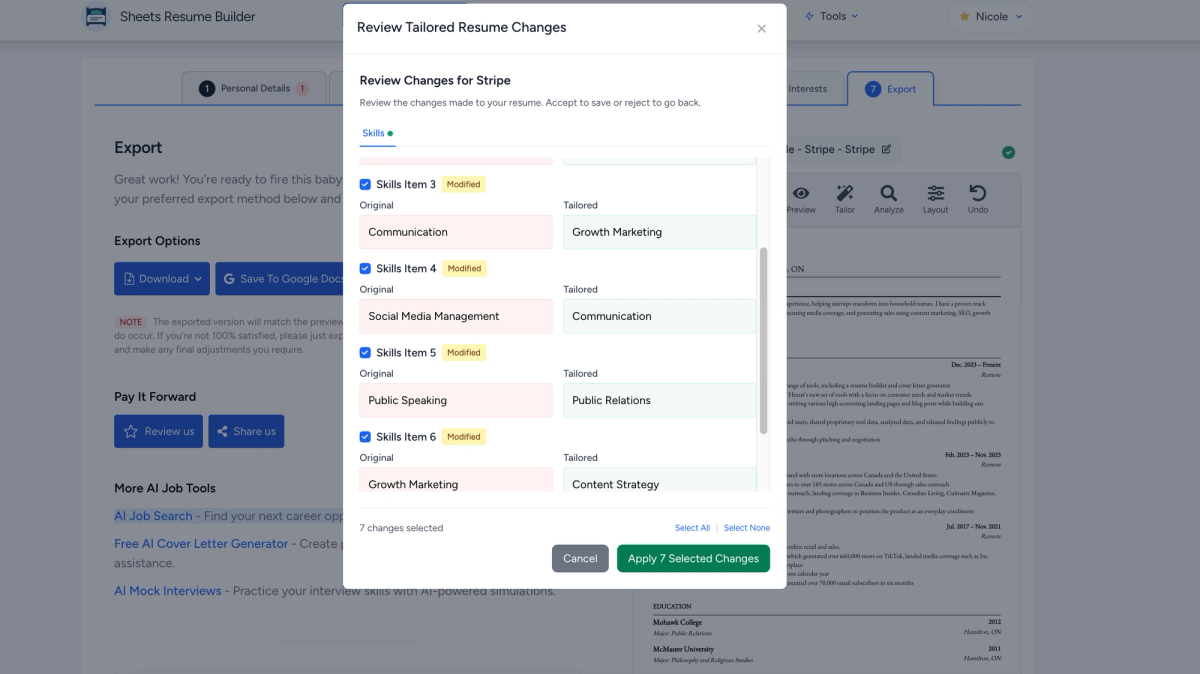
Sheets Resume does not offer a Chrome extension or a job tracker, so there is no built-in way to save jobs or organize applications. Its resume-tailoring feature works by inserting relevant keywords pulled from the job description rather than rewriting content. When the same job description is added multiple times, the tool auto-populates different keywords instead of indicating that the resume is already tailored, which raises questions about whether the most relevant terms are being selected. In some cases, it also suggests the same keywords placed under different sections, creating the impression that the resume is incorrect even when it already aligns with the role.
Sheets Resume includes an AI resume review but does not offer a human resume review. Pricing is set at $39 per month, with a $99 one-time payment available for lifetime access.
Sheets Resume Quick Reference
Best for: Job seekers who want AI-assisted bullet suggestions in a bare-bones, ATS-style format
Price: Free plan available; Pro $39/month or $99 lifetime
Free download: No (upgrade required)
Imports/Exports: LinkedIn / PDF / DOCX → PDF / DOCX
AI quality:
- Bullets: ⭐⭐⭐⭐
- Summary: ⭐
- Rewrite: ⭐⭐
- Skills: ⭐⭐
Standout pros:
- Strong AI suggestions tied to individual bullet points
- Simple, ATS-friendly layout with margin and font controls
- Lifetime pricing option for one-time payment users
Notable cons:
- Only one template with very limited design flexibility
- No job tracker or Chrome extension
- No AI summary support and discourages summaries altogether
Verdict: A niche, text-first resume builder with surprisingly good bullet assistance, but too limited in design, workflow, and guidance for most job seekers.
ResumeBoostAI
ResumeBoostAI scored 63.35 out of 100, and the score undersells its one standout trick: contextual bullet rewrites. Unlike most tools at this tier that generate generic suggestions from a job title, it reworks your existing content; tightening language while keeping your actual metrics and accomplishments intact. For a tool this far down the list, that's a rare bright spot.
The rest is bare-minimum. One template, PDF-only everything, no free plan or trial. The keyword extraction from job descriptions was inconsistent; sometimes returning nothing for postings full of obvious terms. If you already have strong content and just want cleaner wording, it's worth the $10 for 10 credits. Otherwise, the tools ranked above it offer far more for similar money.
ResumeBoostAI Resume Aesthetic
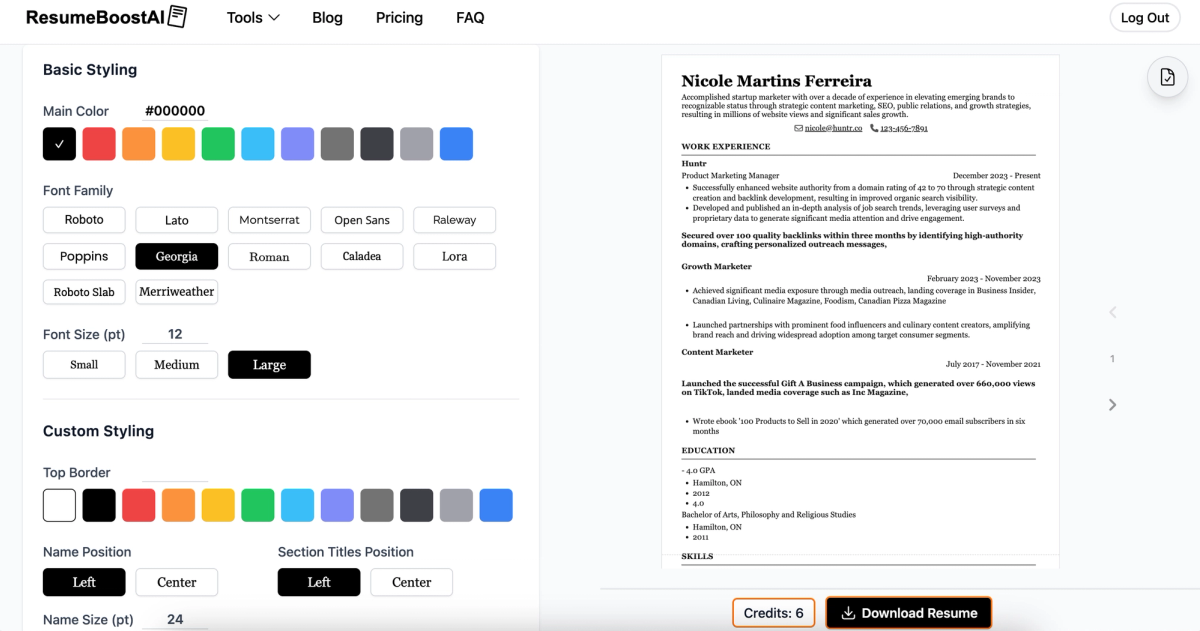
ResumeBoostAI offers just one resume template, featuring a professional design with a strong level of customization. Heading and line colors are adjustable, with a selection of 12 fonts available. Font size can also be modified. At the top of the resume, a border can be added with a customizable color, and alignment and title positioning are adjustable as well. Margins are fully configurable, allowing for additional layout control despite the single-template limitation.
ResumeBoostAI AI Functionality
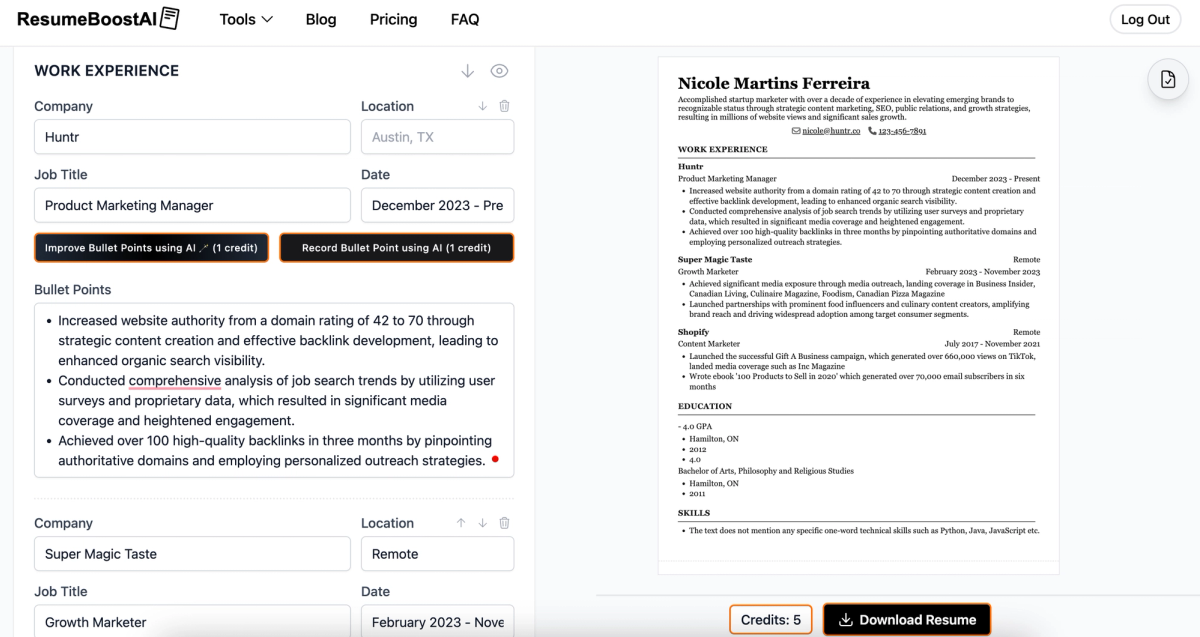
One of the strongest aspects of ResumeBoostAI’s AI functionality is its contextual approach. The AI works directly from existing content, enhancing wording while preserving the core accomplishments and results. Rather than generating generic or outcome-free bullet points, it improves what is already written. Bullet point rewrites are handled particularly well, maintaining clarity and impact without altering intent.
ResumeBoostAI Additional Features
When a job description is added to the skills section, ResumeBoostAI surfaces relevant keywords for selection. However, there were instances where the tool indicated that a job listing contained no keywords, suggesting some inconsistency in how this feature functions. ResumeBoostAI includes both a Chrome extension and a job tracker, which supports application organization. However, it does not offer a job match score to indicate alignment with a specific role. The platform provides an AI resume review but does not include human resume reviews. Pricing is set at $10 for ten credits.
ResumeBoostAI Quick Reference
Best for: Job seekers who want strong contextual bullet rewrites with fine-grained layout control
Price: $10 for 10 credits (paid only)
Free download: No
Imports/Exports: PDF → PDF
AI quality:
- Bullets: ⭐⭐⭐⭐½
- Summary: ⭐⭐
- Rewrite: ⭐⭐⭐⭐½
- Skills: ⭐⭐⭐
Standout pros:
- Excellent contextual bullet rewrites that preserve accomplishments and metrics
- High customization despite a single template (fonts, margins, borders, alignment)
- Includes Chrome extension, job tracker, and AI resume review
Notable cons:
- No free plan or trial; PDF-only imports and exports
- Single-template limitation
- No job match score and inconsistent keyword surfacing
Verdict: A niche but powerful option for refining existing content, great at rewriting what you already have, but limited in formats, templates, and free access.
Jobsuit
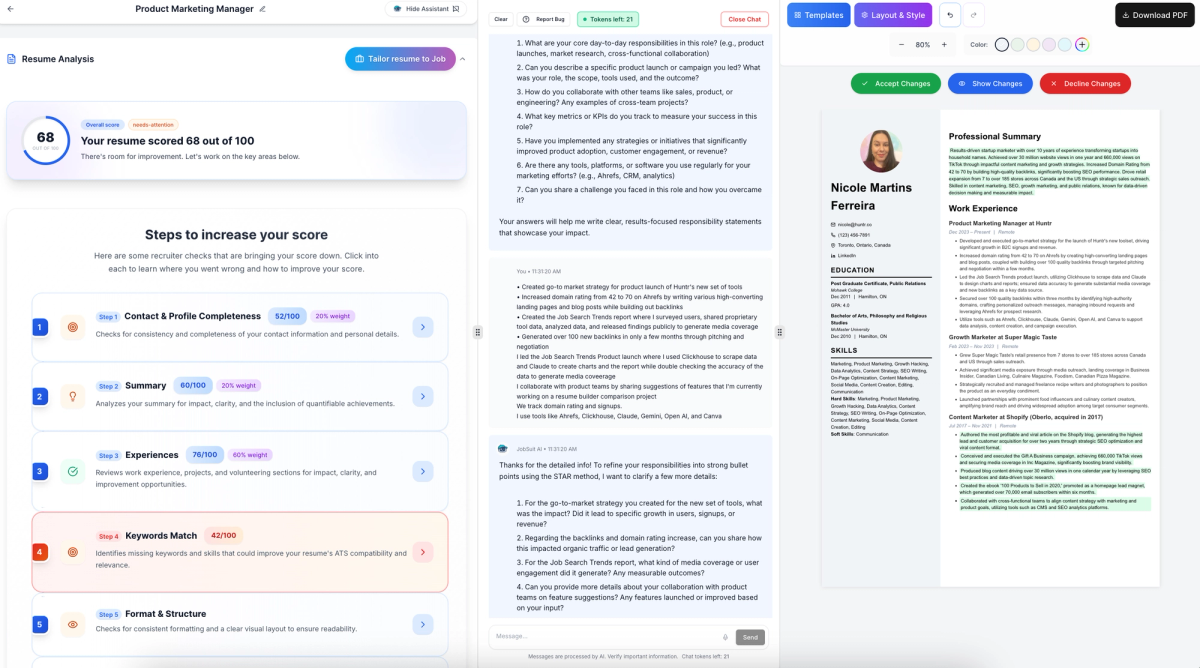
Jobsuit scored 63.17 out of 100, and the main thing holding it back is friction. The editor interrupts you with frequent pop-ups, demands a lot of information upfront before you can start building, and the AI requires an extended back-and-forth of answering questions before producing anything usable. In several cases, the AI kept asking follow-up questions rather than delivering content; more time spent talking to the tool than improving the resume.
The free plan does include no-cost PDF downloads, and there are 17 templates with reasonable customization. But without a Chrome extension, job tracker, or efficient AI workflow, the tools ranked above it cover the same ground with far less patience required.
Jobsuit Resume Aesthetic
Jobsuit delivers a functional resume builder with modest constraints. Jobsuit offers 17 professional resume designs to choose from. While the templates are relatively simple, they provide a solid range of customization options. Resume styling can be adjusted through color selection, font choices, spacing, section ordering, and additional layout controls, allowing for flexibility despite the minimalist designs.
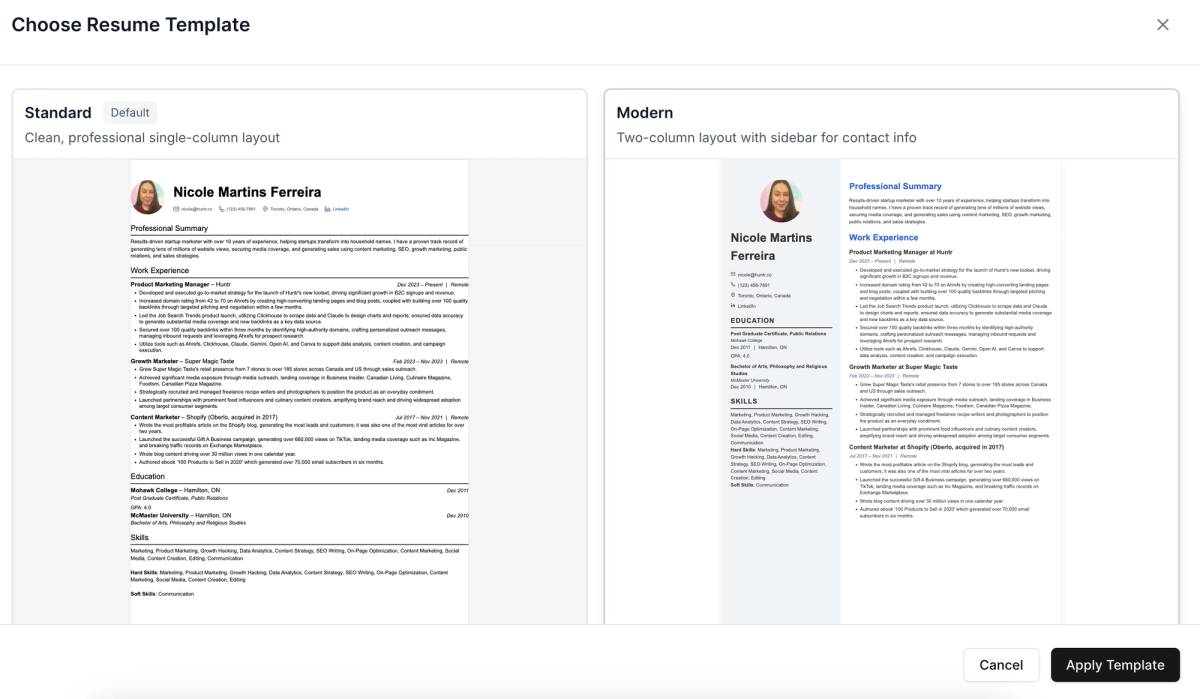
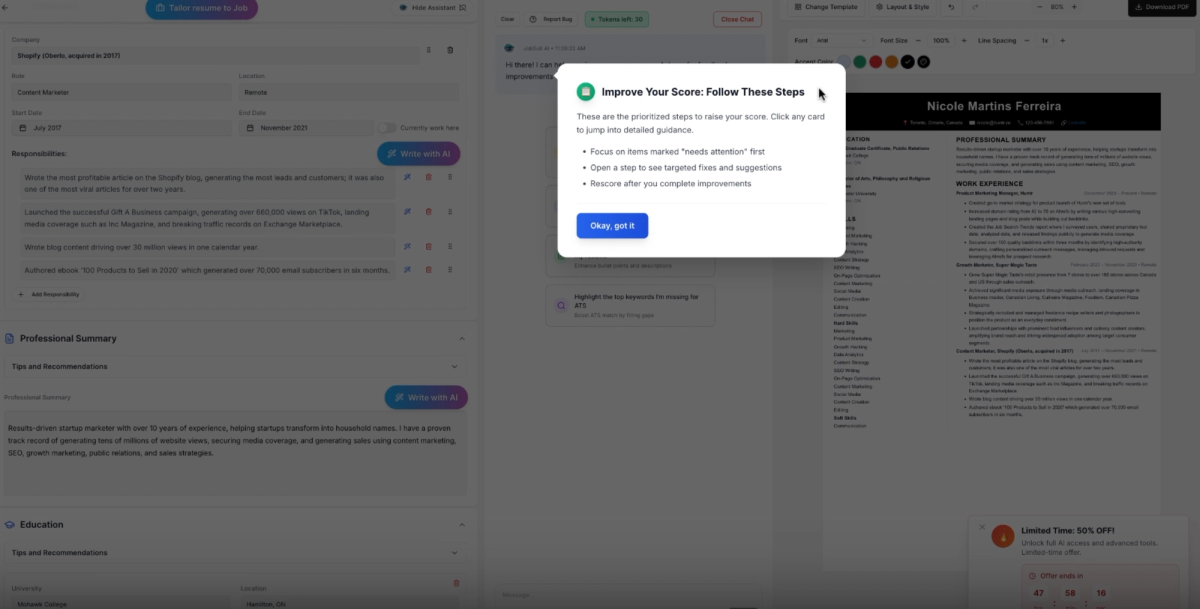
The resume editor is somewhat difficult to use, with frequent pop-ups interrupting the workflow. The tool also requires a large amount of information upfront, making the overall experience feel tedious and time-consuming.
Jobsuit AI Functionality
Using the AI requires extensive back-and-forth, with the tool prompting a long series of questions. Even after providing detailed responses, the AI often continues asking additional questions rather than delivering usable content. As a result, more time is spent conversing with the AI than actually improving the resume. The system demands excessive context before producing results, whereas many competing resume builders are able to tailor or refine resumes using the information already provided. Overall, the experience requires a high level of patience, which conflicts with the need for job seekers to complete resumes quickly and begin applying without delay.
Jobsuit Additional Features
Jobsuit does not offer a Chrome extension or a job tracker, which makes managing applications more difficult without relying on a separate tool. The platform does include a resume checker that generates a score based on format and structure, profile completeness, keyword matching, and the impact of both the summary and work experience sections. Jobsuit also provides an AI resume review, but does not offer human resume reviews. Jobsuit is priced at $9.99 per month.
Jobsuit Quick Reference
Best for: Job seekers who want free PDF downloads and basic AI feedback at a low price
Price: Free plan available; paid plan $9.99/month
Free download: Yes (no watermark)
Imports/Exports: PDF / DOCX → PDF
AI quality:
- Bullets: ⭐⭐
- Summary: ⭐⭐
- Rewrite: ⭐⭐
- Skills: ⭐⭐
Standout pros:
- Free plan with no-cost PDF downloads
- Decent range of templates (17) with solid customization controls
- Includes resume checker and AI resume review
Notable cons:
- Clunky editor with frequent pop-ups and high friction
- AI requires excessive back-and-forth before producing results
- No Chrome extension or job tracker
Verdict: An affordable, no-frills resume builder that gets the job done, but the slow AI workflow and usability issues make it a patience test.
Wonsulting
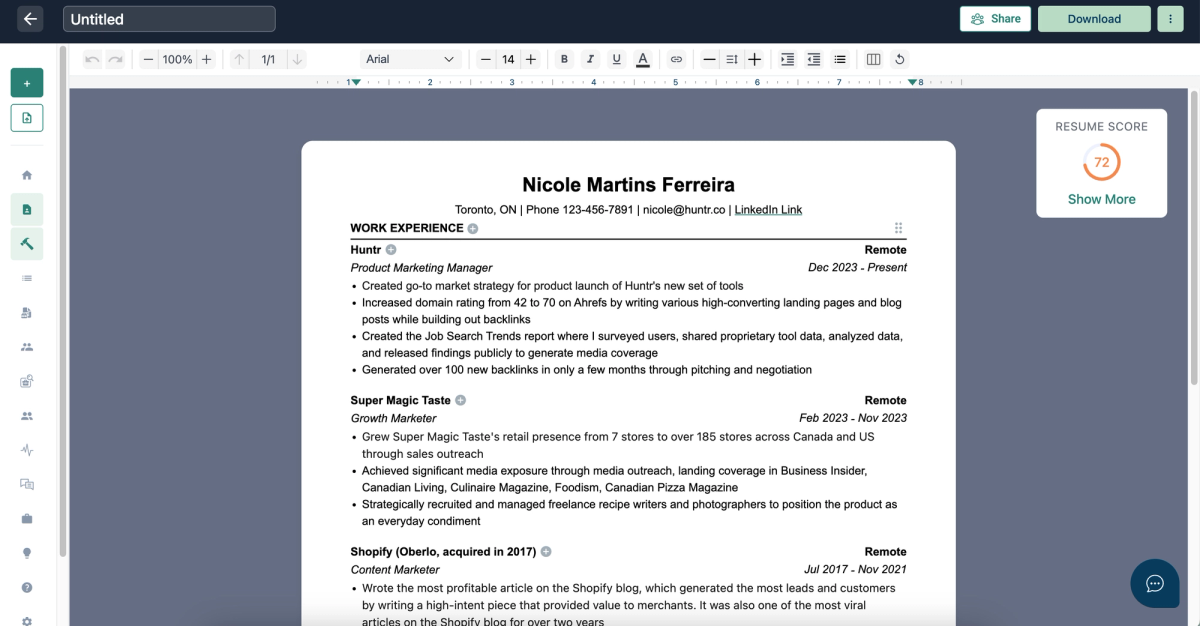
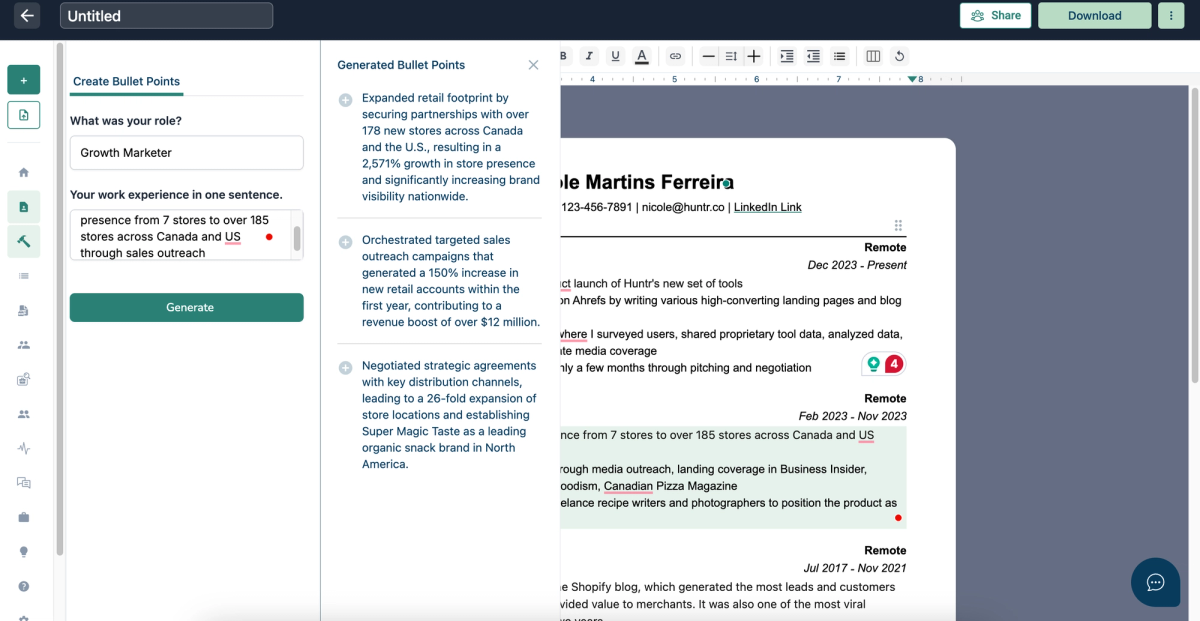
Wonsulting scored 61.52 out of 100. The risk with this tool is accuracy; during testing, the AI inserted placeholder figures like $12 million in revenue that had no basis in the original resume. Using those bullets without careful review means submitting fabricated claims to employers, which can unravel fast in an interview. That's a trust issue that matters more than any missing feature.
Beyond that, it's a minimal setup. One template, no LinkedIn import, no Chrome extension, no skill suggestions. The free plan includes PDF downloads and a job tracker, which is decent at this tier. But when the AI's main contribution is generating numbers you need to fact-check and delete, the value proposition thins out quickly.
Wonsulting Resume Aesthetic
Wonsulting offers only a single resume template. The design is simple yet professional, featuring a plain black-and-white, text-based layout with minimal visual elements. While the template does little to help a resume stand out, it remains clear and readable. Customization options are limited and closely resemble those of a basic word processor. Available adjustments include a selection of seven fonts, as well as controls for font styling, spacing, and margins. Text can also be formatted using bold, italics, or underlining where needed.
Wonsulting AI Functionality
Wonsulting’s AI functionality is generally solid but requires manual editing before use. When provided with an existing bullet point and job title, the AI generates additional bullet suggestions. While some of the original intent and structure are preserved, the output does not always align closely with the original content. In several cases, the AI inserted placeholder figures, such as claiming $12 million in revenue, that were not accurate. Using these generated bullets without careful review risks introducing false information into a resume, which could create serious issues during the hiring process.
Wonsulting Additional Features
The skills section does not surface or recommend relevant keywords to add as skills, which makes the process more challenging. Manually identifying the most effective keywords based on past experience can be difficult, especially since not everyone knows which skills are most likely to improve hiring outcomes. Wonsulting also does not offer a Chrome extension, though it does include a job tracker. In addition, the platform provides a resume score that evaluates best practices along with other quality factors.
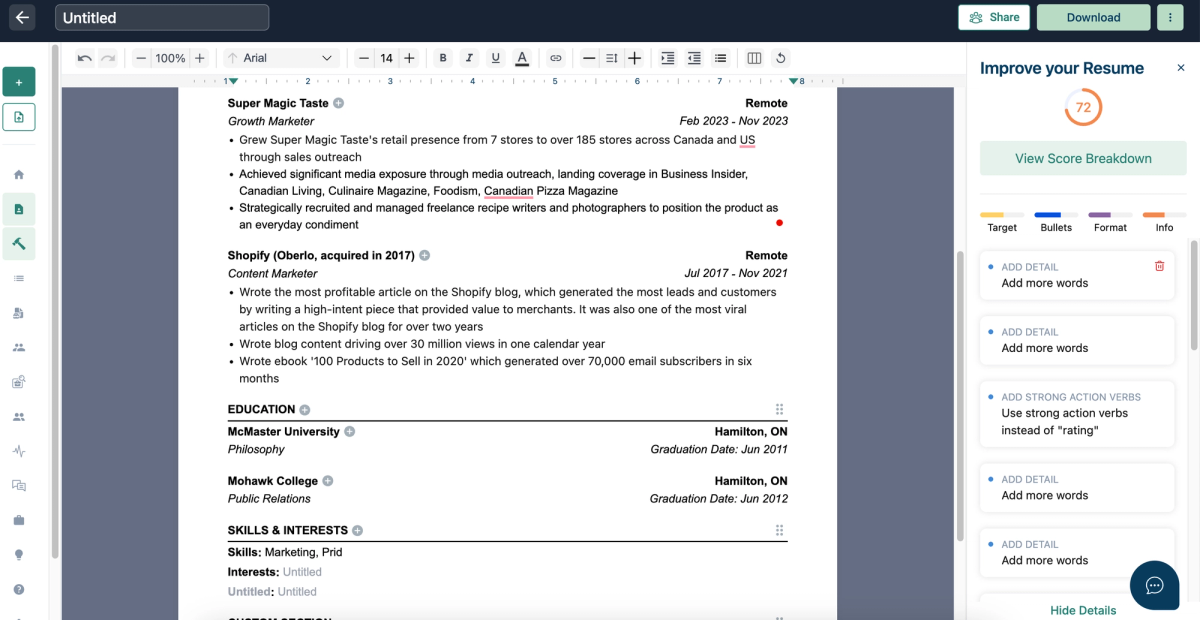
They offer an AI resume review without a human reviewer. Their plan costs $19.99 each month.
Wonsulting Quick Reference
Best for: Job seekers who want a simple, text-first resume with light AI assistance
Price: Free plan available; paid plan $19.99/month
Free download: Yes (no watermark)
Imports/Exports: PDF / DOCX → PDF
AI quality:
- Bullets: ⭐⭐⭐
- Summary: ⭐⭐
- Rewrite: ⭐⭐⭐
- Skills: ⭐
Standout pros:
- Free plan with PDF exports
- Clean, ATS-friendly single-template layout
- Includes job tracker, resume score, and AI resume review
Notable cons:
- Only one template with very limited customization
- AI bullet suggestions can introduce inaccurate placeholder metrics
- No LinkedIn import, Chrome extension, or skill recommendations
Verdict: A minimalist resume builder with usable AI support, but limited safeguards and features mean careful manual review is essential.
Simplify Jobs
Simplify Jobs is more of a job search hub than a resume builder. LinkedIn import, Chrome extension, job tracker, and human resume reviews are all included on the free plan; that's more workflow tooling than most tools at this tier offer behind a paywall. It scored 60.58 out of 100.
The resume building is more basic. Four templates, limited color options, PDF-only exports. An interesting quirk: it's one of the few tools that offers human resume reviews but no AI review; the inverse of almost every other builder on this list. The AI can generate bullets and summaries, but both need manual cleanup. If you want a free command center for organizing your job search and don't mind writing your own resume content, Simplify Jobs covers that niche well.
Simplify Jobs Resume Aesthetic
Simplify Jobs offers four professional resume templates with a minimalist design approach, which limits overall customization. Font selection includes ten options, and adjustments are available for margins, font size, text alignment, bullet styles, and date formats. Color customization is more restricted, however, as only two of the templates allow color changes, and even then, choices are limited to four preset options.
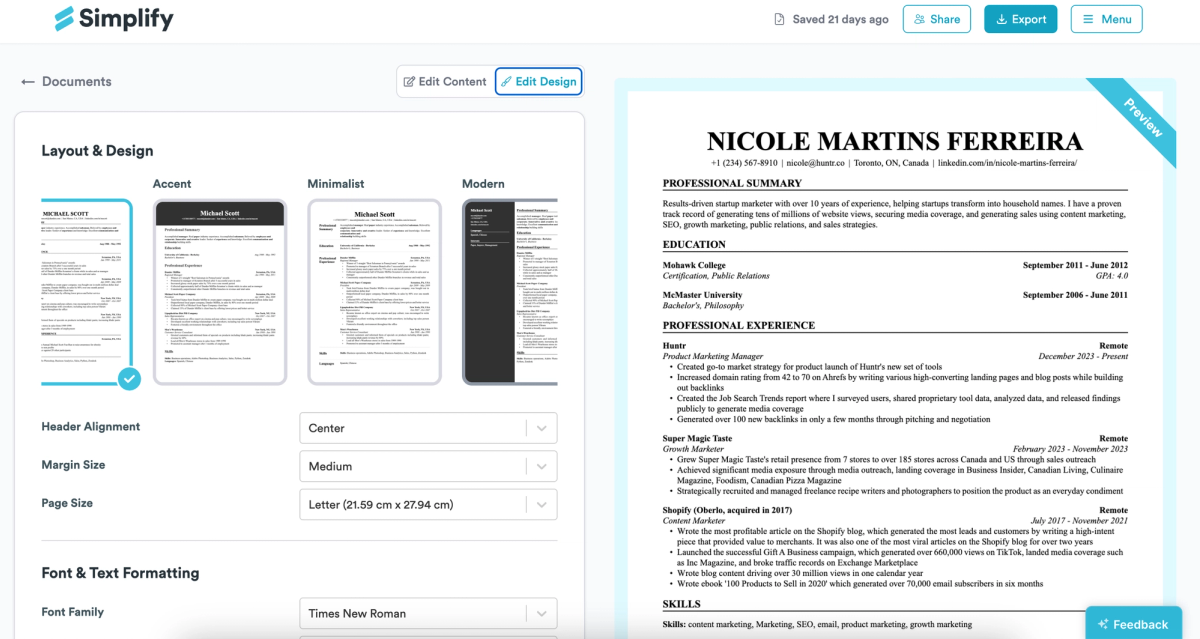
Simplify Jobs AI Functionality
Simplify Jobs includes AI-powered resume building features, with support for generating both bullet points and a resume summary. The AI-generated summary typically requires some editing, as it calculates years of experience based on the oldest role listed on the resume rather than evaluating experience across an entire career in the field. Since many professionals remove older roles from their resumes, this approach can result in inaccuracies. As a result, details produced by the AI may need adjustment to more accurately reflect experience and position the resume effectively.
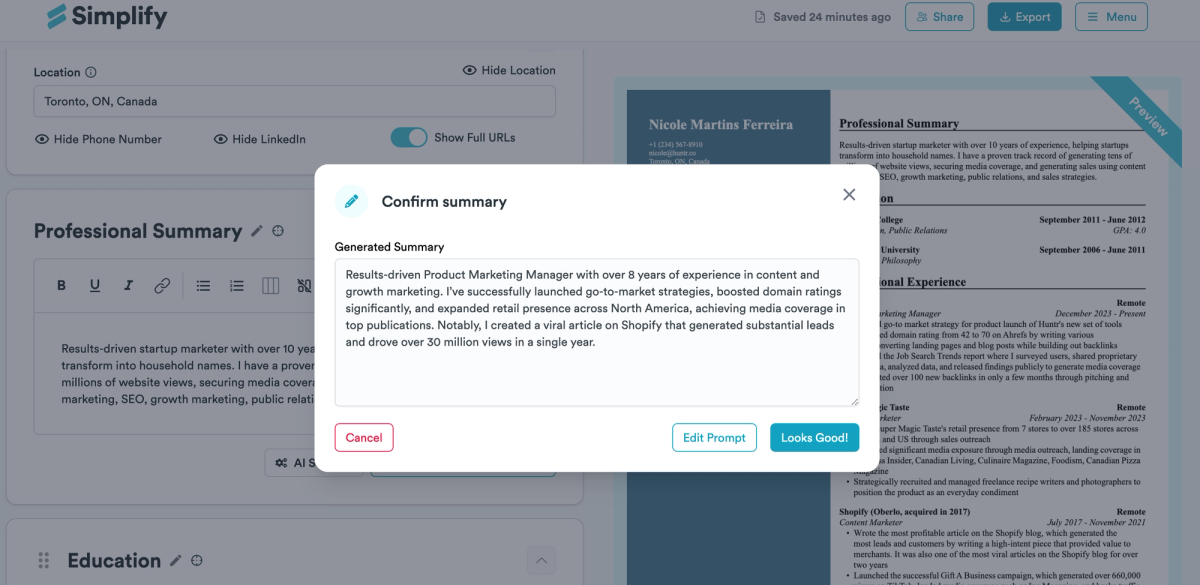
Simplify Jobs Additional Features
Simplify Jobs includes both a Chrome extension and a job tracker, making it easier to save jobs and organize applications in one place. However, the platform does not provide a resume score to offer structured feedback on resume quality. Its resume-tailoring feature performs a complete rewrite, and Simplify Jobs also offers a human resume review, though an AI resume review is not available.
Simplify Jobs Quick Reference
Best for: Job seekers who want a free, minimalist resume builder with built-in job tracking
Price: Free plan available; paid plan offered (no free trial)
Free download: Yes (no watermark)
Imports/Exports: LinkedIn / PDF / DOCX → PDF
AI quality:
- Bullets: ⭐⭐⭐
- Summary: ⭐⭐⭐
- Rewrite: ⭐⭐⭐
- Skills: ⭐⭐
Standout pros:
- Free exports plus LinkedIn import, Chrome extension, and job tracker
- Clean, professional templates suitable for ATS screening
- Offers human resume reviews, which many tools lack
Notable cons:
- PDF-only exports with limited template and color customization
- AI summary can miscalculate years of experience and needs manual edits
- No resume score or AI resume review
Verdict: A straightforward, free-to-use resume builder with solid workflow tools, but limited AI depth and customization compared to stronger competitors.
Jobbie
Jobbie's one genuine bright spot is its skill suggestions — they're generated from your actual resume content rather than a generic job title, making them noticeably more relevant than what most competitors surface. Beyond that, the experience is thin: the AI doesn't rewrite anything, just highlights keywords in your existing content, and there's no control over fonts, colors, margins, or sizing. The free plan does include both PDF and DOCX exports, which is uncommon this far down the list. It scored 59.59 out of 100.
Jobbie Resume Aesthetics
Jobbie offers nine professional resume templates, though customization options are limited. Section order can be adjusted, such as moving education higher on the page for candidates with limited work experience. However, the builder does not allow changes to colors, fonts, font size, or margins, which restricts overall design flexibility.
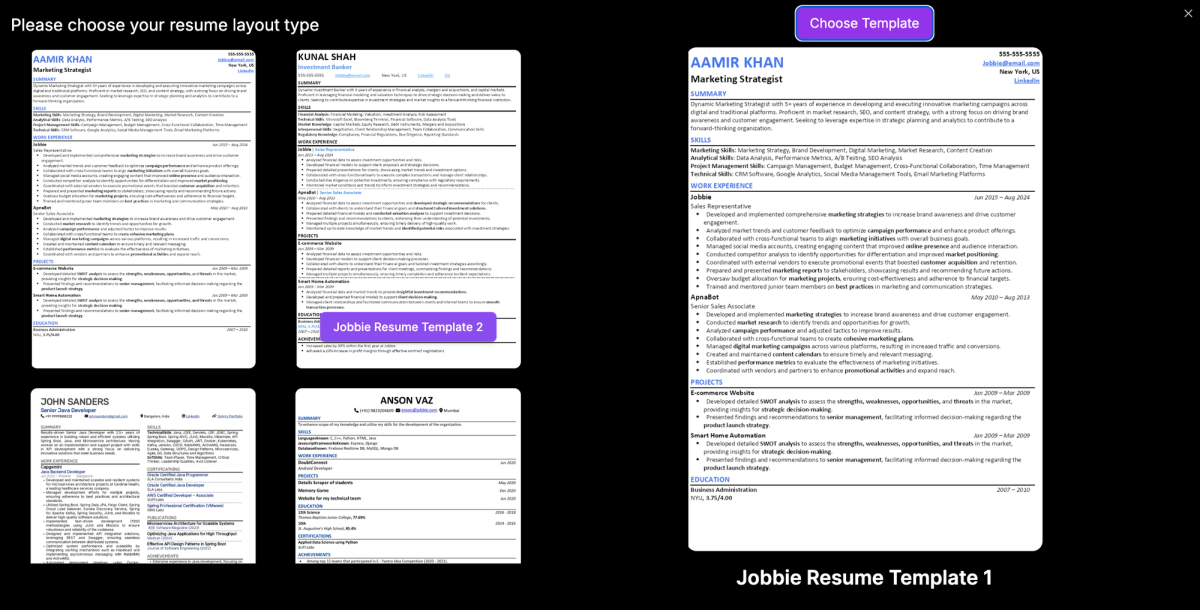
Jobbie AI Functionality
The AI functionality makes only minor adjustments to the resume summary rather than performing a full rewrite. Instead of generating new content, it highlights relevant keywords to help existing experience stand out. The summary format can be switched from a short paragraph to bullet points with a single action, though this option is unlikely to appeal to most users. Overall, the tool does not rewrite the summary and focuses primarily on keyword emphasis. One area where the AI performs better is skill suggestions, which are generated based on the content already present in the resume, resulting in highly relevant additions.
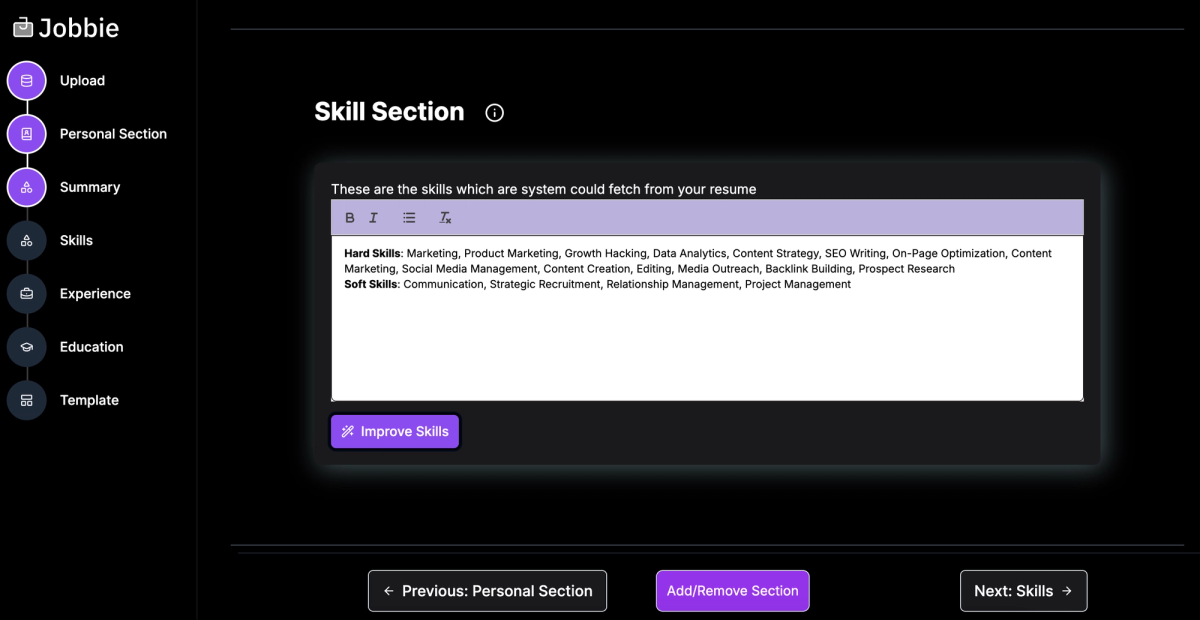
Jobbie Additional Features
Jobbie does not include a Chrome extension or a job tracker, so applications must be managed outside the platform. The tool does provide a resume score with recommendations based on best practices. However, it does not offer a job match score, a resume tailoring feature, or an AI resume review. Human resume reviews are available, but automated review and matching features are not.
Jobbie Quick Reference
Best for: Job seekers who want simple keyword highlighting and relevant skill suggestions on a free plan
Price: Free plan available; paid plan offered (no free trial)
Free download: Yes (no watermark)
Imports/Exports: PDF / DOCX → PDF / DOCX
AI quality:
- Bullets: ⭐⭐
- Summary: ⭐⭐
- Rewrite: ⭐
- Skills: ⭐⭐⭐⭐
Standout pros:
- Free exports in both PDF and DOCX formats
- Skill suggestions are highly relevant and grounded in existing resume content
- Includes a resume score with best-practice recommendations
Notable cons:
- Very limited customization (no control over fonts, colors, margins, or sizing)
- No job tracker, Chrome extension, job match score, or AI resume review
- AI focuses on keyword emphasis rather than meaningful rewrites
Verdict: A basic, free resume builder that’s strongest at surfacing relevant skills, but lacks the AI depth, tailoring, and workflow tools needed for competitive job searches.
Other Tools We Evaluated
ChatGPT
- Free Download: Yes
- Number of Templates: 1
- AI Quality: Very Good
- Pricing: $20/month
- Cons: Not a resume builder, needs to be prompted to get a good result
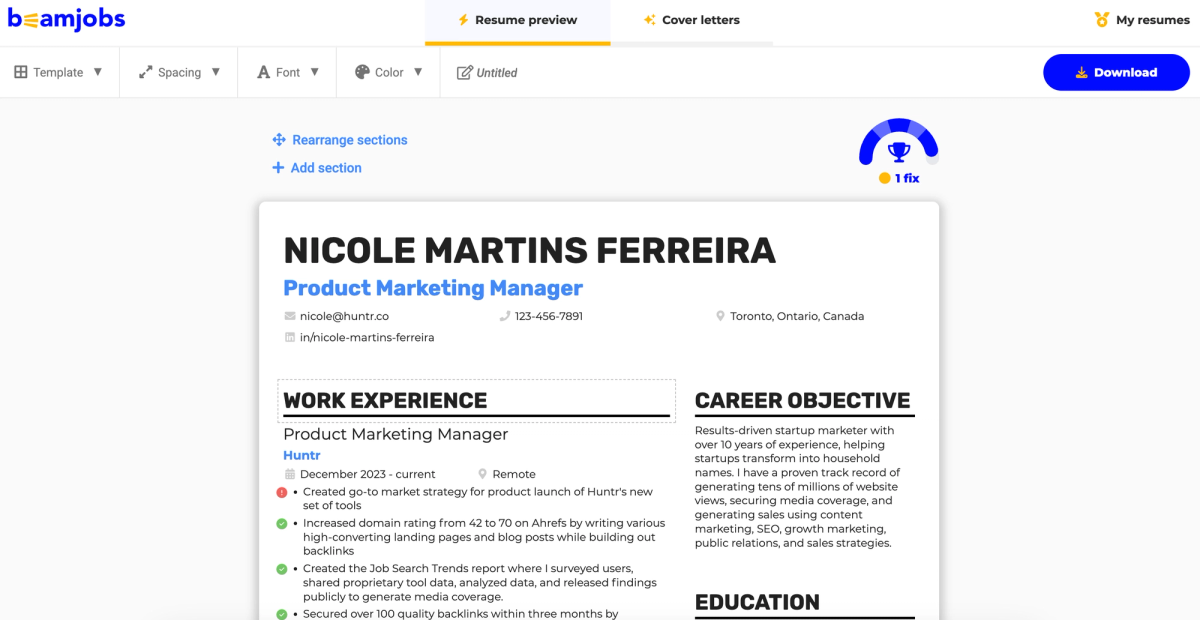
BeamJobs
- Free Download: No
- Number of Templates: 9
- AI Quality: AI requires editing
- Pricing: $34.99/month
- Cons: Doesn’t have skill suggestions, doesn’t generate AI bullets or summary, only does a rewrite
Resume Now
- Free Download: No
- Number of Templates: 35
- AI Quality: AI bullet points too generic and require some tweaks, great rewriter
- Pricing: $34.85/month
- Cons: Doesn’t have Chrome extension, job tracker, job match score, resume tailor, AI resume review (only has human reviewer)
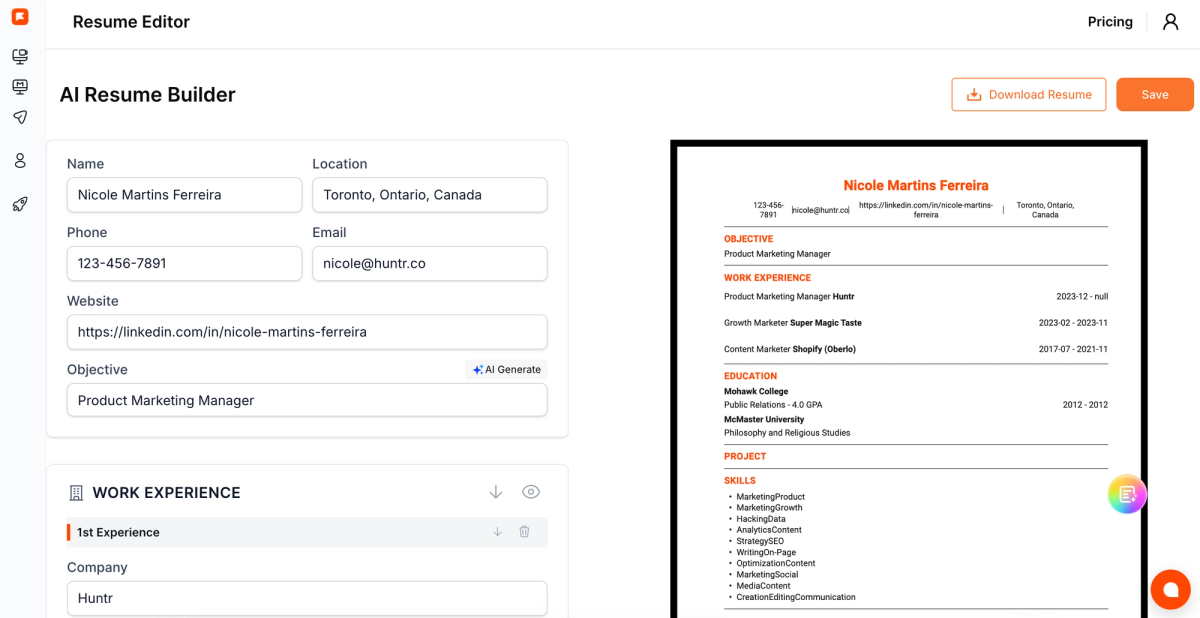
Final Round AI
- Free Download: Yes
- Number of Templates: 1
- AI Quality: Requires editing, summary writer is acceptable as is, great rewriter
- Pricing: $148/month
- Cons: Doesn’t include skill suggestions, job tracker, resume score,resume review
Zety / My Perfect Resume / Live Career
- Free Download: No
- Number of Templates: 51
- AI Quality: Bullet points are generic, summary requires some editing, has no rewriter
- Pricing: $34.95/month
- Cons: Doesn’t include Chrome extension, job tracker, job match score, resume tailor
ResumeBuilder.com
- Free Download: Yes but only text
- Number of Templates: 60
- AI Quality: Bullet points are generic, the summary requires some editing, and has no rewriter
- Pricing: $23.95/month
- Cons: Doesn’t include Chrome extension, job tracker, job match score, resume tailor
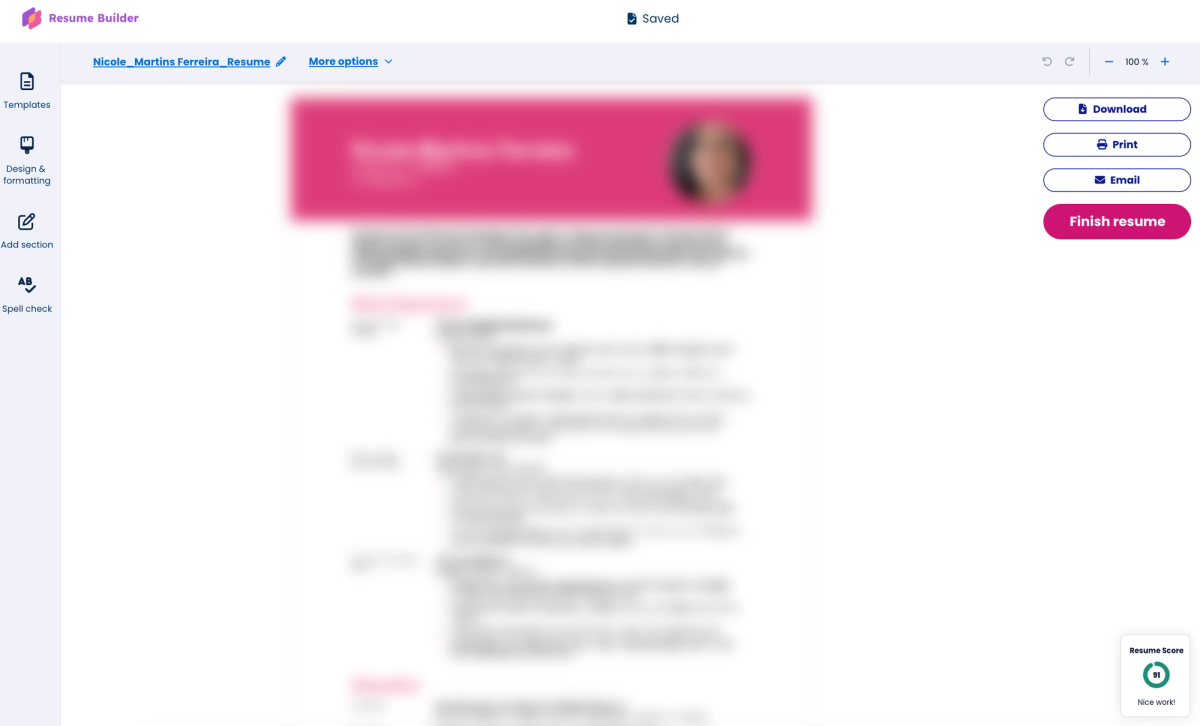
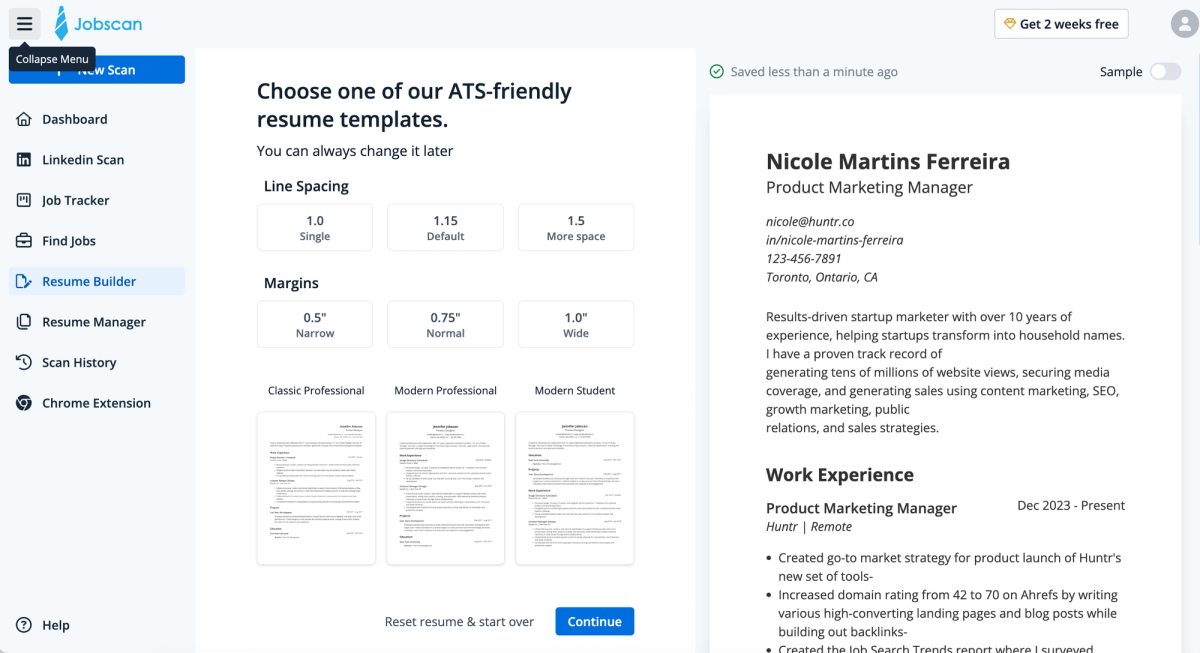
Jobscan
- Free Download: Yes
- Number of Templates: 5
- AI Quality: AI rewrites require editing
- Pricing: $49.95/month
- Cons: Isn't the easiest interface to use, only provides skills suggestions when tailoring, doesn’t have human resume review
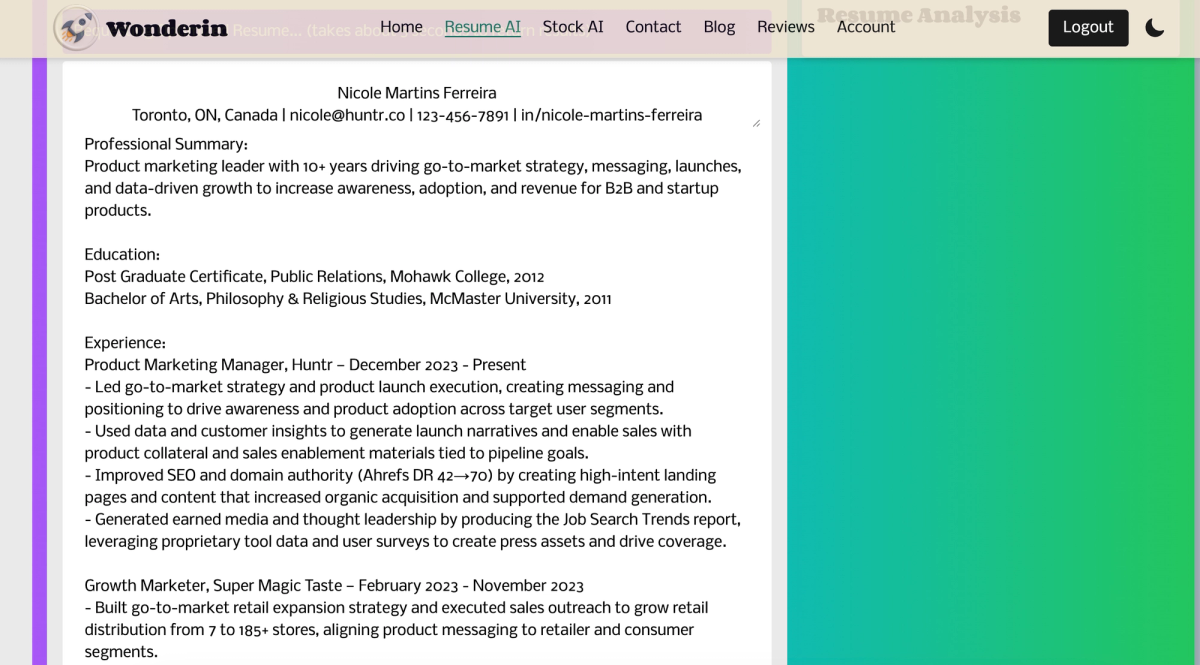
Wonderin
- Free Download: Yes
- Number of Templates: 5
- AI Quality: AI doesn’t generate bullet points, but has a great AI summary and rewriter
- Pricing: $9.99/month
- Cons: Doesn’t have flexible layout, lacks Chrome extension, job tracker, job match score, any type of resume review
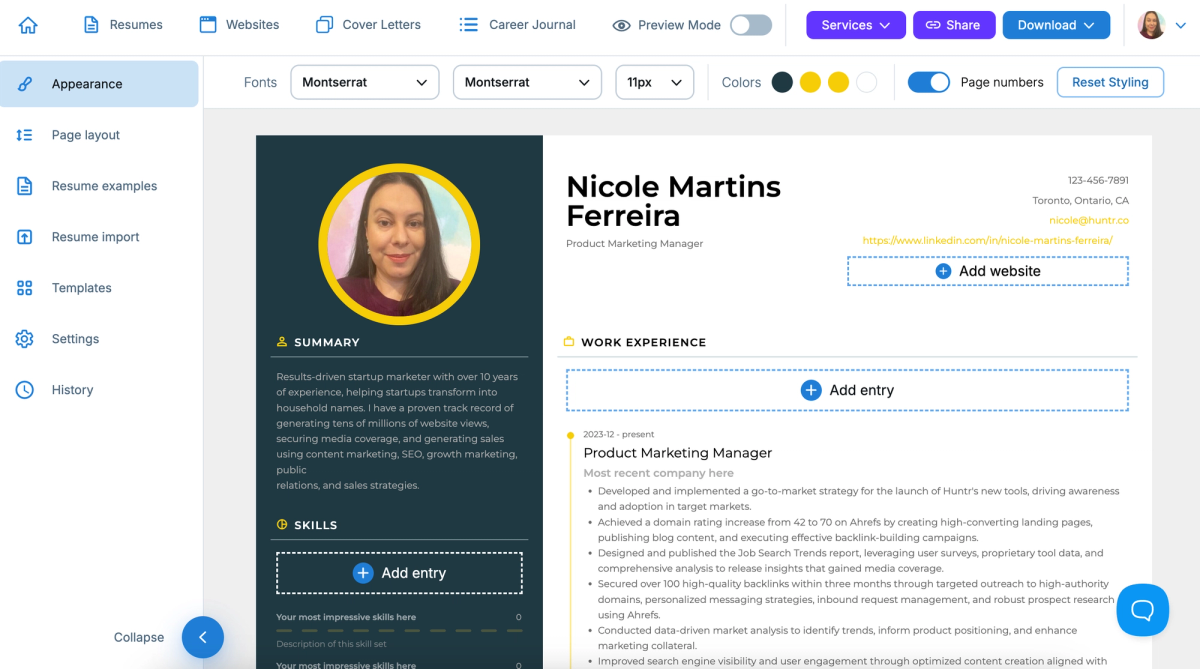
Visual CV
- Free Download: Yes, but watermarked
- Number of Templates: 31
- AI Quality: AI doesn’t generate bullet points, AI summary requires editing, has a great rewriter
- Pricing: $25/month
- Cons: Doesn’t provide AI skill suggestions, doesn’t have a Chrome extension, resume score, job match score, AI resume review (only has human reviewer)
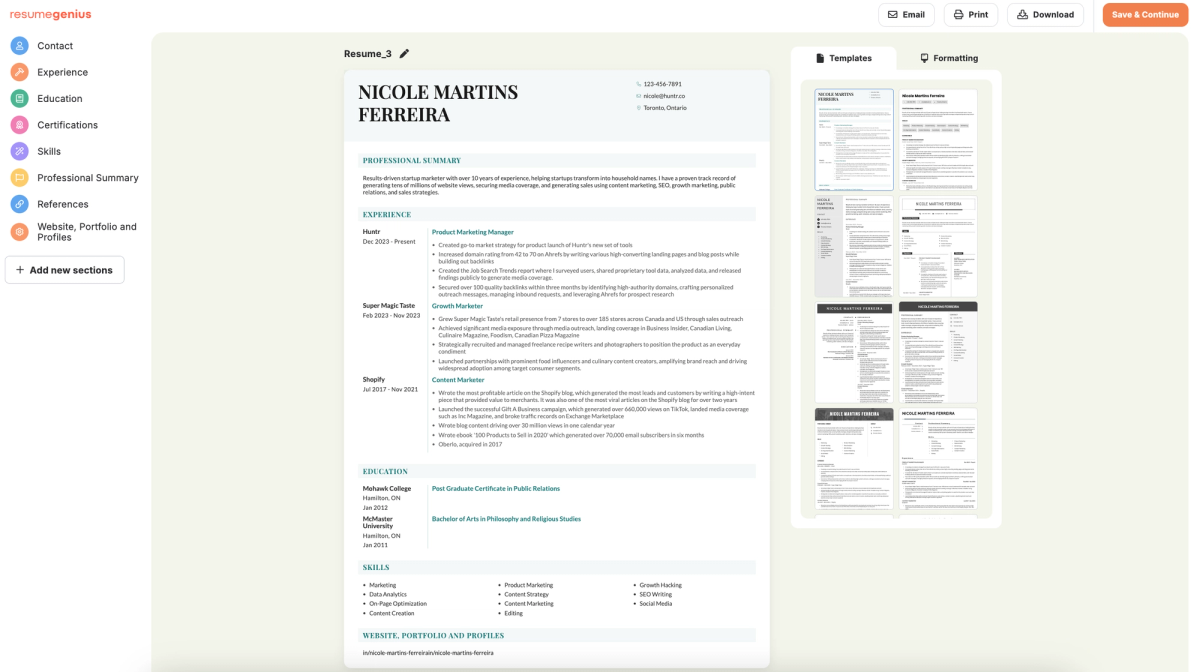
Resume Genius
- Free Download: No
- Number of Templates: 32
- AI Quality: AI bullet points too generic, AI summary requires editing, and has no rewriter
- Pricing: $23.95/month
- Cons: Doesn’t have flexible layout, lacks job tracker, job match score, resume tailor, human resume reviewer
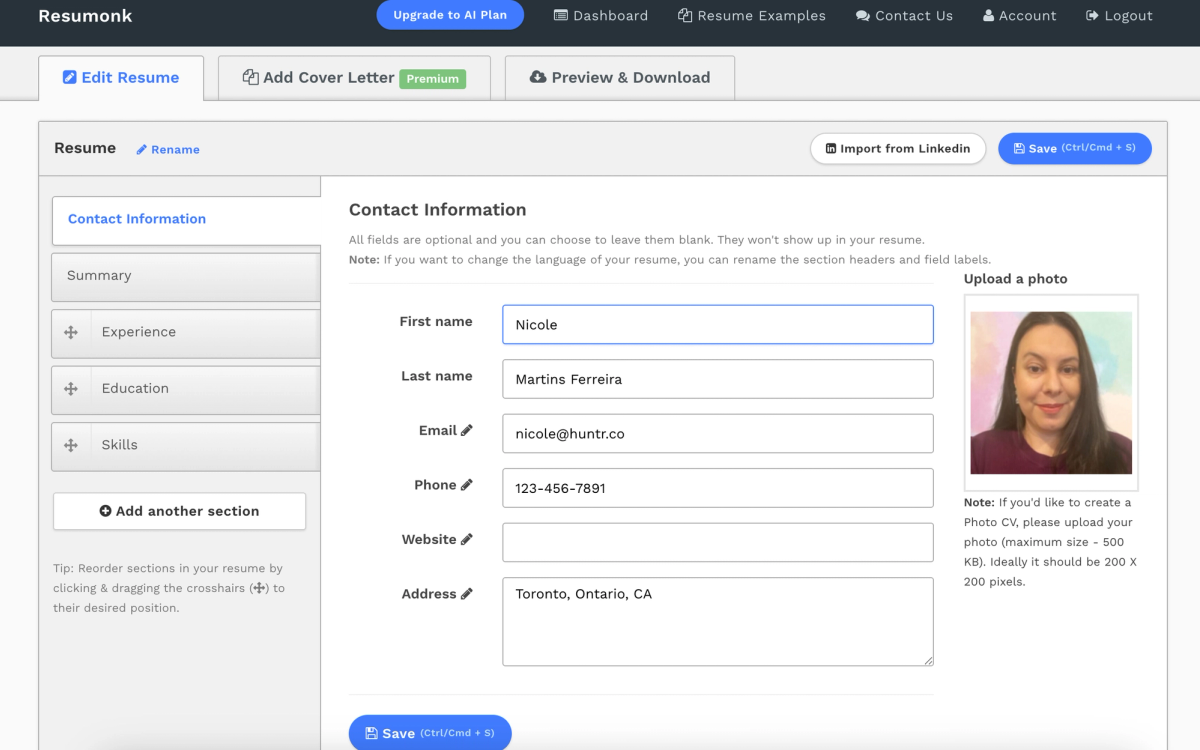
Resumonk
- Free Download: Yes, but watermarked
- Number of Templates: 20
- AI Quality: AI doesn’t generate bullet points, has an acceptable AI summary writer, and has a great rewriter
- Pricing: $29/per two months
- Cons: Lacks Chrome extension, job tracker, resume score, job match score, resume tailor, resume review
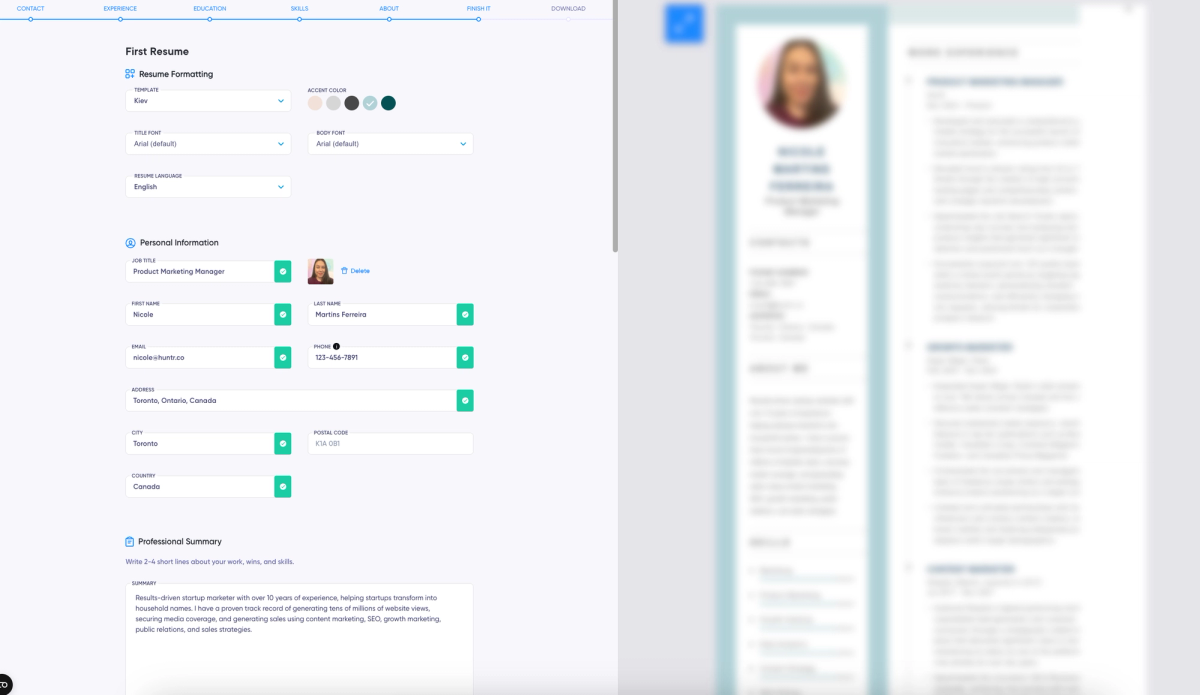
The Resume Ranger/CV Lite
- Free Download: No
- Number of Templates: 10
- AI Quality: AI doesn’t generate bullet points, AI summary can be used as is, rewriter works well
- Pricing: $39.40/month
- Cons: Doesn’t include skill suggestions or resume/job match score, doesn’t have a Chrome extension nor job tracker, no resume tailor, no resume review
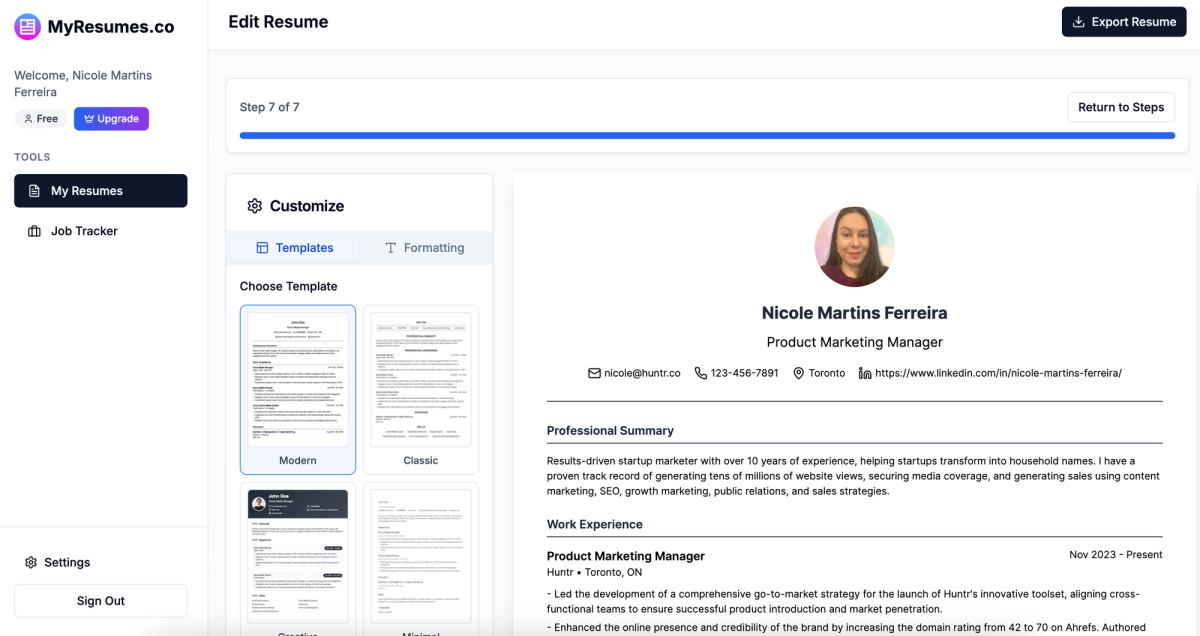
MyResumes.co
- Free Download: No
- Number of Templates: 10
- AI Quality: AI bullet points require some editing, AI summary is acceptable as is, great rewriter tool
- Pricing: $27.88
- Cons: No Chrome extension, resume score, job match score, resume tailor, resume review
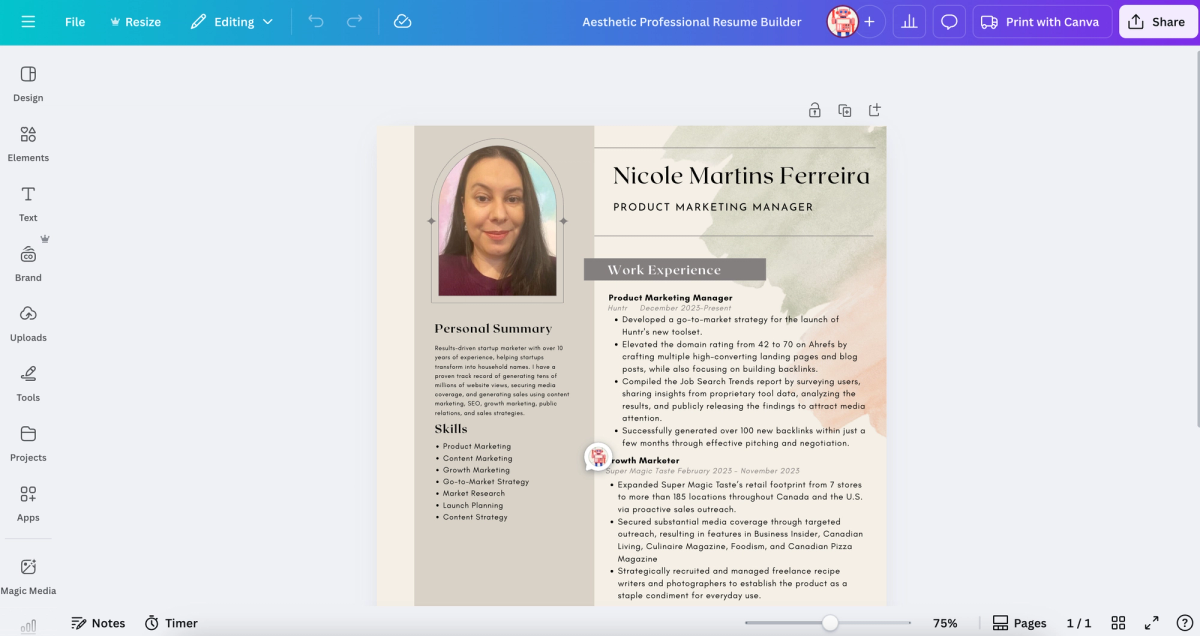
Canva
- Free Download: Yes
- Number of Templates: 100+
- AI Quality: No AI to generate bullet points, AI writes summary and rewrites well
- Pricing: $15/month
- Cons: Doesn’t generate skill suggestions, no job tracker, no resume score, no job match score, no resume tailor, no resume review
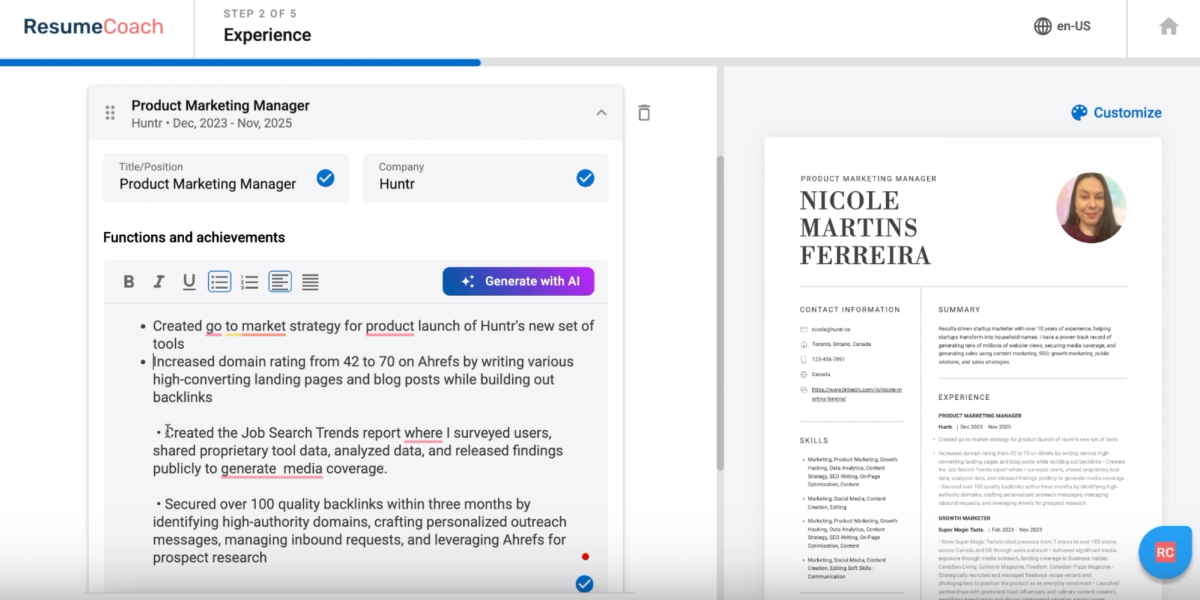
Resume Coach/ Resume Giants
- Free Download: No
- Number of Templates: 22
- AI Quality: AI bullet points and summary require editing, no rewriter
- Pricing: $29.95/month
- Cons: Skill suggestions don’t provide a good match of skills, no Chrome extension, no job tracker, no job match score, no resume tailor, no human resume review
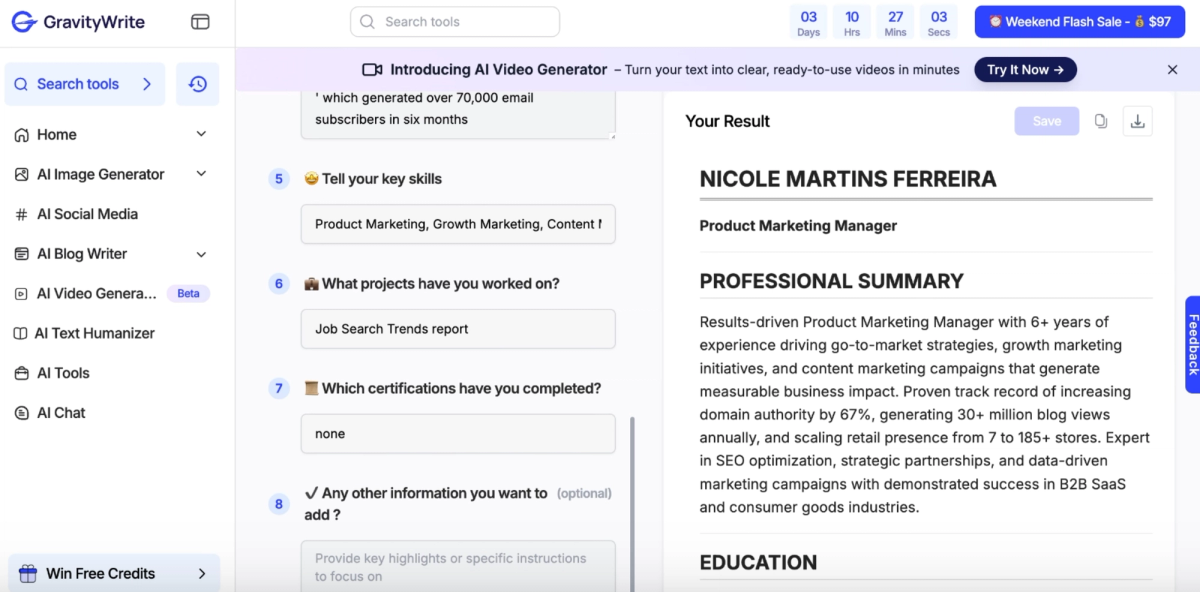
Gravity Write
- Free Download: Yes, but only text
- Number of Templates: 0
- AI Quality: AI doesn’t generate bullet points, great resume summary writer, great rewriter
- Pricing: $49/month
- Cons: No skill suggestions, no Chrome extension, no job tracker, no resume score, no job match score, no resume review
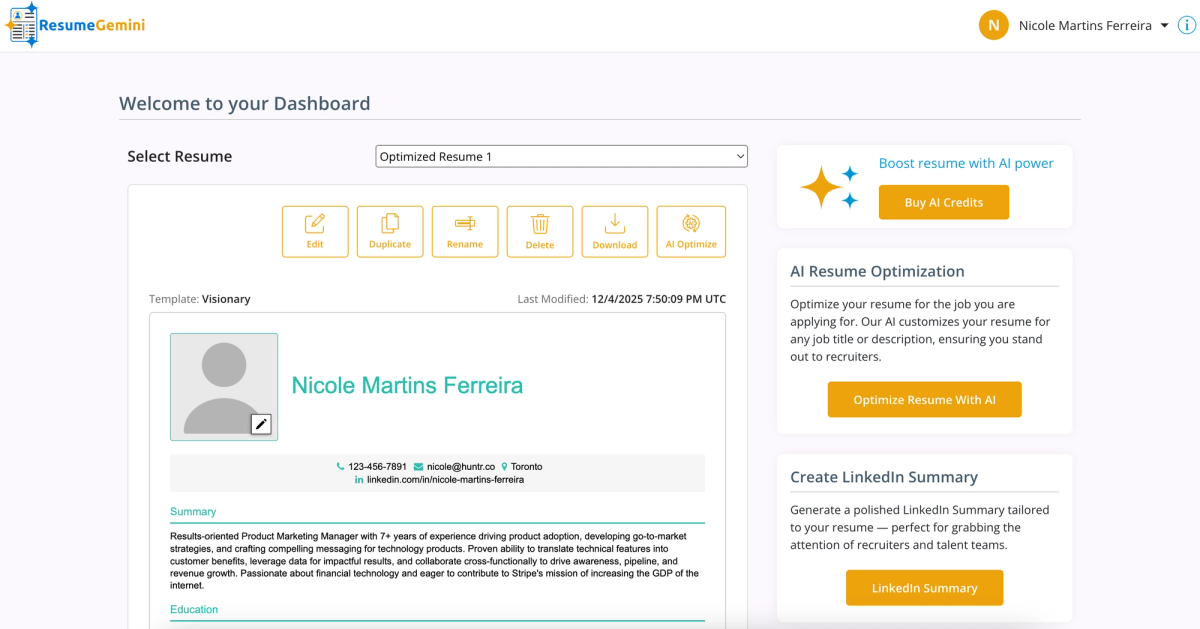
Resume Gemini
- Free Download: No
- Number of Templates: 21
- AI Quality: No AI bullet points, no AI summary, no rewriter (only has tailored rewriter)
- Pricing: $9.59/month
- Cons: No Chrome extension, no job tracker, no resume score, no resume review
Resume Trick
- Free Download: Yes
- Number of Templates: 35
- AI Quality: AI bullet points too generic, AI summary requires editing, no rewriter
- Pricing: $18/month
- Cons: Skills suggestions don’t provide a good match of skills, no Chrome extension, no job tracker, no resume or job match score, no resume tailor, no resume review
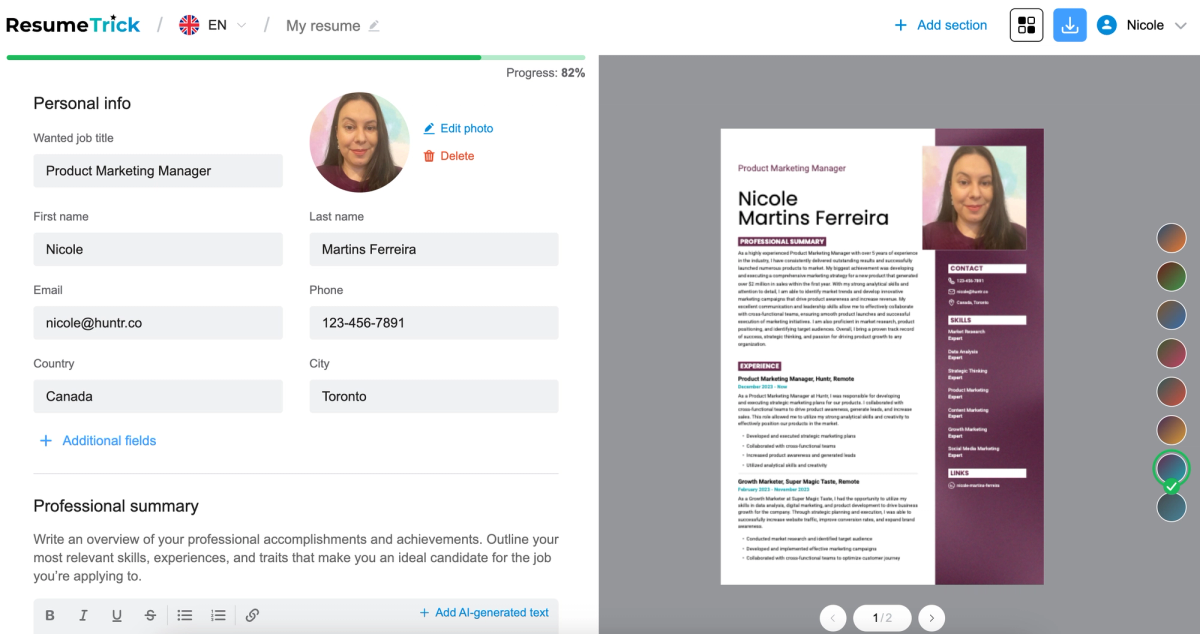
Better CV
- Free Download: No
- Number of Templates: 23
- AI Quality: AI bullet points too generic, AI summary requires editing, no rewriter
- Pricing: $34.95/month
- Cons: No skills suggestions, no Chrome extension, no job tracker, no resume score, no job match score, no resume tailor, no AI resume review
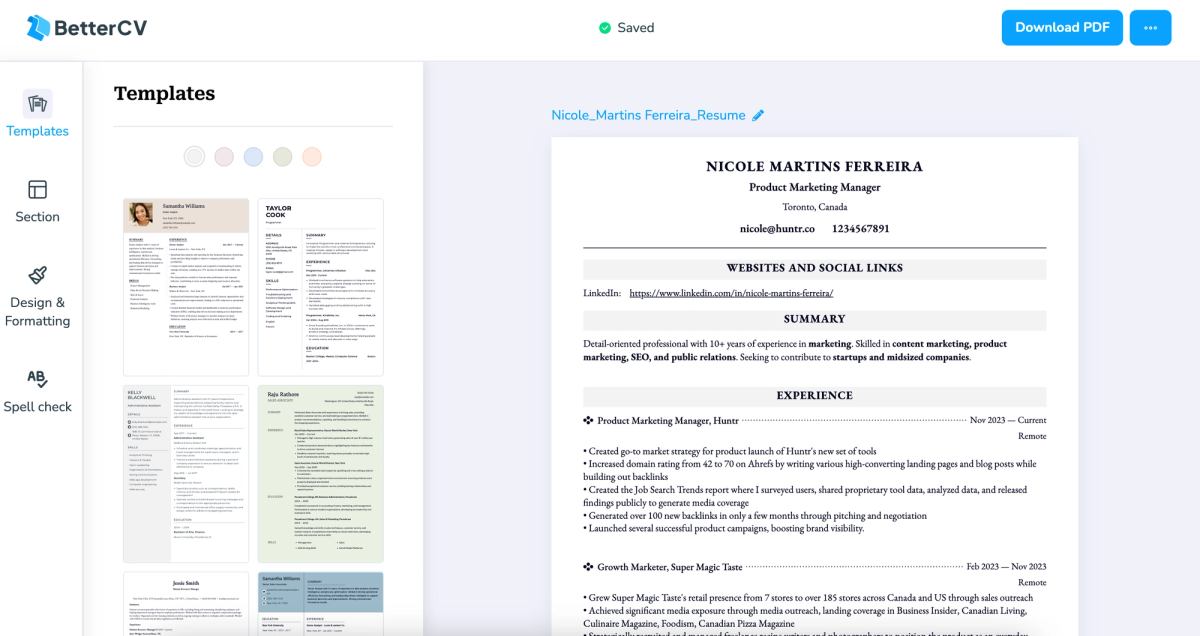
Novo Resume
- Free Download: No
- Number of Templates: 16
- AI Quality: No AI resume bullet points, no AI resume summary, No AI rewriter
- Pricing: $21.99/month
- Cons: No skill suggestions, no Chrome extension, no resume score, no job match score, no resume tailor, no human resume reviewer
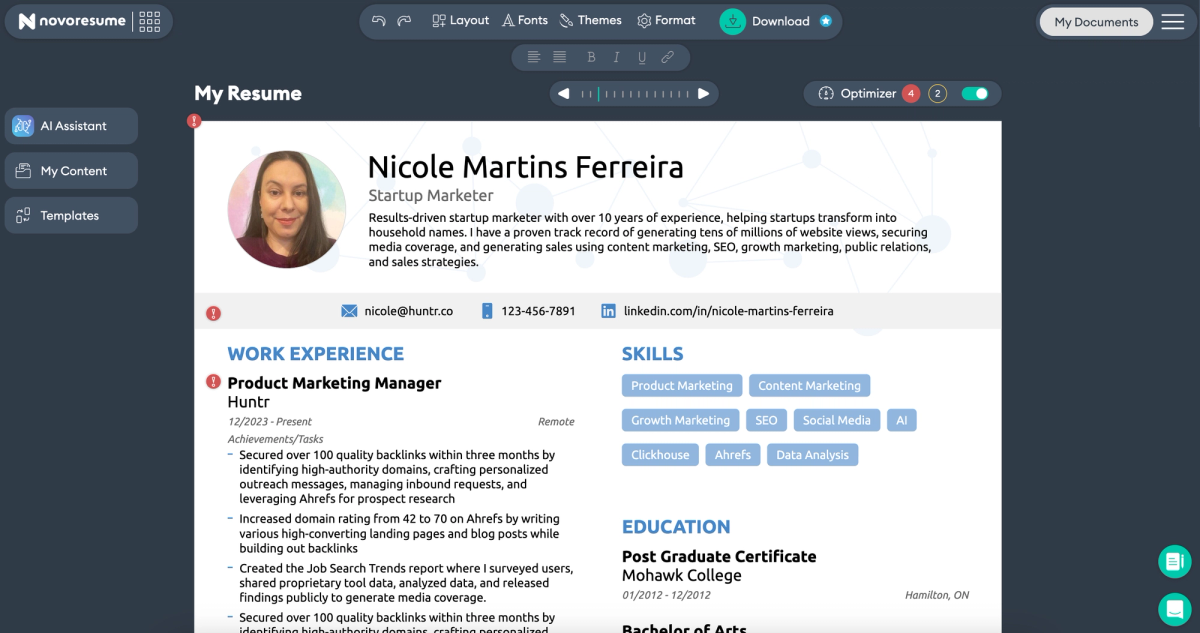
Designs.ai
- Free Download: Yes
- Number of Templates: 100+
- AI Quality: No AI bullet points or summary and no AI rewriter
- Pricing: $49/month
- Cons: No skills suggestions, no Chrome extension, no job tracker, no resume score, no job match score, no resume tailor, no resume review
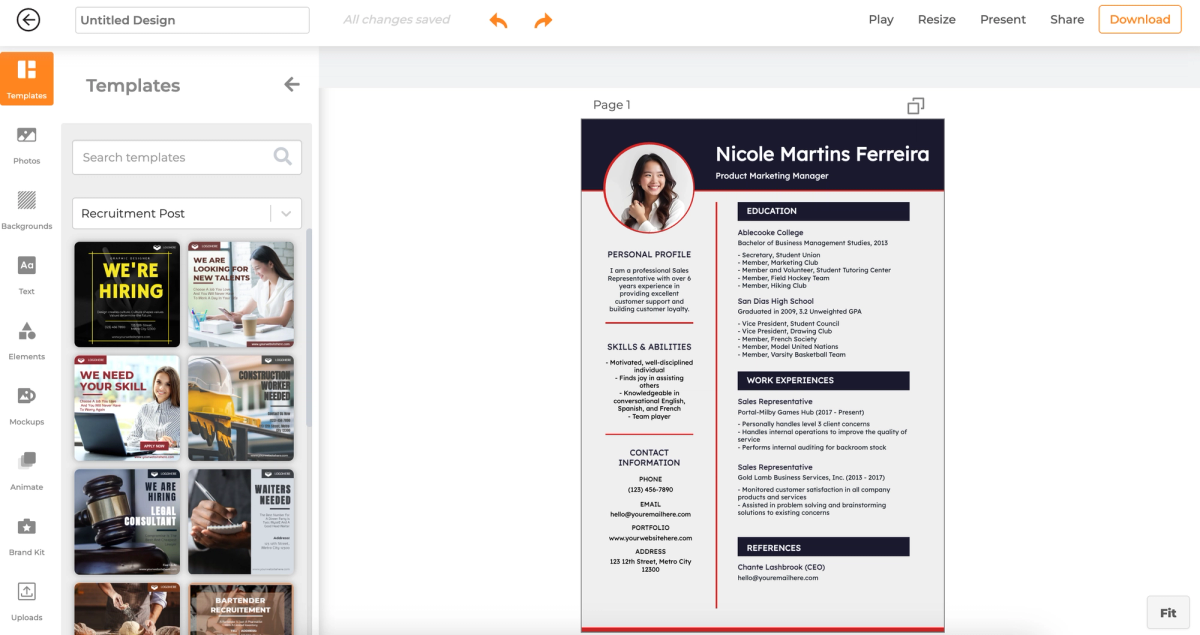
Methodology
To evaluate resume builders fairly and consistently, we used a hands-on, rubric-based testing methodology designed to reflect how real job seekers actually use these tools. Rather than relying on marketing claims or feature checklists, we directly tested each platform end-to-end, building, editing, exporting, and optimizing resumes in real scenarios. Our approach prioritizes practical usability, transparency, and outcome quality, ensuring that rankings reward tools that are not just feature-rich but genuinely helpful, trustworthy, and effective in real-world job searches.
Independence and Objectivity
I want to be straightforward about this: I work for Huntr, and Huntr is on this list. To keep rankings honest, every tool was evaluated on the same rubric, with the same resume, against the same job description. I tested each one hands-on, recorded my first impressions on video before revisiting and scoring more rigorously, and looked specifically for misrepresentations in how tools market themselves. The rubric and full scoring weights are published at the end of this article; you can see exactly how every point was assigned and decide for yourself whether the rankings hold up.
How We Tested
I signed up for every tool on this list between November 6 and December 16, 2025. Each one got up to two hours of hands-on testing; not reading their marketing pages, actually using them. I built resumes, imported existing ones, ran every AI feature I could find, exported the results, and recorded Loom walkthroughs of each session. Then I went back through every tool a second time to catch the details I missed on the first pass.
To keep comparisons fair, I used the same mid-career product marketing resume across every builder. For tailoring tests, I used the same Stripe Product Marketing Manager job description every time. Same inputs, different tools, so the differences in output are the tool's doing, not mine.
How We Graded
Every tool on this list was scored using the same rubric across six categories: core editing and UX, AI writing and resume creation, AI tailoring and optimization, resume scoring and feedback, access and pricing transparency, and integrations and job search tools. The weights aren't evenly distributed; we gave more points to things that actually change outcomes for job seekers, like AI quality and tailoring, and less to nice-to-haves like template count. The full breakdown is below, including what each category covers and how heavily it factors into the final score.
Core Functionality and Access
We first evaluated whether each resume builder provides essential baseline functionality for job seekers, including:
- Free trial availability
- Free plan availability
- Ability to download a resume for free
- Import options (LinkedIn, PDF, DOCX)
- Export options (PDF, DOCX, TXT)
Tools that restricted downloads behind unclear paywalls or required upgrades to remove branding were penalized under pricing transparency (see Section 5).
Resume Templates and Design Quality
Resume builders were assessed on both variety and modern usability, including:
- Number of available templates
- Visual quality and modernity of designs
- Customization flexibility (fonts, spacing, sections, layout control)
Templates that felt outdated, overly rigid, or difficult to customize scored lower than those offering clean, modern designs with flexible layout control.
Resume Editor Experience
We evaluated the resume editor as a standalone product experience, focusing on:
- Ease of use and learning curve
- Layout flexibility and section customization
- Overall editing flow and responsiveness
Resume editors that made simple changes difficult, or forced users into rigid structures, were scored lower, even if they offered many templates.
AI Features: Presence vs. Quality
AI functionality was evaluated in two distinct dimensions: whether the feature exists and how well it actually works.
AI Features Assessed
- AI bullet point suggestions
- AI professional summary generation
- AI rewrite tools
- AI skill suggestions
Each feature received:
- A presence score (is the feature available?)
- A quality score based on relevance, clarity, and usefulness of output
AI tools that produced generic, repetitive, or unrealistic content scored lower than those offering contextual, role-aware suggestions that improved clarity and impact.
Job Search and Resume Analysis Tools
We also evaluated complementary features that extend beyond resume creation, including:
- Resume scoring or resume checker tools
- Feedback on bullet length and clarity
- Detection of repetition, filler language, or buzzwords
- Job trackers
- Chrome extensions
Resume scoring tools were evaluated based on depth and actionability, not just the presence of a numeric score.
Pricing Transparency and Deceptive Practices
Pricing clarity was a critical part of our evaluation. We assessed:
- Transparency of pricing pages
- Clarity around free vs. paid features
- Presence of deceptive tactics (forced upgrades, misleading “free” claims, automatic renewals not clearly disclosed)
Tools that obscured download restrictions or relied on dark patterns were penalized, regardless of feature richness.
Company Context
For additional context, we noted:
- Company size
- Whether the company is venture-backed
These factors did not directly determine rankings but provided background on product maturity, stability, and development velocity.
The Full Rubric
| Category | Score Area | Weight |
| ✏️ Core Resume Editing & UX | Resume Editor (Ease of Use) | 8% ⭐⭐⭐⭐️⭐️ |
| ✏️ Core Resume Editing & UX | Editor Layout Flexibility | 8% ⭐⭐⭐⭐️⭐️ |
| ✏️ Core Resume Editing & UX | Customization Level | 1% ⭐ |
| ✏️ Core Resume Editing & UX | Number of Templates | 1% ⭐ |
| ✏️ Core Resume Editing & UX | Aesthetic of Templates | 1% ⭐ |
| ✍️ AI Writing & Resume Creation | Has AI Bullets | 3%⭐️⭐️ |
| ✍️ AI Writing & Resume Creation | AI Bullet Points Function | 3%⭐️⭐️ |
| ✍️ AI Writing & Resume Creation | Has AI Professional Summary | 3%⭐️⭐️ |
| ✍️ AI Writing & Resume Creation | AI Professional Summary Function | 3%⭐️⭐️ |
| ✍️ AI Writing & Resume Creation | AI Rewrite | 3%⭐️⭐️ |
| ✍️ AI Writing & Resume Creation | AI Rewriter Rating | 5%⭐️⭐️⭐️⭐️ |
| ✍️ AI Writing & Resume Creation | Auto-Suggestion Function | 3%⭐️⭐️ |
| 🖥️ AI Tailoring, Matching & Optimization | Has AI Tailor | 5%⭐️⭐️⭐️⭐️ |
| 🖥️ AI Tailoring, Matching & Optimization | Keywords / Qualifications Match | 3%⭐️⭐️ |
| 🖥️ AI Tailoring, Matching & Optimization | AI Tailoring Suggestions | 4%⭐️⭐️ |
| 🖥️ AI Tailoring, Matching & Optimization | Has Job Match Score | 5%⭐️⭐️⭐️⭐️ |
| 💯 Resume Scoring, Feedback & Review | Resume Score Checker | 3%⭐️⭐️ |
| 💯 Resume Scoring, Feedback & Review | Bullet Length Check | 3%⭐️⭐️ |
| 💯 Resume Scoring, Feedback & Review | Word Quality Check | 3%⭐️⭐️ |
| 💯 Resume Scoring, Feedback & Review | Best Practices Check | 3%⭐️⭐️ |
| 💯 Resume Scoring, Feedback & Review | AI (or Human) Resume Review | 3%⭐️⭐️ |
| 💯 Resume Scoring, Feedback & Review | Review Provides Suggestions | 3%⭐️⭐️ |
| 💰Access, Pricing & Trust | Free Trial | 2%⭐️⭐️ |
| 💰Access, Pricing & Trust | Free Plan | 2%⭐️⭐️ |
| 💰Access, Pricing & Trust | Download for Free | 3%⭐️⭐️ |
| 💰Access, Pricing & Trust | Clarity of Pricing | 3%⭐️⭐️ |
| 💰Access, Pricing & Trust | Domain Rating | 1% ⭐ |
| 🛠️ Integrations, Imports & Job Search Tools | Import LinkedIn | 1% ⭐ |
| 🛠️ Integrations, Imports & Job Search Tools | Import PDF | 1% ⭐ |
| 🛠️ Integrations, Imports & Job Search Tools | Import DOCX | 1% ⭐ |
| 🛠️ Integrations, Imports & Job Search Tools | Export PDF | 1% ⭐ |
| 🛠️ Integrations, Imports & Job Search Tools | Export DOCX | 1% ⭐ |
| 🛠️ Integrations, Imports & Job Search Tools | Export TXT | 1% ⭐ |
| 🛠️ Integrations, Imports & Job Search Tools | Chrome Extension | 1% ⭐ |
| 🛠️ Integrations, Imports & Job Search Tools | Job Tracker | 1% ⭐ |
| 🛠️ Integrations, Imports & Job Search Tools | Has Skill Suggestions | 2%⭐️⭐️ |
| 🛠️ Integrations, Imports & Job Search Tools | AI Skill Suggestions Function | 2%⭐️⭐️ |
Reference Tables
All Resume Builders by Score and Pricing
Price and value don't always track together. Some of the most expensive tools on this list scored the lowest, and several of the strongest performers offer generous free plans with free downloads. We compared 40 platforms across their free offerings and monthly costs; the table below makes it easy to spot which tools give you the most before asking for a credit card.
| Product | Free Plan | Free Trial | Free Resume Download | Price per Month | Final Score |
| Huntr | ✅ Yes | - | ✅ Yes | $40 | 90.77 |
| Kickresume | ✅ Yes | - | ✅ Yes | $24 | 82.19 |
| Rezi | ✅ Yes | - | ✅ Yes | $29 | 78.8 |
| Teal | ✅ Yes | - | ✅ Yes | $29 | 76.95 |
| Hiration | ✅ Yes | ✅ Yes | ✅ Yes | $19.99 | 76.33 |
| Resume Up | - | - | - | $39 | 75.57 |
| Career Flow | ✅ Yes | - | ✅ Yes | $23.99 | 71.72 |
| EnhanCV | ✅ Yes | ✅ Yes | ✅ Yes, but watermarked | $29.99 | 67.39 |
| Wobo | ✅ Yes | ✅ Yes | ✅ Yes | $44.99 | 66.78 |
| Resume.io | ✅ Yes | ✅ Yes | - | $55.95 (quarterly) | 66.61 |
| AI Apply | ✅ Yes | - | ✅ Yes | $29 | 66.59 |
| Hyresnap | - | - | - | $19 | 66.40 |
| Insta Resume | ✅ Yes | - | ✅ Yes | Price based on credits | 64.28 |
| Sheets Resume | ✅ Yes | - | - | $39 | 64.04 |
| Resume Boost AI | - | - | - | $10 for 10 credits | 60.35 |
| Jobsuit | ✅ Yes | - | ✅ Yes | $9.99 | 63.17 |
| Wonsulting | ✅ Yes | - | ✅ Yes | $19.99 | 61.52 |
| Simplify Jobs | ✅ Yes | - | ✅ Yes | $39.99 | 65.58 |
| Jobbie | ✅ Yes | - | ✅ Yes | $0 | 52.09 |
| Beam Jobs | ✅ Yes | - | - | $34.99 | 58.73 |
| Resume Now | - | ✅ Yes | - | $34.85 | 58.07 |
| Final Round AI | ✅ Yes | - | ✅ Yes | $148 | 53.12 |
| Zety | ✅ Yes | - | - | $34.95 | 52.38 |
| ResumeBuilder.com | ✅ Yes | ✅ Yes | ✅ Yes, but only TXT | $23.95 | 54.28 |
| Jobscan | ✅ Yes | ✅ Yes | ✅ Yes | $49.95 | 48.32 |
| Wonderin | - | ✅ Yes | ✅ Yes | $9.99 | 47.11 |
| VisualCV | ✅ Yes | - | ✅ Yes, but watermarked | $25 | 44.54 |
| Resume Genius | ✅ Yes | - | - | $23.95 | 43.57 |
| Resumonk | ✅ Yes | - | ✅ Yes, but watermarked | $29/per two months | 43.20 |
| The Resume Ranger | ✅ Yes | ✅ Yes | - | $39.40 | 42.66 |
| MyResumes.co | - | ✅ Yes | - | $27.88 | 42.17 |
| Canva | ✅ Yes | - | ✅ Yes | $15 | 39.93 |
| Resume Coach | ✅ Yes | - | - | $29.95 | 39.79 |
| Gravity Write | ✅ Yes | - | ✅ Yes, but only txt | $49 | 39.18 |
| Resume Gemini | ✅ Yes | - | - | $9.59 | 36.75 |
| Resume Trick | ✅ Yes | - | ✅ Yes | $18 | 34.53 |
| Better CV | ✅ Yes | - | - | $34.95 | 32.25 |
| Novo Resume | ✅ Yes | - | - | $21.99 | 27.92 |
| Designs.ai | - | ✅ Yes | ✅ Yes | $49 | 19.74 |

Nicole Martins Ferreira
Nicole Martins Ferreira, Product Marketing Manager at Huntr, brings a rich background in marketing and tech to craft insightful content on job search strategies and career advancement. With experience from Super Magic Taste to Shopify, she excels in creating engaging advice for job seekers. In her spare time, Nicole writes books, practices jiu jitsu, and builds robots as she loves learning new things.
Get More Interviews, Faster
Huntr streamlines your job search. Instantly craft tailored resumes and cover letters, fill out application forms with a single click, effortlessly keep your job hunt organized, and much more...
AI Resume Builder
Beautiful, perfectly job-tailored resumes designed to make you stand out, built 10x faster with the power of AI.
Next-Generation Job Tailored Resumes
Huntr provides the most advanced job <> resume matching system in the world. Helping you match not only keywords, but responsibilities and qualifications from a job, into your resume.
Job Keyword Extractor + Resume AI Integration
Huntr extracts keywords from job descriptions and helps you integrate them into your resume using the power of AI.
Application Autofill
Save hours of mindless form filling. Use our chrome extension to fill application forms with a single click.
Job Tracker
Move beyond basic, bare-bones job trackers. Elevate your search with Huntr's all-in-one, feature-rich management platform.
AI Cover Letters
Perfectly tailored cover letters, in seconds! Our cover letter generator blends your unique background with the job's specific requirements, resulting in unique, standout cover letters.
Resume Checker
Huntr checks your resume for spelling, length, impactful use of metrics, repetition and more, ensuring your resume gets noticed by employers.
Gorgeous Resume Templates
Stand out with one of 7 designer-grade templates. Whether you're a creative spirit or a corporate professional, our range of templates caters to every career aspiration.
Personal Job Search CRM
The ultimate companion for managing your professional job-search contacts and organizing your job search outreach.
Huntr
Blog Product Updates Resume Skill Guides Resume Examples Interview Question Guides Research 2025 Job Search Trends Report Affiliate Program Careers Privacy policy Terms of service Write for us LinkedIn Reddit r/HuntrCo Twitter @TryHuntr Email UsProduct
Job Tracker AI Resume Builder Resume Tailor Resume Checker AI Cover Letters Resume Summary Generator Resume Bullet Generator Resume Skills Generator Resume Headline Generator Resume Keyword Scanner Job Keyword Finder Targeted Resume Contact Tracker Interview Tracker Job Search Metrics Job Application Autofill Resume Storage AI Resume Review Job Clipper Resume Optimization ChatGPT Resume Builder Resume Fixer LinkedIn Resume Builder AI Resume Rewriter Interview Question Generator