
Huntr Blog
Huntr vs Teal: Which Job Search Tool Works Best in 2026?
February 18, 2026

Choosing between Huntr vs. Teal is less about feature lists and more about whether the tool fits the way you actually move through the job search process. In a job market where speed, follow-through, and repeatable systems matter, the right platform should reduce friction across tracking, tailoring, and follow-ups without requiring you to babysit every step. This review breaks down Huntr vs. Teal as job search tools in real use, so job seekers can pick the workflow that matches how they apply.
Quick Verdict
If you want a fast answer to the Huntr vs. Teal question, it comes down to how you run your job search. For most job seekers, Huntr is the better job search tool because it supports the full job search loop with less friction across tracking, tailoring, exports, and follow-ups. Teal can work well for a slower, more deliberate job search strategy, but it tends to require more manual upkeep and review to keep everything accurate.
Huntr is best for job seekers who want a job tracker that reduces friction. It works well when you are saving jobs daily, applying often, and need one place to track progress, resumes, and follow-ups. The workflow favors momentum and organization while still providing resume scores and job match feedback to support fast decisions.
Teal is good for job seekers who prefer structure and analysis prompts. Its tracker and Chrome extension are strong for staying organized, especially if you like detailed records and guided review. That said, the workflow becomes higher-maintenance once you rely on analyzer outputs, manual skill entry, and frequent AI validation.
If you want a job search tool that helps you apply consistently and stay organized without overthinking every step, Huntr is the clearer choice. Teal is a better fit only if your priority is a checklist-driven workflow and you are comfortable spending extra time validating suggestions.
How We Evaluated Huntr vs Teal
This comparison uses a workflow-first approach informed by hands-on testing across 40+ resume and job search tools. Instead of relying on feature lists or marketing claims, we evaluated how Huntr and Teal perform in real job search scenarios, from saving a role to submitting an application and managing follow-ups.
Both tools were tested using the same resumes, the same job listings, and the same criteria. We ran identical end-to-end workflows, including job capture from boards, resume tailoring, file exports, application tracking, and follow-up management. No custom prompts or special configurations were used, so each platform was evaluated as a typical job seeker would experience it.
Our evaluation focused on practical signals that affect momentum over time: time to first tailored application, reliability of exports, version control across roles, and the accuracy and actionability of match and feedback signals. Across dozens of tools, export reliability, version control, and trustworthy AI feedback consistently mattered more than template count or surface-level features. Tools that introduced friction or misleading confidence scores slowed progress instead of supporting it, which directly informed how we assessed both Huntr and Teal.
Huntr Overview
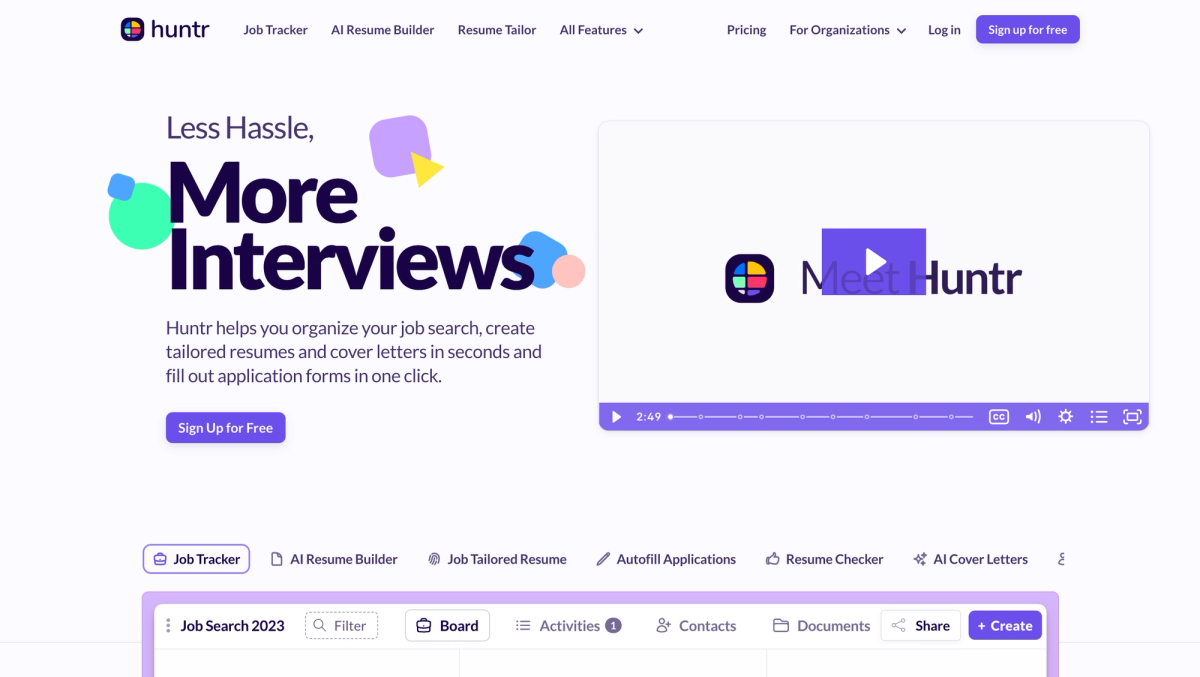
Huntr is designed as an all-in-one platform that keeps the entire job search in one place. The core idea is simple. Save jobs, track progress, tailor resumes, and manage follow-ups without switching tools. In a Huntr vs. Teal comparison, Huntr leans toward speed and continuity across the workflow rather than long, prescriptive audits at each step.
Day to day, Huntr feels fastest when volume matters. Saving roles from job boards takes one click. The Kanban-style job tracker makes it easy to see where applications stand and what needs attention next. Resume tailoring, application details, notes, and contacts live alongside each job, helping job seekers stay organized during busy search periods. On the free plan, users can track up to 100 job applications, which covers most active searches.
Huntr provides resume scores, job match feedback, AI rewrites, and resume reviews, but the experience is built for fast iteration rather than rigid diagnostics. If your workflow depends on highly granular keyword audits or strict analyzer rules, you may want more structure. Huntr works best for job seekers who value speed, visibility, and control across the full system.
Teal Overview
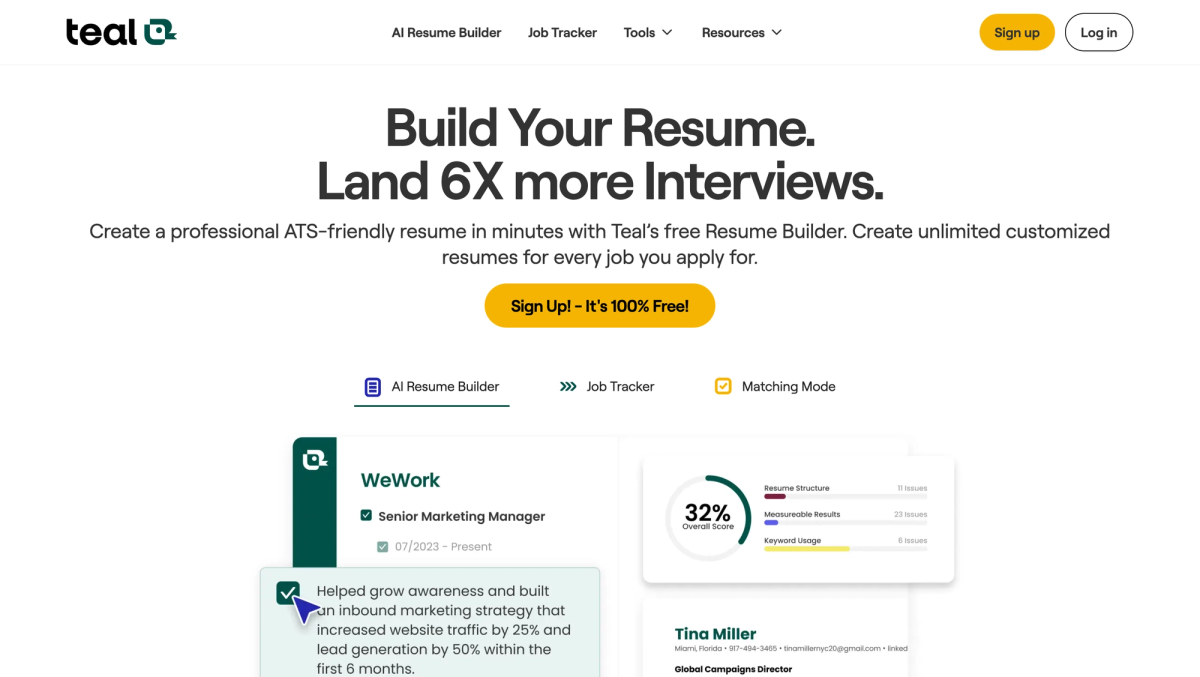
Teal is designed for structured job search management. It approaches the process as a series of measurable steps that can be analyzed and refined. In a Huntr vs. Teal comparison, Teal emphasizes planning, alignment prompts, and guided review over rapid execution.
Teal feels strongest for applicants who like checklists and detailed breakdowns. Its job tracker, resume tools, and analyzer features are built to surface gaps and push deliberate action. Keyword analysis and qualification matching can help job seekers think through fit before applying, especially if they prefer a more methodical approach.
That structure can also add weight. Onboarding takes longer, and some of Teal’s most valuable feedback is gated behind an upgrade, including full analyzer recommendations and matching insights. Depending on your location, the job matcher may be less useful since localization can be inconsistent. The analyzer can also feel rigid or overly literal, and AI-generated bullets or summaries often require review to correct placeholder metrics or inaccuracies.
Teal works best for targeted job applications where depth and review matter more than speed, but it can feel higher-maintenance if you are applying actively.
Job Tracker Experience
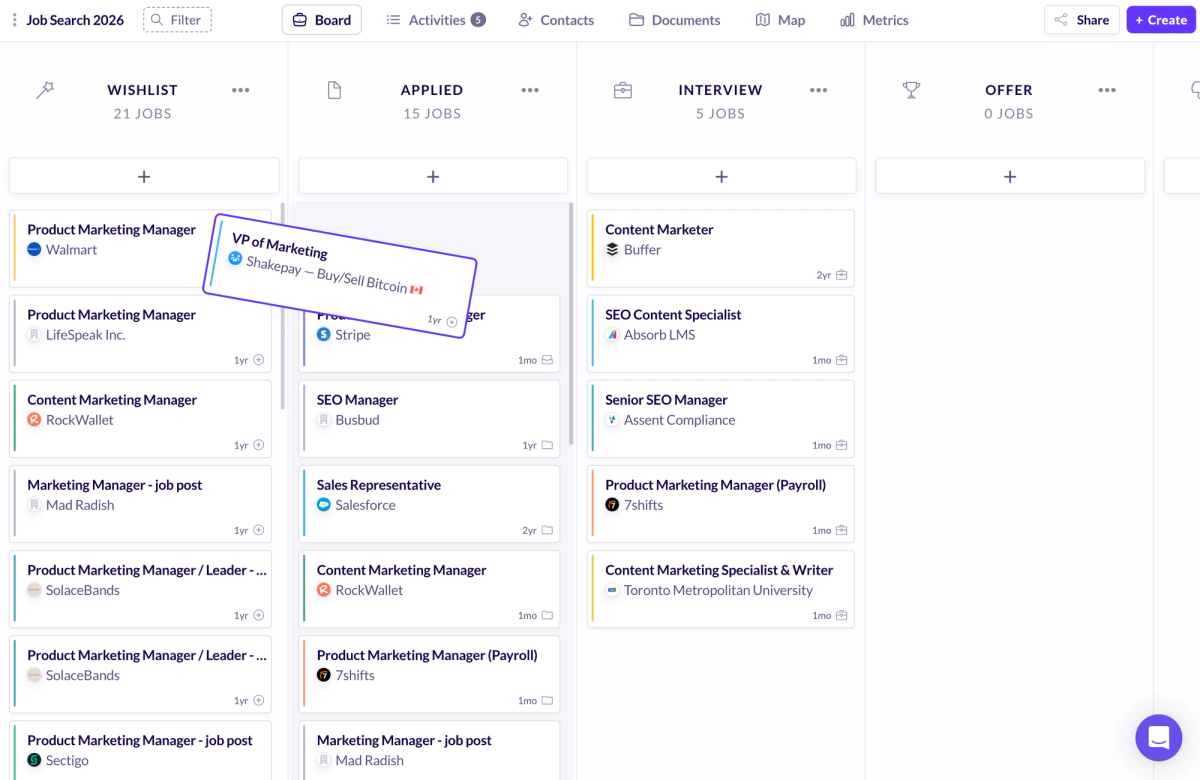
The job tracker is where workflow differences become obvious. Huntr is designed around quick pipeline movement. Its Kanban-style board mirrors how many people naturally think about job applications, allowing roles to move visually from saved to applied to interview with minimal effort. This setup encourages momentum and makes it easy to see what needs attention next.
Teal also offers a robust job tracker and Chrome extension, and it performs well when it comes to capturing job data and keeping applications organized. Where it differs is in emphasis. Teal encourages more detailed records, structured fields, and a checklist-style review. This depth can be helpful for applicants who want to analyze each role carefully, but it adds upkeep when managing many applications at once.
Both tools make saving jobs from major job boards fast. Huntr’s capture flow feels lighter, pulling in essential details with minimal cleanup. Teal’s capture tends to include more structured metadata, which improves completeness but can slow things down if you are moving quickly through many listings.
The difference ultimately comes down to maintenance. Huntr keeps notes, contacts, reminders, and attachments close to each job with very little input required. Teal tracks more fields and encourages fuller records, which increases control but also increases the time spent reviewing and correcting data. As a job application tracker, Huntr favors speed and visibility, while Teal favors structure and oversight.
Resume Builder and Editing Experience
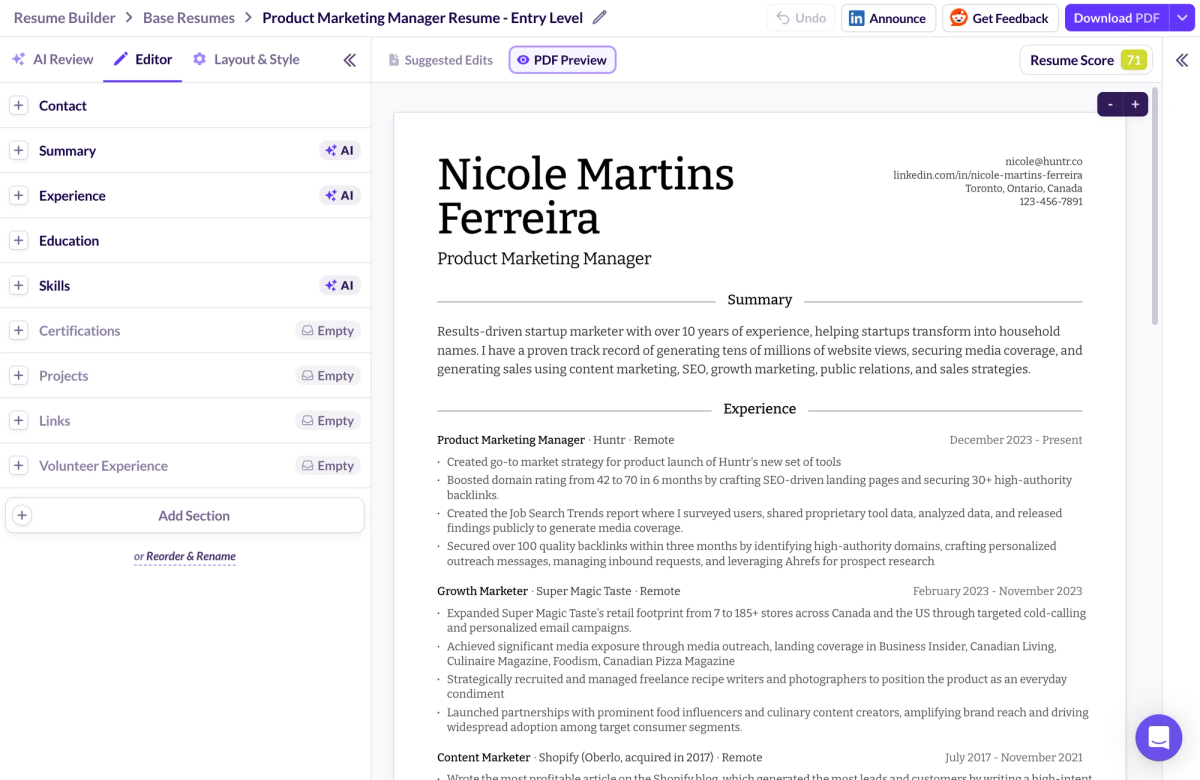
Both tools focus on improving an existing resume rather than forcing you to build from scratch. Huntr’s resume builder supports fast iteration. You can import via LinkedIn, PDF, or DocX, then tailor resumes role by role without losing context. Free exports include both PDF and DocX, which matters when employers require editable formats.
Huntr also offers deep formatting control. Users can adjust fonts, line height, margins, date formats, layout, and even toggle photos based on regional expectations. The AI assists with contextual rewrites while keeping edits easy to review.
Teal offers more resume templates and solid customization for layout and bullet styling, but exports are limited to PDF. DocX export is not available. AI-generated bullets and summaries often require editing to fix placeholders or inaccuracies, and skills must be added manually rather than generated. Teal supports versioning, but it relies more on manual organization and analyzer-driven review.
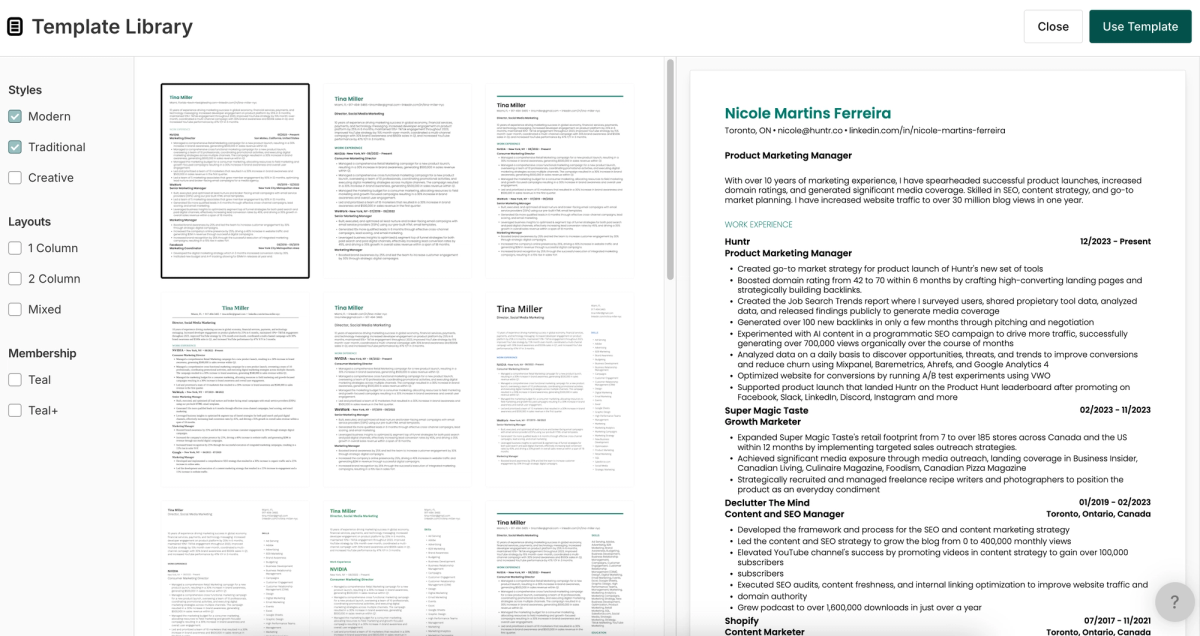
For applicants managing multiple resumes across many roles, Huntr leans toward speed and reuse. Teal leans toward structured review and deliberate refinement.
Tailoring and Match Feedback
Tailoring means adjusting emphasis so a resume aligns with a specific job description without rewriting history. A tailored resume highlights the experience that matters most, downplays what does not, and stays readable for applicant tracking systems and hiring managers.
Keyword alignment helps with initial filtering, but qualification alignment determines credibility. Huntr and Teal both attempt to address this, but tools that rely too heavily on keyword counts often inflate confidence without improving fit. Feedback is most useful when it points to concrete gaps rather than signaling approval.
While Teal does attempt to evaluate both keywords and required qualifications, its match feedback was significantly less reliable in our scoring. Huntr’s job match performed materially better overall, largely because the output was more consistently actionable and easier to verify against real job requirements.
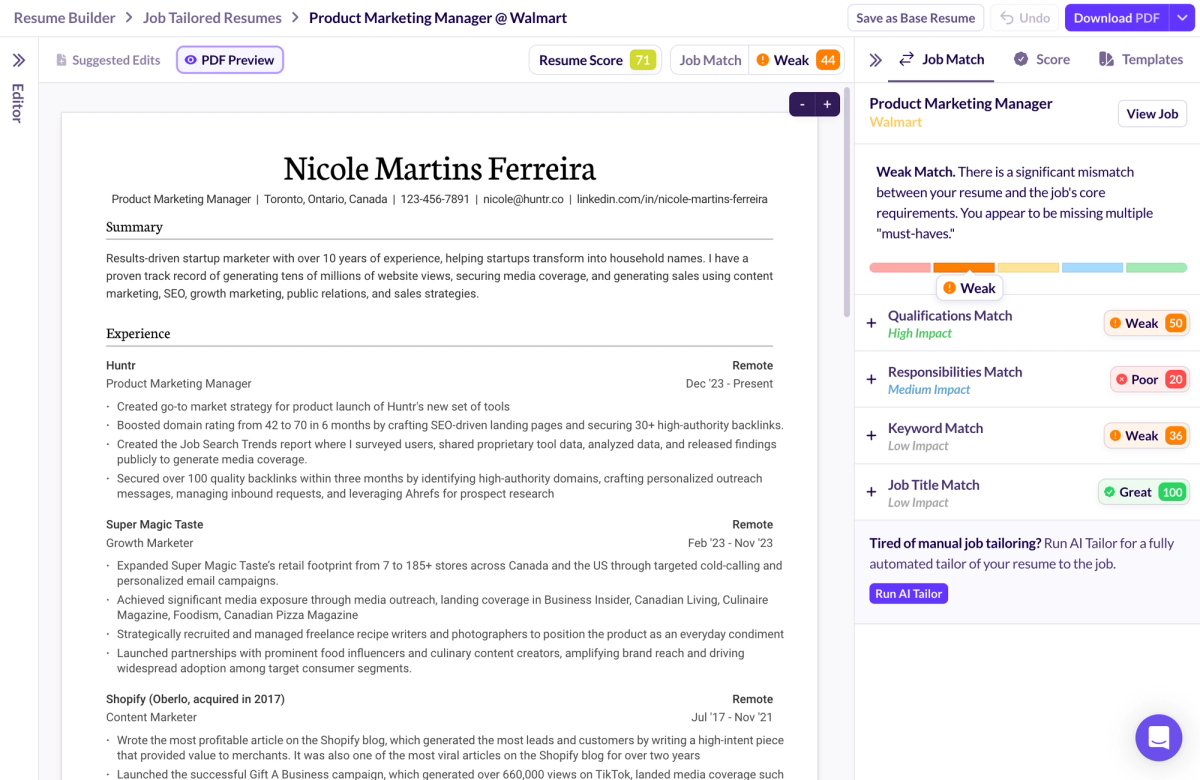
Match scores deserve caution. High scores can feel reassuring while still missing core requirements. The most reliable signals are the ones you can verify directly against your experience and the job description.
AI Features: When They Help and When They Slow You Down
AI works best when it supports judgment instead of replacing it. Whether it saves time or creates cleanup usually comes down to accuracy, control, and how easy it is to review changes. Strong bullet rewrites preserve outcomes and tighten language without flattening meaning, while weak ones replace specifics with vague filler that reads well but proves little. Fewer strong bullets consistently outperform longer, generic lists. AI-generated summaries and skills can save time when they reflect real experience, but they become noise when they guess metrics, overreach on scope, or invent specificity. The safest approach is to treat AI output as a starting point rather than a final draft. Good tools also make it easy to review suggestions, reject bad edits, and roll back changes without losing original content. Clear approval and rollback controls reduce risk and help preserve credibility throughout the job search.
Pricing and Value
Free plans vary widely in real usefulness. Some tools allow free resume exports without friction, while others restrict downloads or gate essential feedback. Huntr’s free plan includes resume downloads and tracking of up to 100 job applications, which covers most searches and makes it easier to run a full job search system without hitting paywalls early.
Paid plans make sense when they remove repeated work. In Teal’s case, the primary reason to upgrade is access to full analyzer recommendations and complete matching insights, which are otherwise gated. For some users, that structure is worth paying for, especially if they rely heavily on analysis prompts. For others, the free workflow can feel incomplete once those limits are reached.
Huntr’s free plan covers more of the core workflow upfront, including resume exports and tracking up to 100 job applications. That difference reduces early paywall friction and makes it easier to run a complete job search system before deciding whether a paid upgrade is necessary.
Hidden costs show up quickly. Time spent fixing AI output, reviewing rigid analyzer feedback, or navigating feature gates adds friction that pricing pages rarely mention. Transparency and time saved matter more than headline prices.
Best Workflows for Each Tool
A simple Huntr workflow for high-volume applicants
Huntr fits applicants managing many job applications at once. Saving roles from job boards is fast, and the tracker makes it easy to keep a pipeline moving without losing context. Resumes can be tailored quickly, stored per role, and reused through versioning. Tracking up to 100 applications on the free plan is enough for most active searches, and centralized notes help you follow up without extra systems.
A structured Teal workflow for targeted applicants
Teal works best for candidates applying to fewer roles with deeper customization. Each job description drives edits, and time is spent reviewing analyzer feedback and adjusting content deliberately. This approach can be effective when the priority is fit and precision, as long as you are comfortable validating AI outputs, adding skills manually, and working within feature gates.
How people lose time with both tools and how to avoid it
Time is lost when tools are used outside their strengths. Over-tailoring every resume in a high-volume search slows progress, while trusting AI suggestions without review creates cleanup later. The fix is setting limits per application and using each platform for what it does best.
Conclusion
In the end, the Huntr vs. Teal choice is straightforward once you look at how you actually apply. For most job seekers, Huntr wins decisively because it makes it easier to capture roles quickly, iterate on resumes without breaking formatting, and stay organized across follow-ups without adding extra maintenance. Teal can still work for selective applicants who want a more guided system, but it comes with more manual review, more rigid feedback, and key insights that are often gated behind an upgrade. The deciding question is simple: do you land jobs by keeping a high-volume pipeline moving or by spending extra time per role to pursue a smaller list of potential employers? If you want a tool that helps you stay organized throughout the job search journey and keep moving toward your dream job, start with Huntr for free and build your system from there.
FAQs: Huntr vs Teal
Is Huntr better than Teal?
Huntr is better if you are applying at high volume and want a job tracker that keeps momentum high with minimal friction. Teal is good if you apply to fewer roles and want more structure, deeper analysis, and a system that forces more deliberate review.
Is Teal worth paying for?
Teal can be worth it if you consistently use its analyzer and matching insights as part of your workflow, and you are comfortable reviewing and correcting AI output. If you mainly want basic job tracking and resume building, the free plan may be enough, and the paid plan can feel like extra overhead.
Is Huntr’s free plan actually usable?
Yes. Huntr’s free plan is strong for real job seekers because it supports tracking up to 100 job applications and allows resume exports, which is enough to run a full job search without hitting paywalls immediately.
Which job search tool is better for high-volume applications?
Huntr is the better job search tool for high-volume job applications because the workflow is built around speed, tracking visibility, and repeatable execution across many roles.
Which tool is better for tailoring resumes to each job description?
Teal can be helpful for a deeper review of a job description, but Huntr is stronger for fast, high-quality tailoring output, especially when you need repeatable resumes at scale.
Do Huntr and Teal both have a Chrome extension?
Yes. Both Huntr and Teal offer a Chrome extension to save jobs from major job boards, helping you capture job listings faster and keep job details tied to your workflow.
Does Teal export resumes as DocX?
No. Teal exports resumes as PDF, but it does not support DocX export. If you need DocX for certain employers or ATS systems, Huntr has the advantage here.
Does Teal generate skills suggestions automatically?
No. Teal does not generate skills suggestions the way many AI resume builder tools do. You typically need to add skills manually or pull them from job description keywords.
Are Huntr and Teal match scores accurate?
They can be directionally useful, but you should treat them as signals, not truth. Match scores can look confident and still miss qualification gaps or flag keywords incorrectly, so quick human verification matters.
If I want to land jobs faster, which should I pick?
If landing jobs for you means applying quickly, tracking follow-ups, and keeping a high-volume pipeline moving, choose Huntr. If it means spending more time per application to maximize fit for a smaller set of potential employers, choose Teal.

Ashliana Spence
Ashliana is a freelance marketing and growth operations consultant who works with lean teams to improve where and how they show up, communicate, and operate. With a background in integrated marketing communications, she focuses on messaging, content, systems, and processes, turning complex ideas and values into clear narratives and building workflows that help teams move with consistency and intent to support long-term trust-driven growth.
Get More Interviews, Faster
Huntr streamlines your job search. Instantly craft tailored resumes and cover letters, fill out application forms with a single click, effortlessly keep your job hunt organized, and much more...
AI Resume Builder
Beautiful, perfectly job-tailored resumes designed to make you stand out, built 10x faster with the power of AI.
Next-Generation Job Tailored Resumes
Huntr provides the most advanced job <> resume matching system in the world. Helping you match not only keywords, but responsibilities and qualifications from a job, into your resume.
Job Keyword Extractor + Resume AI Integration
Huntr extracts keywords from job descriptions and helps you integrate them into your resume using the power of AI.
Application Autofill
Save hours of mindless form filling. Use our chrome extension to fill application forms with a single click.
Job Tracker
Move beyond basic, bare-bones job trackers. Elevate your search with Huntr's all-in-one, feature-rich management platform.
AI Cover Letters
Perfectly tailored cover letters, in seconds! Our cover letter generator blends your unique background with the job's specific requirements, resulting in unique, standout cover letters.
Resume Checker
Huntr checks your resume for spelling, length, impactful use of metrics, repetition and more, ensuring your resume gets noticed by employers.
Gorgeous Resume Templates
Stand out with one of 7 designer-grade templates. Whether you're a creative spirit or a corporate professional, our range of templates caters to every career aspiration.
Personal Job Search CRM
The ultimate companion for managing your professional job-search contacts and organizing your job search outreach.
Huntr
Blog Product Updates Resume Skill Guides Resume Examples Interview Question Guides Research 2025 Job Search Trends Report Affiliate Program Careers Privacy policy Terms of service Write for us LinkedIn Reddit r/HuntrCo Twitter @TryHuntr Email UsProduct
Job Tracker AI Resume Builder Resume Tailor Resume Checker AI Cover Letters Resume Summary Generator Resume Bullet Generator Resume Skills Generator Resume Headline Generator Resume Keyword Scanner Job Keyword Finder Targeted Resume Contact Tracker Interview Tracker Job Search Metrics Job Application Autofill Resume Storage AI Resume Review Job Clipper Resume Optimization ChatGPT Resume Builder Resume Fixer LinkedIn Resume Builder AI Resume Rewriter Interview Question Generator